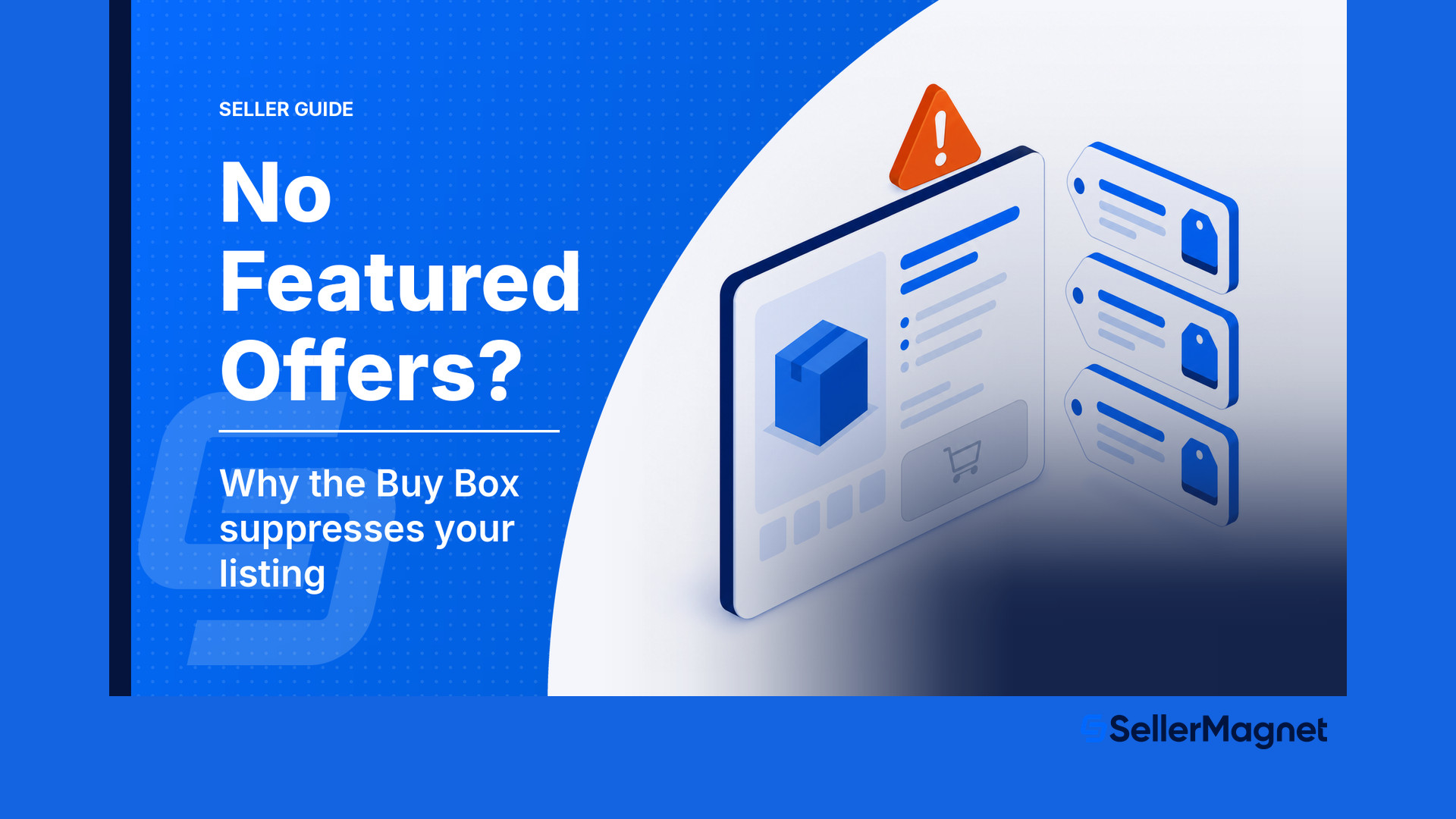
Amazon Buy Box 2026: What Decides the Featured Offer
R
RenéFreelance Amazon Editor
|
9 min read
Last updated: Oct 23, 2026
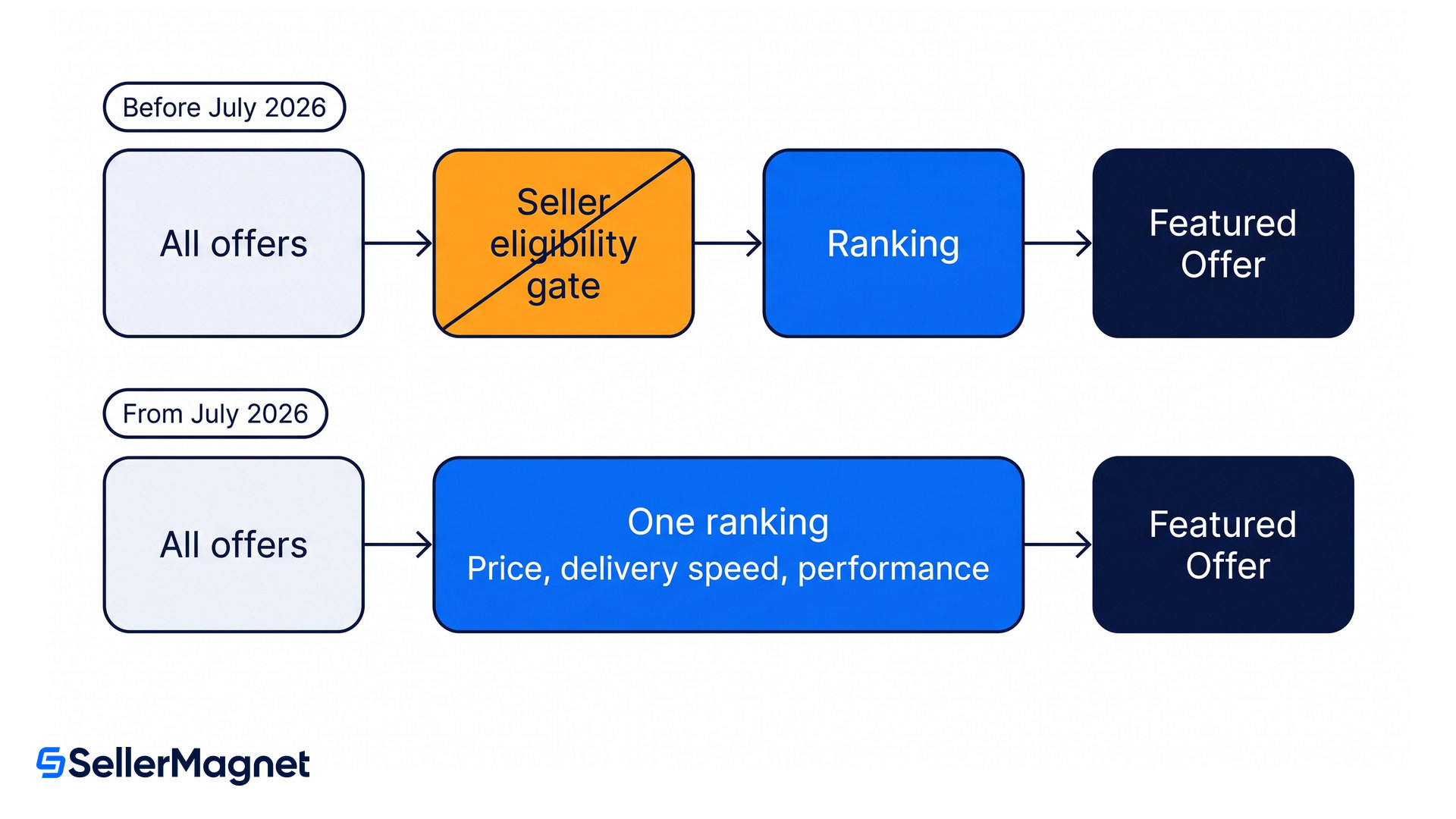
The Amazon Buy Box, which Amazon calls the Featured Offer, is the offer attached to the Add to Cart button on a product page. In July 2026 Amazon began removing the seller eligibility gate that decided who was even allowed to compete for it, a change rolling out globally through the end of 2026. Selection itself did not change: price, delivery speed and performance still decide it, and they now do so inside a single ranking rather than behind a pass or fail filter.
The Amazon Buy Box, officially the Featured Offer, is the offer behind the Add to Cart button. Since July 2026 Amazon has been removing the seller eligibility gate store by store, finishing by the end of 2026. Where it has landed, every seller's offers are ranked. Competitive price, delivery speed and seller performance still decide which offer is featured, and your percentage is the share of page views your offer held.
What is the Amazon Buy Box?
The Buy Box is the block beside the product image on desktop, and directly under it on a phone, carrying the price, the delivery promise and the Add to Cart button. Amazon's own reports and announcements call it the Featured Offer, and the seller whose offer sits there receives the order when a shopper simply adds to cart. Everyone else appears behind a smaller link to the other offers.
Most shoppers never open that link. On a phone the other offers are effectively invisible. That is why two sellers listing the identical product at nearly the same price can see completely different revenue: one holds the Featured Offer most of the day and the other holds it rarely.
What changed in July 2026?
Amazon removed the first of two steps. Its announcement describes the old process plainly: "we determine which sellers are eligible based on seller performance criteria. Then, we rank all offers listed by eligible sellers for a particular product, and select the Featured Offer from that pool". Amazon concluded that "the first seller eligibility step is no longer delivering additional value to customers, so we're removing it", in its update to Featured Offer eligibility requirements.
The timing is staged. Amazon says the change "will roll out gradually across all Amazon stores globally, completing by the end of 2026" and that "no action is required from you", with existing offers included automatically. The EU and UK stores were scheduled for July 20, 2026, with the United States and the rest following in waves.
What this is not
It is not a relaxation of standards. Amazon states it will "continue to evaluate offers and select the Featured Offer based on criteria most important to customers, such as competitive pricing, delivery speed, and performance". Amazon names order volume, chargeback rate and Voice of the Customer complaints as the dimensions behind seller performance. What it has not said is how they are weighted, and one reading of the change is that those signals move inside one score rather than sitting in a separate gate.
What decides the Featured Offer now?
One ranking decides it, built from the things a shopper would care about. The follow-up thread on the rollout lists the inputs Amazon weighs and, just as usefully, three things it does not.
Input
What it means in practice
Counts?
Total landed price
Item price plus shipping, compared with the other offers on the ASIN
Yes
Delivery speed
Faster offers with a specific delivery promise rank higher
Yes
Free shipping and free returns
All-inclusive pricing is preferred, and free returns matter most in frequently returned categories
Yes
Seller performance
Order volume, chargeback rate and Voice of the Customer complaints, the dimensions Amazon names
Yes
Stock availability
Thin stock signals you cannot serve the demand the placement brings
Yes
Customer reviews on the product
The same ASIN has the same reviews for every seller
No
Prime badge status by itself
The delivery promise counts, the badge alone does not
No
Fulfillment method on its own
Amazon lists this among the factors that do not count: FBA and Seller Fulfilled are treated equally, and what counts is the delivery promise each produces
No
The practical consequence of the gate removal is more competition, not easier competition. Sellers who were locked out of the pool are now ranked alongside you, so an ASIN that felt uncontested can suddenly show a second and third offer in the rotation. A common mistake here is letting a repricer read that as a price war and cut margin against offers that were never going to outrank you anyway.
Why does the Buy Box rotate between sellers?
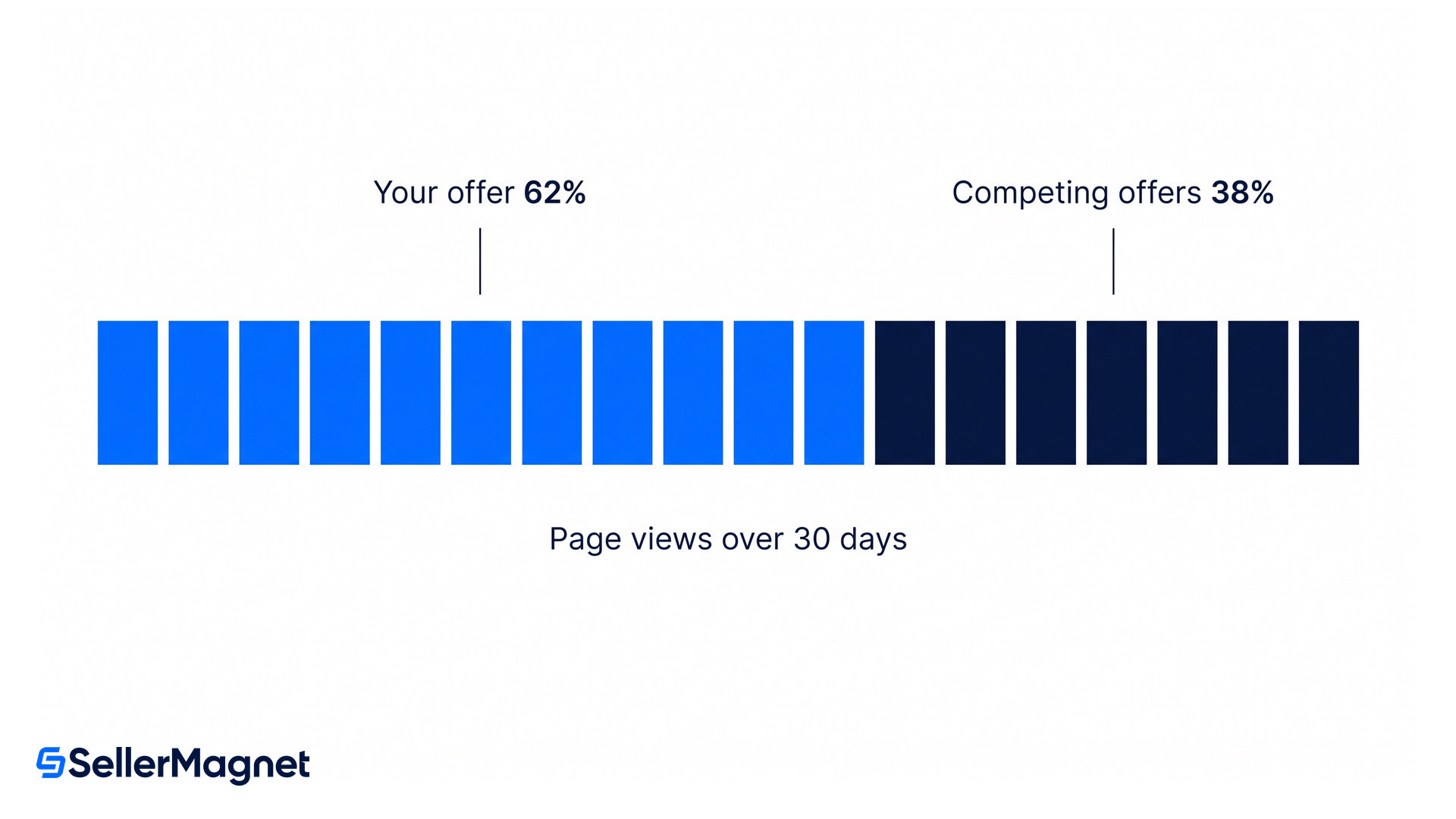
Because it is a share of page views, not a single verdict: Amazon defines the metric as page views where your offer is featured divided by total page views. On a contested ASIN several offers take turns in the placement, and the stronger offer simply appears more often. The same model holds in practice: better pricing, fulfillment and performance earn a larger slice of the rotation rather than an outright win.
Read the number, not the anecdote
A Featured Offer Percentage of 62%, mid-band for the sellers above, does not mean you lost. It means your offer carried the Add to Cart button for 62% of the measured page views and someone else carried the rest. Chasing that number to 100% with price cuts is usually the most expensive way to buy the smallest gain, and nothing Amazon has published promises the last points are for sale at all.
Why is there no Featured Offer at all?
That is suppression, and it is a different failure. When Amazon suppresses the placement nobody wins it: the page loses Add to Cart and Buy Now and shows a See All Buying Options button instead. Amazon does not warn you before this happens, so most sellers discover it from a sales drop rather than a notification.
Price above Amazon's reference. A frequent trigger, and it fires when Amazon believes the item is cheaper elsewhere online, not just cheaper on Amazon.
A bad external price match. Sellers report their offer being compared against smaller sizes, different products and lookalike listings on marketplaces such as Temu, which suppresses a correctly priced offer.
Listing quality. Missing images, thin or inaccurate detail-page content.
Stock and fulfillment status. Out of stock removes the offer; a weak delivery promise weakens it.
Account health. Performance problems still bite, and after the gate removal they bite through ranking and enforcement rather than a visible eligibility flag.
Where do you see your Featured Offer percentage?
In Seller Central under Reports, then Business Reports, open Detail Page Sales and Traffic by Child Item and read the Featured Offer Percentage column, still called the Buy Box percentage by most sellers. 100% means your offer held the placement for every measured page view, 50% means it was shared, and 0% means it was never selected.
Read it per child item and over a fixed window, because a single day on a low-traffic ASIN is noise. During the 2026 rollout a number of brand owners and sole sellers posted in the Featured Offer update thread that their figure swung between 47% and 73% after holding 100%, with no change to price or metrics, and Amazon did not answer those posts. If that is your situation, check for suppression first and treat the rest as a measurement question rather than repricing into it.
How to diagnose a Featured Offer problem
Look at the live product page - Open the ASIN as a shopper, logged out. If you see See All Buying Options instead of Add to Cart, the placement is suppressed and no amount of repricing will win it back. If you see Add to Cart with someone else's offer, it is a ranking problem.
Pull the Featured Offer Percentage over 30 days - Use Reports, then Business Reports, then Detail Page Sales and Traffic by Child Item. Compare the last 30 days with the previous 30 for the same child items, so you are reading a trend rather than a day.
For suppression, check price against the outside world - Compare your price with your own listings on other marketplaces and with any lookalike listing that Amazon might be matching. A wrong external match is fixable through a support case, but only if you can show the match is wrong.
For a ranking loss, check the offer before the price - Confirm stock depth, the delivery promise the shopper sees, and whether shipping and returns are free. These move the ranking without touching margin, and they are the cheapest things on this list to fix.
Only then reprice, with a floor you mean - Set the floor from the landed cost of the unit including fees, not from a round number, and let the repricer work between floor and ceiling. A floor set too high looks exactly like an algorithm problem from the outside.
Quick win for today
Export the Featured Offer Percentage for your top twenty child items and sort ascending. Anything at 0% is suppressed or genuinely outranked, and belongs in the diagnosis above. For the rest, check in the SellerMagnet repricer that the floor on each of those SKUs sits above the landed cost including FBA fees, because a floor set above the market is the first thing to rule out when a healthy offer never enters the rotation.
Is the Amazon Buy Box the same as the Featured Offer?
Yes. Featured Offer is Amazon's own name for the placement sellers have always called the Buy Box, and Seller Central reports now use the Featured Offer wording.
What changed about Buy Box eligibility in 2026?
From July 2026 Amazon began removing the seller eligibility step that filtered sellers by performance before ranking their offers. The rollout is global and completes by the end of 2026, and no seller action is required.
Does seller performance still matter for the Buy Box?
Yes. Amazon says it still selects on competitive pricing, delivery speed and performance. The difference is that performance is now weighed inside the ranking instead of deciding whether you may compete at all.
Why did my Featured Offer percentage drop without any change on my side?
Offers that were previously filtered out now enter the ranking, so a share that used to be yours alone can be split. Check first whether the placement is suppressed, because that is a different problem with a different fix.
What does See All Buying Options mean on my listing?
It means the Featured Offer is suppressed for that ASIN and no seller holds it. A common cause is a price Amazon considers uncompetitive against an outside reference, and Amazon does not notify you when it happens.
Can I be the only seller and still not hold the Featured Offer?
Yes, and several brand owners reported exactly that during the 2026 rollout. With no competitor, a percentage below 100% points at suppression or at how the placement is measured, not at a rival offer.
Stop Juggling Tools. SellerMagnet Combines Everything You Need.