Amazon Pricing Health 2026: Deactivated and Within-5% Flags
R
RenéFreelance Amazon Editor
|
11 min read
Pricing Health sits inside Seller Central and does one job: it tells you exactly which of your offers are deactivated for a pricing error, which ones are not winning the Featured Offer because of price, and which ones are close enough to the Featured Offer price that a small cut would win it. A pinned Seller Forums post from Amazon's own community team, timed for Black Friday and Cyber Monday 2026, calls it "one of the most powerful, and sometimes misunderstood, tools in Seller Central." This guide works through what the tool actually shows, the seven reference prices behind its decisions, a worked example of the 5% Featured Offer window, the new self-serve way to dispute a reference price, and a pre-event checklist.
Amazon Pricing Health is a Seller Central tool that reports three kinds of pricing issues: offers Amazon deactivated for a potential pricing error, offers that are not eligible for the Featured Offer because their price is too high, and offers priced within 5% of the current Featured Offer price that a small cut could win. It compares your total price against up to 7 reference prices, including the Featured Offer price and recent average selling prices, and since late 2026 lets you dispute a reference price you believe is wrong directly through Seller Assistant, with resolution possible in as little as 30 minutes.
What Pricing Health actually shows you
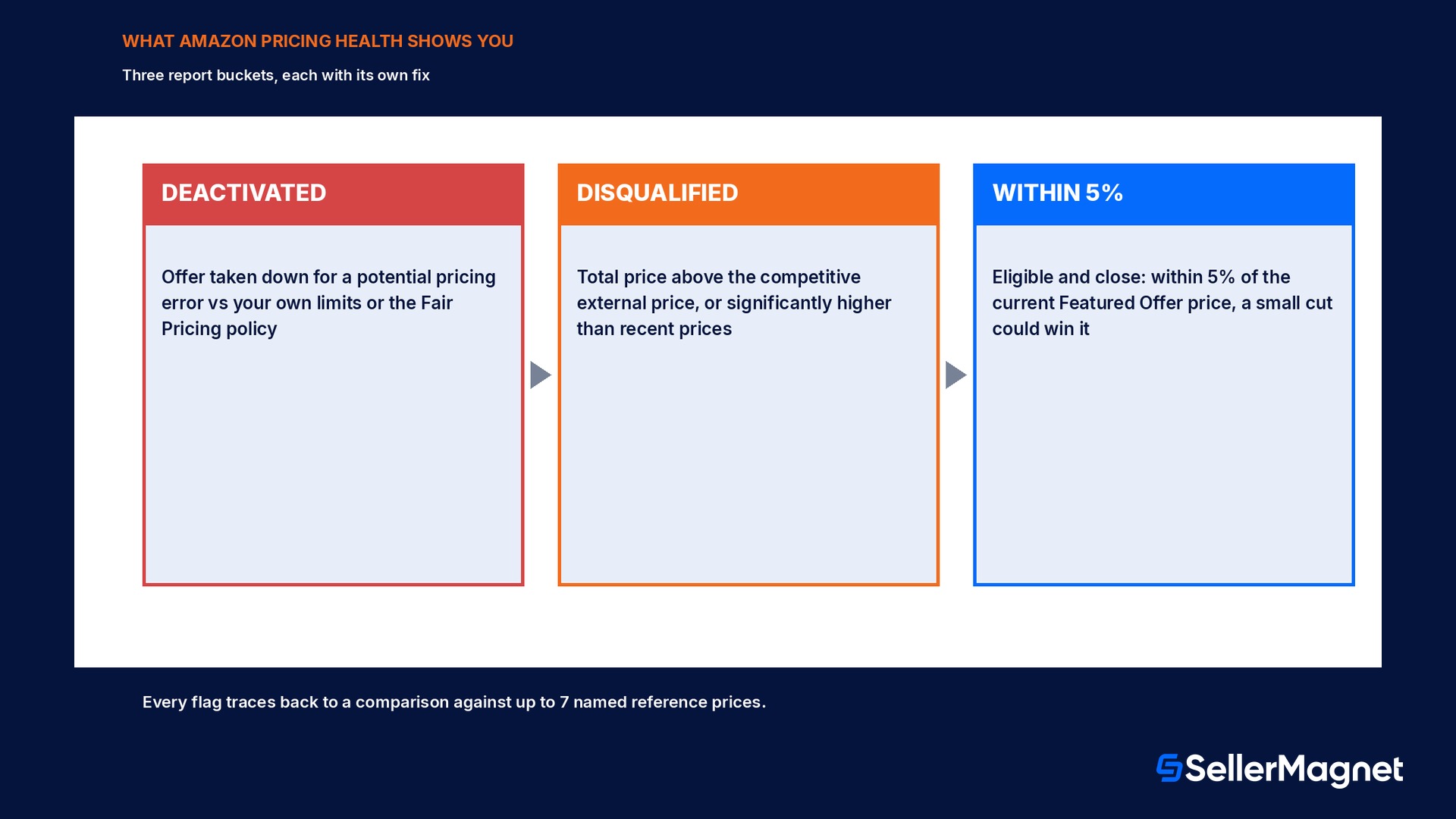
Pricing Health is not a pricing strategy tool by itself; it is a report of where your current prices stand against Amazon's own pricing checks, with a one-click fix suggested for most rows. The help center groups what it shows into three buckets, and the pinned Seller Forums community post from Amazon's own team (10 November 2026) uses the same three-way split when walking sellers through it ahead of Black Friday and Cyber Monday.
Deactivated offers: listings Amazon has taken down because of a potential pricing error, most often a price that fell below the minimum you yourself set, or one that otherwise breaks the Marketplace Fair Pricing policy.
Featured Offer disqualified: your total price (selling price plus shipping) is above the competitive external price Amazon found elsewhere, or significantly higher than recent prices seen on Amazon or elsewhere.
Within 5% of the Featured Offer: your offer is eligible and close, inside 5% of the current Featured Offer price, where a small adjustment can tip the balance in your favor.
The reference prices behind every flag
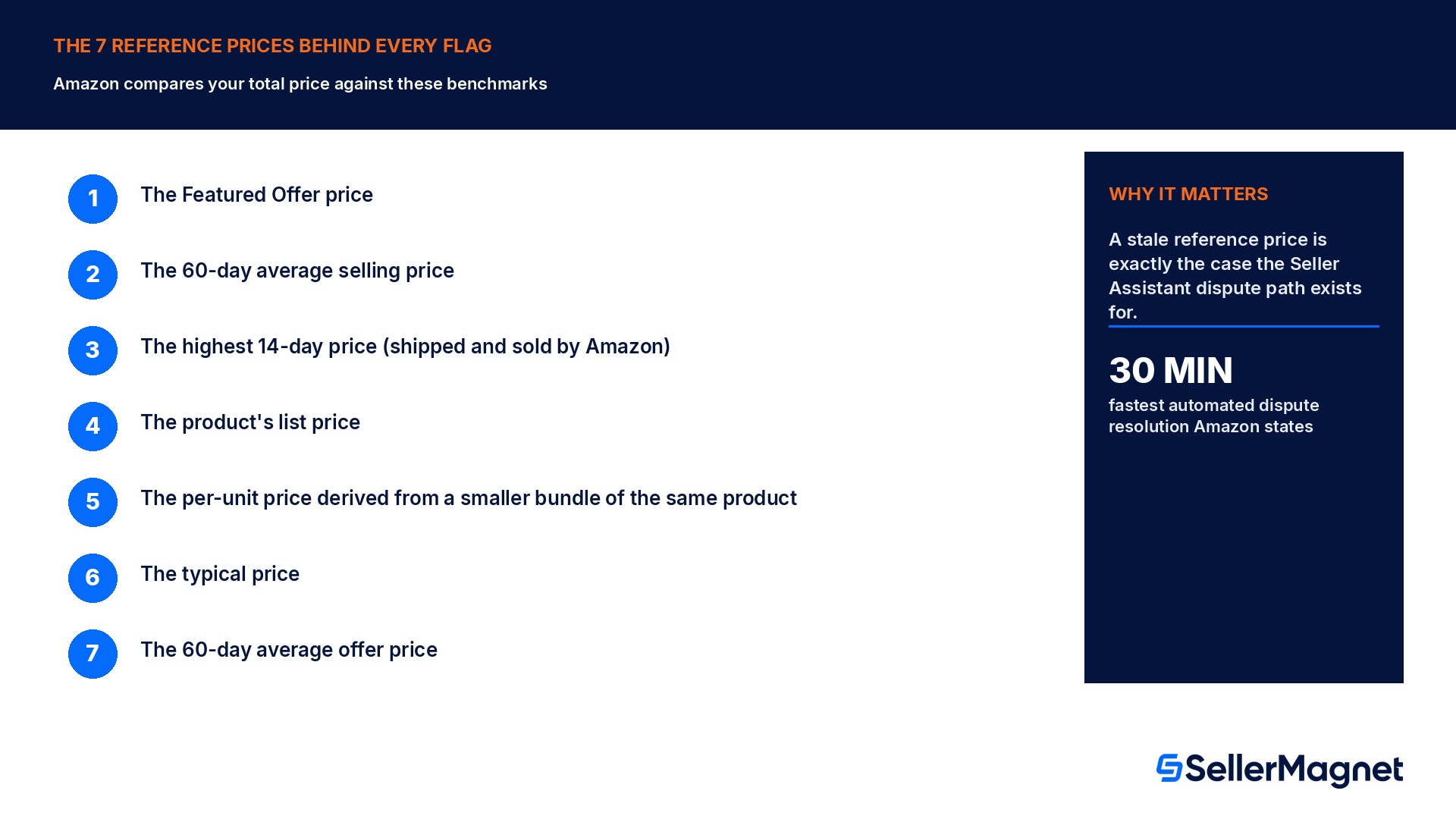
Every Pricing Health flag traces back to a comparison against one or more reference prices, which the help page lists explicitly so the decision is not a black box. A price gets flagged as a potential error, or disqualified from the Featured Offer, when it sits meaningfully above or below these benchmarks, not because of a single fixed percentage rule.
The Featured Offer price
The 60-day average selling price
The highest 14-day price (shipped and sold by Amazon)
The product's list price
The price derived from the per-unit Featured Offer price for a smaller bundle of the same product
The typical price
The 60-day average offer price
The width of that list matters in practice. A product with thin recent sales history may lean harder on the list price or the bundle-derived per-unit price, while a fast-moving ASIN's 60-day average offer price moves every time the market shifts. If you believe the reference price Pricing Health used for a specific offer is stale, that is exactly the case the new dispute path below exists for.
Worked example: the 5% Featured Offer window
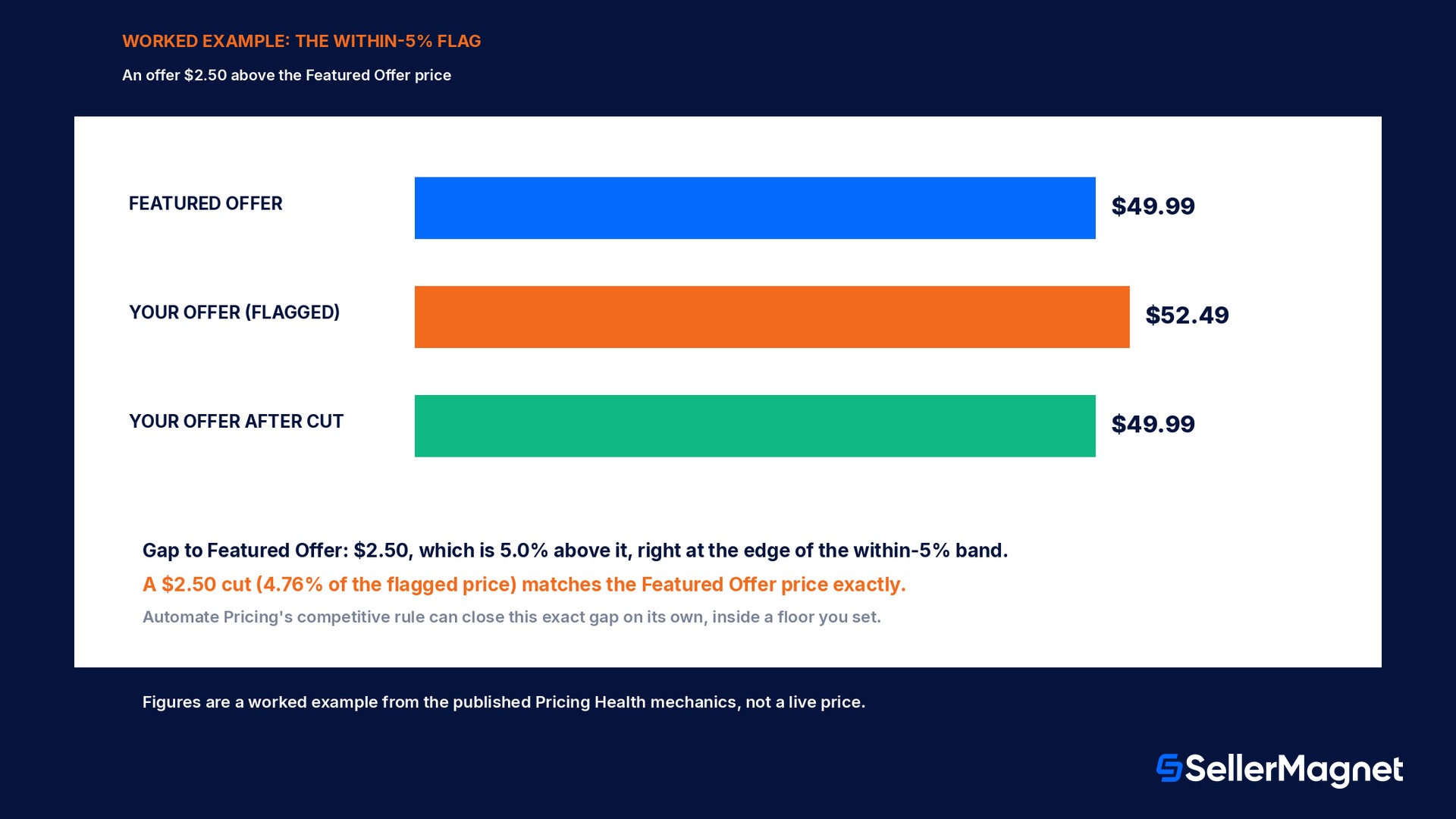
Say your offer is priced at $52.49 and the current Featured Offer sits at $49.99. Your price is $2.50 above the Featured Offer, which works out to 5.0%, right at the edge of the within-5% band Pricing Health reports. Dropping your total price by $2.50 would match the Featured Offer price and move your offer out of the flagged list, assuming no other factor changes in the meantime.
Price
Gap to Featured Offer
Featured Offer price
$49.99
n/a
Your offer (flagged, within 5%)
$52.49
+5.0%
Your offer after a $2.50 cut
$49.99
0.0%
Within 5% does not mean automatically fixed
Pricing Health reports the gap; it does not change your price for you unless you turn on Automate Pricing. A flagged row with no action taken stays flagged, and a competitor's own price move can widen or close the gap again before you act.
Worked example: deactivation below your own floor
Deactivation works differently from the Featured Offer flags above: it is triggered against a limit you set yourself, not just Amazon's reference prices. Say you set a minimum price of $20.00 for an ASIN, and something, a bulk upload error, a repricer misconfiguration, a manual typo, pushes the live price to $18.50. That is $1.50 below your own floor, a 7.5% shortfall, and Amazon deactivates the listing automatically rather than let a price you yourself flagged as unacceptable reach a customer. Reactivating it just means revising the price back to your floor or above; Pricing Health shows the exact row so you are not hunting for which ASIN triggered it.
A deactivated offer earns nothing while it is down
Unlike a Featured Offer disqualification, where the listing is still live and sellable, a pricing-error deactivation takes the offer off the detail page entirely. Check Pricing Health's deactivated-offers list on a schedule, not only when you notice a sales gap.
Disputing a reference price: the new Seller Assistant path
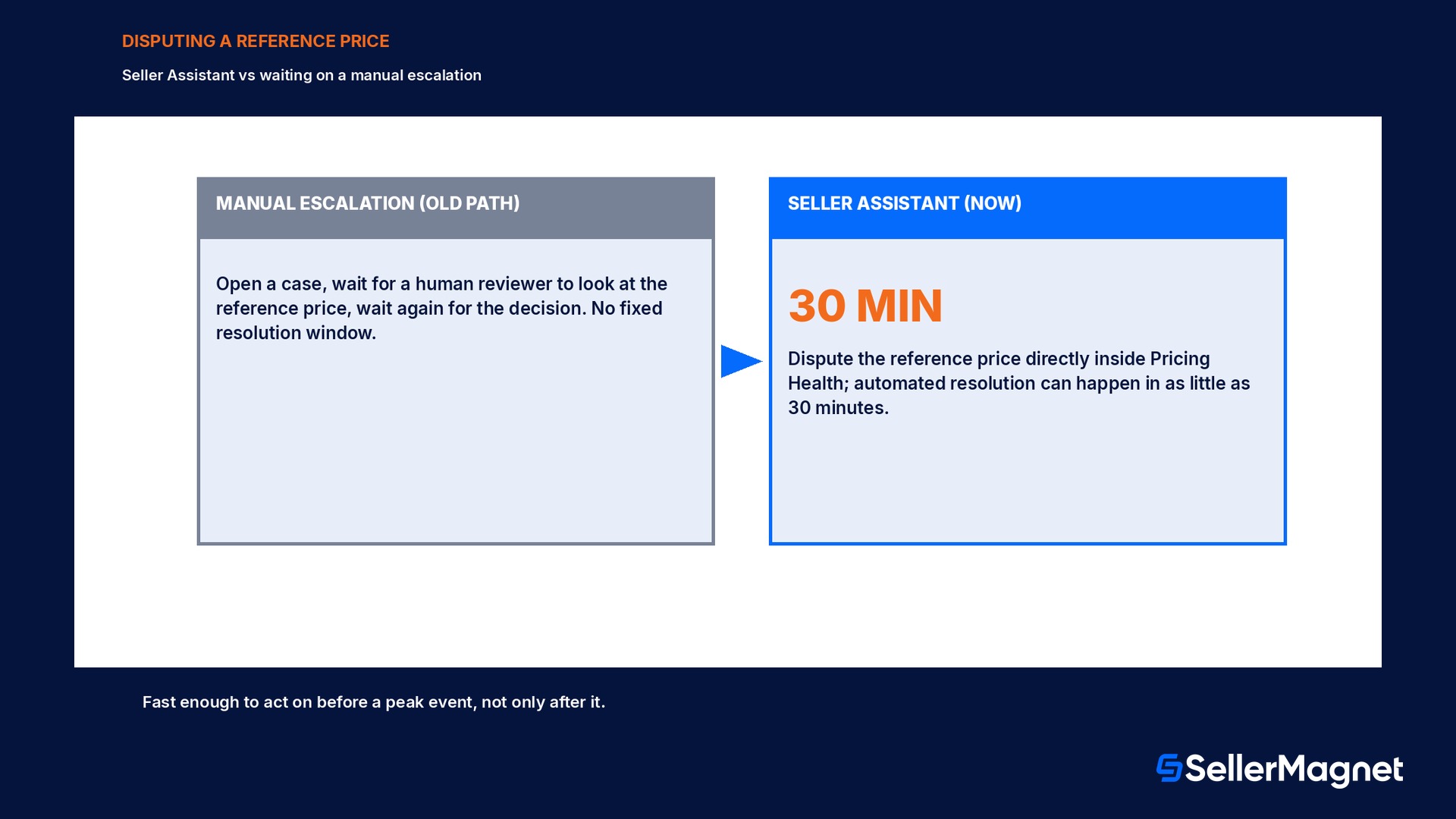
If a reference price looks wrong for one of your flagged offers, perhaps the competitive external price Amazon found is for a different pack size, or the 60-day average reflects a short-lived clearance event elsewhere, you can now dispute it directly through Seller Assistant inside Pricing Health, instead of waiting for an escalation to be opened and answered by a human reviewer. Amazon's community team describes automated resolution happening in as little as 30 minutes for these disputes, which changes how worth it it is to challenge a flag you think is wrong versus just living with it.
That speed matters most in the run-up to a peak event, where a flagged offer sitting unresolved for days can mean missing the Featured Offer for the entire sales spike it was meant to catch. It does not mean every dispute is approved automatically; it means the review itself happens fast enough to act on before the event, not after it.
Automate Pricing and the predefined competitive rule
Pricing Health tells you where you stand; Automate Pricing is the tool that can act on it continuously instead of you revisiting the dashboard by hand. Amazon's predefined competitive price rule sets your price to match the competitive external price or the Featured Offer price, whichever is lower, inside a floor you define, so the within-5% gap in the worked example above would close automatically on its own schedule rather than waiting for you to notice the flag.
Review the Pricing Health dashboard for anything flagged as deactivated or ineligible; most rows carry a one-click default action in the Action column.
Pull reference prices for a flagged ASIN and judge whether they look current before disputing one through Seller Assistant.
Turn on, or check the floor for, Automate Pricing's competitive price rule for SKUs where you would rather have the gap close automatically than monitor it by hand.
Check your Featured Offer percentage over time in the Detail Page Sales and Traffic report by Child Item, so a slow drift shows up before a peak event, not during one.
Download the full opportunities file (up to 50,000 rows) when you need to work a large flagged list outside the dashboard.
Why this matters more around peak events
Amazon's own pinned forum post frames Pricing Health specifically as a Black Friday and Cyber Monday readiness check, and the logic holds for any high-traffic window: shoppers running through deal lists during a traffic spike only see the Featured Offer, so an offer that is disqualified or sitting outside the 5% band effectively does not exist to that shopper, even if the listing itself is fully in stock and live. A catalog-wide scan is the cheapest way to find out how much of that opportunity is sitting unaddressed.
In a catalog of 1,200 SKUs, if roughly 8% carry some open pricing opportunity at any given time, a commonly seen share for a mid-size seller who has not run a recent sweep, that is 96 flagged SKUs, of which around 35% are the quick-win "within 5%" type rather than a deeper deactivation or disqualification. That puts roughly 34 SKUs one small, deliberate price cut away from winning the Featured Offer, which is the kind of number worth checking before assuming your catalog is in good shape.
These catalog figures are an illustration
The 8% flagged rate and the 35% quick-win share above are a worked illustration of how the math plays out, not a published Amazon statistic. Pull your own Pricing Health dashboard counts for your catalog before acting on a specific number.
Common mistakes sellers make with Pricing Health
Treating a Featured Offer disqualification the same as a deactivation: a disqualified offer is still live and sellable, just not winning the Featured Offer; a deactivated one earns nothing until fixed.
Assuming the within-5% flag means Amazon will close the gap for you; it only closes automatically if you have Automate Pricing's competitive rule turned on for that SKU.
Disputing every reference price that looks slightly off instead of checking whether it reflects a real, recent market move first.
Never checking the deactivated-offers list on a schedule, and only discovering a pricing-error deactivation weeks later as an unexplained sales gap.
Downloading the opportunities file once and treating it as current days later, when reference prices and competitor pricing both move continuously.
Setting a minimum price without first checking it against real cost-plus-fees-plus-profit math, which raises the odds of a false deactivation on a legitimate price.
Pricing Health checklist before a peak event
You have reviewed the deactivated-offers list this week, not just when a sales gap was already noticed.
Every flagged within-5% row has either been manually adjusted or is covered by an Automate Pricing rule.
Any reference price you believe is stale has been disputed through Seller Assistant, not left unaddressed.
Your Featured Offer percentage trend in Business Reports is checked, so a slow drift is caught before the event, not during it.
Minimum and maximum price bounds are checked against real fee and profit math, not set once and forgotten.
The full opportunities file has been pulled and worked for catalogs too large to review row by row inside the dashboard.
How SellerMagnet fits into the decision
Pricing Health tells you where a price is flagged inside Seller Central; what you do about it still needs a floor and a ceiling you trust. SellerMagnet Repricer never sets a price outside the minimum and maximum you define, reprices for FBA and FBM roughly every 5 minutes, and logs every change with its reason, so closing a within-5% gap automatically does not also risk an unprofitable price slipping through. Offer Watch checks your whole connected catalog once a day for Buy Box losses and suppressed listings, which catches the kind of deactivation this guide covers before it shows up only as a quiet sales gap. Once a price change lands, Profit Analytics shows whether winning the Featured Offer actually moved your net profit, and the free Fee Calculator sanity-checks a minimum price against Amazon's own fee schedule before you set the bound. See plans and pricing for current rates.
It is a Seller Central tool that reports three kinds of pricing issues: offers deactivated for a potential pricing error, offers disqualified from the Featured Offer because of price, and offers priced within 5% of the current Featured Offer price.
Why was my offer deactivated by Pricing Health?
Most often because its price fell below a minimum you set yourself, or otherwise broke the Marketplace Fair Pricing policy. Amazon deactivates the listing to avoid a bad customer experience rather than let the price reach a buyer.
What reference prices does Pricing Health compare against?
Up to 7: the Featured Offer price, the 60-day average selling price, the highest 14-day Amazon-fulfilled price, the product's list price, a per-unit price derived from a smaller bundle, the typical price, and the 60-day average offer price.
Can I dispute a reference price I think is wrong?
Yes. Since late 2026 you can dispute it directly through Seller Assistant inside Pricing Health, and Amazon states automated resolution can happen in as little as 30 minutes, rather than waiting on a manual escalation.
What does within 5% of the Featured Offer actually mean?
Your offer is eligible to become the Featured Offer and its total price (item plus shipping) is within 5% of the current Featured Offer price. Pricing Health flags it because a small price adjustment could win the Featured Offer.
Does Pricing Health change my prices automatically?
No, it only reports. Automate Pricing's predefined competitive price rule can close a flagged gap automatically, matching the competitive external price or the Featured Offer price, whichever is lower, inside a floor you set.
How many pricing opportunities can I download at once?
Up to 50,000 rows per download, either all opportunities or a filtered set based on the table's current filters, with a one-click default action included for most rows.
Is Pricing Health only useful around Black Friday and Cyber Monday?
No, it runs year round, but Amazon's own community team highlights it specifically ahead of peak events, since a flagged offer sitting unresolved matters more during a traffic spike than during a normal week.
Stop Juggling Tools. SellerMagnet Combines Everything You Need.