Amazon Multichannel Selling Tools 2026: eBay, Shopify, TikTok, Walmart in One Place
R
RenéFreelance Amazon Editor
|
13 min read
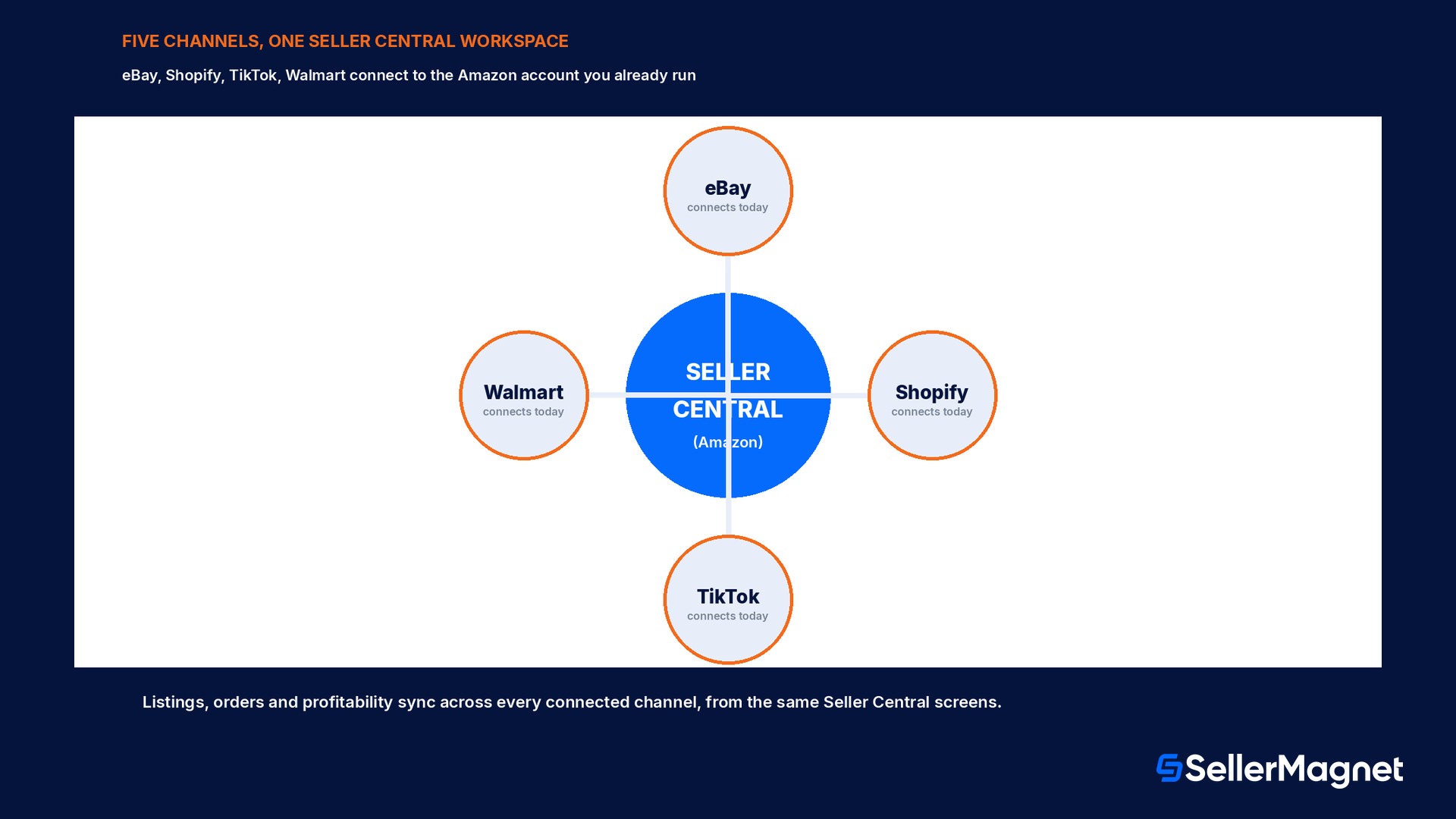
For years, selling on more than one channel meant running more than one business. A seller who listed the same phone case on Amazon, Shopify, Walmart, eBay and TikTok kept five separate logins, five separate dashboards, and five separate places where a price, a description or an order could quietly drift out of sync with the others. Amazon's own numbers, published alongside this announcement, say more than 95% of its independent sellers already sell across multiple channels, and independent sellers drive more than 60% of all sales in Amazon's store, so this is not a niche workflow problem. From November 2026, Amazon is rolling out multichannel selling tools inside Seller Central, a new experience that connects a seller's eBay, Shopify, TikTok and Walmart accounts to the same screens they already use to run their Amazon business, so listings, orders and profitability across every connected channel live in one place instead of five. This guide works from Amazon's own announcement and Seller Forums post to walk through what is actually live today, how the three pieces (listings, orders, profitability) work, a worked example of the reporting time Amazon says this replaces, and what it does not do yet.
From November 2026, Amazon is rolling out multichannel selling tools in Seller Central that let a seller connect eBay, Shopify, TikTok and Walmart accounts and manage listings, orders and profitability across all of them from the same place they run their Amazon business, at no additional cost. It is a gradual US rollout; more channels are coming.
What Amazon's multichannel selling tools actually are
Amazon's own announcement frames the problem in one line: before this, sellers juggled a separate dashboard, login and workflow for every channel they sold through. Multichannel selling tools are Amazon's answer, a new experience built directly into Seller Central, the same tool sellers already use to run their Amazon business, that connects a seller's eBay, Shopify, TikTok and Walmart accounts so listings, orders and profitability across every connected channel show up in one workspace. It is explicitly not a separate app or a new login; Amazon's Seller Forums post and its own news article both describe it as living inside the Settings menu of the Seller Central a seller already has open every day. The feature is rolling out gradually to sellers in the US store, at no additional cost, and Amazon states plainly that more channels and more capabilities are coming in the months after this initial launch.
Where to find it and what connecting a channel involves
Amazon's article is specific about the entry point: a seller gets started from the multichannel settings page, found in the Settings menu in the top right navigation bar of Seller Central. Connecting a channel, in Amazon's own description, takes a few clicks, not a developer integration. The data-handling side is spelled out with an asterisked note on the same page: a seller decides which channels to connect and what data to share, and can disconnect at any time. Amazon states that multichannel selling tools carry strict access controls so a seller's off-Amazon data is not shared with other sellers, and is not used to inform Amazon's own retail business decisions. That asterisk exists because the feature, by its nature, asks a seller to hand Amazon visibility into sales happening on eBay, Shopify, TikTok and Walmart, something a seller had never needed to share with Amazon before; whether to connect any one channel is a per-channel, reversible choice, not an all-or-nothing switch.
Pillar 1: one listing edit, formatted for every channel
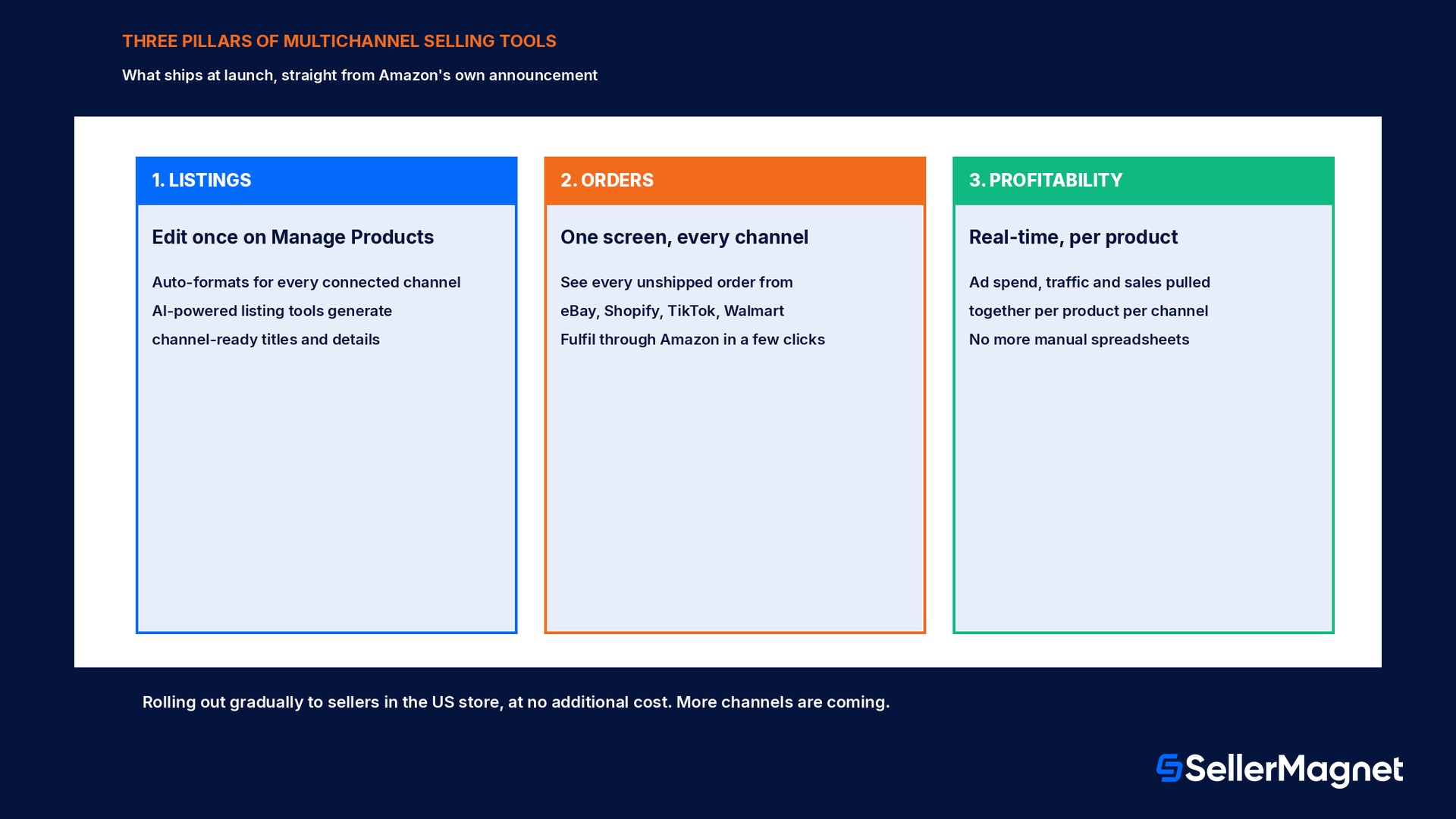
Before this experience, Amazon says a seller had to log in and create a new listing for every channel, rewrite the content to meet each channel's own formatting rules, and publish each version one by one; for a catalog running into the dozens or hundreds of products, updating a single product could eat up an entire day. With multichannel selling tools, a seller enhances a product description once on the Manage Products page, the same screen already used for Amazon listings, and the update propagates to every channel where that listing is live, automatically reformatted to fit each channel's own requirements. Amazon layers its AI-powered listing tools on top of that sync: generating channel-ready titles and product details so that what used to take hours of repetitive copywriting across channels now takes minutes, in Amazon's own framing.
Before multichannel selling tools
With multichannel selling tools
Editing a listing live on 5 channels
Log in to each channel, rewrite content to its own format, publish one by one
Edit once on Manage Products; auto-formats and updates on every connected channel
Writing new channel-ready copy
Hours of repetitive copywriting per product
AI-powered listing tools generate channel-ready titles and details in minutes
Pillar 2: every order, every channel, one screen
Amazon's own example is a seller who sells phone cases across Amazon, Shopify and Walmart. Instead of checking three separate order dashboards, that seller opens the Manage Orders page inside Seller Central and sees every unshipped order from every connected channel on one screen, each with its order details, customer information and fulfilment options attached. The workflow Amazon describes: select a Shopify order, choose to fulfil it through Amazon, and the system takes it from there, with tracking updates flowing back to the original channel automatically so the buyer stays informed without the seller doing anything extra. This builds on fulfilment infrastructure Amazon had already spent years on, Multichannel Fulfillment (MCF) and Amazon Warehousing and Distribution (AWD) among it, but Amazon is explicit that multichannel selling tools go further than fulfilment alone: this is the order visibility and the listing and profitability pieces unified, not just a new way to ship an off-Amazon order through Amazon's network.
This is a gradual US rollout, not a day-one switch for everyone
Amazon's own wording is precise: the experience is rolling out gradually to sellers in the US store, with more channels and capabilities coming soon. If a seller does not see the multichannel settings page in their Seller Central Settings menu yet, that matches Amazon's stated rollout, not an account-specific problem to chase down.
Pillar 3: one profitability picture instead of five spreadsheets
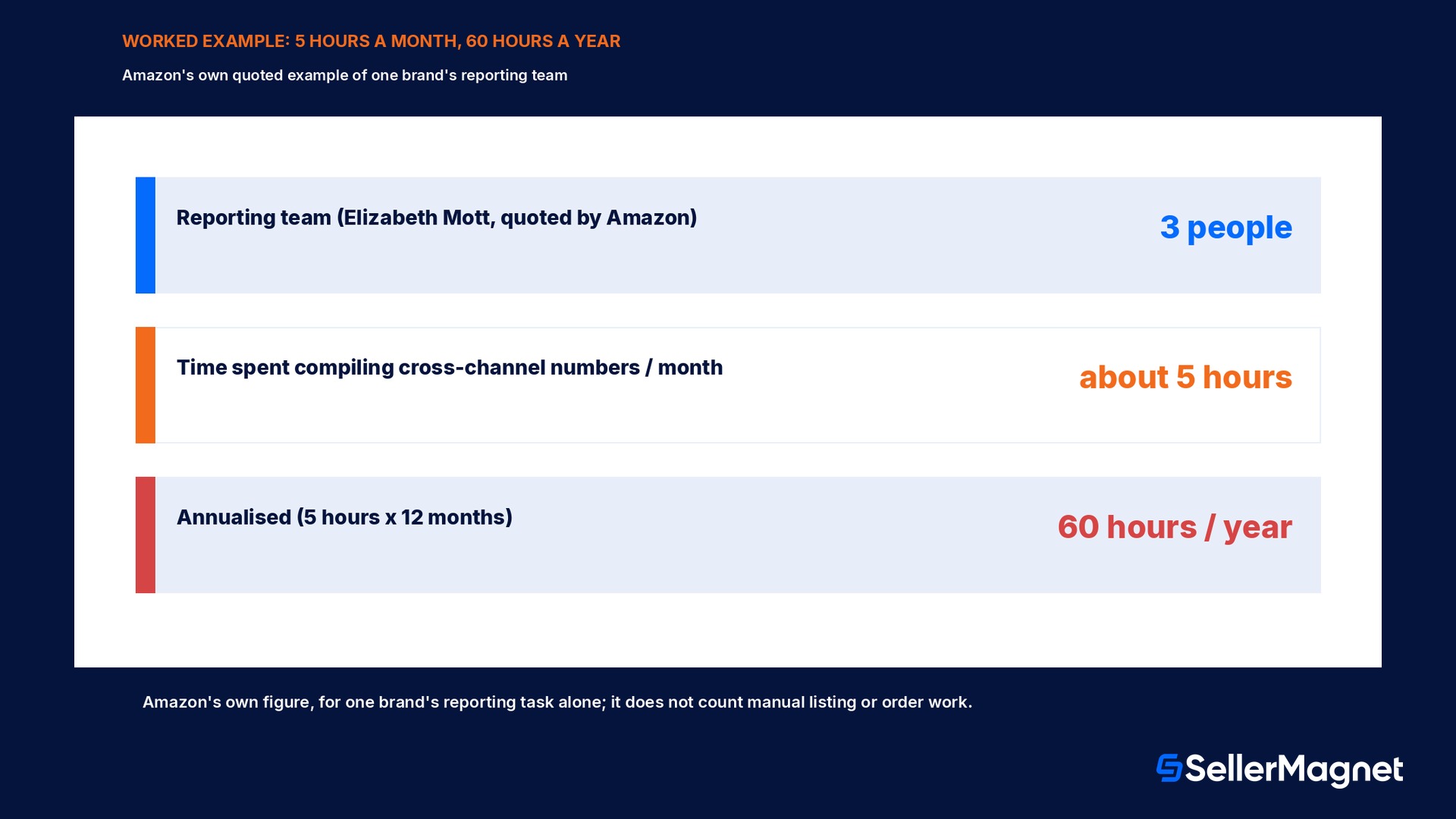
The profitability piece is the one Amazon leans on hardest in its own announcement, and it comes with a named, quoted example. Pamela Lee, an Amazon selling partner and director of digital operations at Elizabeth Mott, is quoted describing the team and the time this replaces: "We have a team of three dedicated to reporting, and I'd estimate they spend about 5 hours at the end of each month to compile everything by logging into each channel individually." With multichannel selling tools, Amazon says a seller instead gets a real-time view of what they are earning from each product across every connected channel, with ad spend, traffic and sales data pulled together in one place, so a seller can see which channels are actually profitable and decide where to invest next, without reconciling spreadsheets by hand.
A worked example: what 5 hours a month actually costs across a year
Take Amazon's own quoted figure at face value and run the arithmetic a seller would actually care about. A 3-person reporting team spending about 5 hours at the end of each month, on one task, cross-channel reconciliation, adds up to 5 hours times 12 months, 60 hours a year, spent compiling numbers that already exist somewhere, just scattered across five separate dashboards. That is 60 hours a year this single brand is not spending on sourcing new products, fixing a listing, or answering a customer, for the reporting task alone; it does not even count the separate hours Amazon describes being lost to manual listing updates or juggling order dashboards channel by channel. The number is Amazon's own, not SellerMagnet's estimate, and it describes one real seller's team, not an industry average; a smaller operation with fewer channels connected would see a smaller number, and a seller running paid ads on every channel would plausibly see a larger one, since Amazon's profitability view also folds in ad spend and traffic data a basic sales export does not.
Metric
Value
Source
Reporting team size (Elizabeth Mott, quoted)
3 people
Amazon's own announcement, quoting Pamela Lee
Time spent compiling cross-channel numbers, per month
about 5 hours
Amazon's own announcement
Annualised time on that one task (5 x 12)
60 hours / year
Computed from the quote above
Channels this seller's manual process logged into separately
Amazon, Shopify, Walmart (at minimum)
Amazon's own example
Why this is not Amazon's first multichannel move
Amazon is explicit that multichannel selling tools did not appear from nothing. The company says its multichannel work started years earlier, when sellers reported that managing inventory across multiple places to serve customers was already a significant challenge, and that sellers wanted one inventory pool fulfilling orders from every channel, backed by Amazon's own speed and logistics reach. That earlier work is what produced Multichannel Fulfillment (MCF), Amazon Warehousing and Distribution (AWD), and Buy with Prime, each solving a piece of the fulfilment side of selling everywhere. Amazon frames multichannel selling tools as the next step past fulfilment alone: unifying not just where an order ships from, but the entire selling operation, listings, orders and profitability together, inside the same Seller Central a seller already uses for their Amazon business.
What is not live yet, and the questions this raises
Three limits are worth naming plainly, straight from Amazon's own wording, before a seller assumes this is already available everywhere or does everything.
US store only, for now. Amazon's own phrasing describes the rollout as gradual, limited to sellers in the US store; there is no stated timeline yet for other marketplaces such as the EU or UK stores.
4 channels today, more promised later. eBay, Shopify, TikTok and Walmart connect at launch; Amazon says "more channels are coming" without naming which ones or when.
Gradual rollout, not an instant toggle. Even inside the US store, Amazon describes the rollout as gradual; a seller not seeing the multichannel settings page yet is not necessarily missing a setting, per Amazon's own wording above.
A seller must connect every channel manually and explicitly. Nothing is linked automatically; Amazon's data-control asterisk makes connecting, sharing and disconnecting each channel a seller's own per-channel choice.
It will not run the business for the seller. Amazon's own article is direct about the limit: it removes operational complexity, but it does not run a seller's business for them. Pricing, sourcing and strategy decisions stay with the seller.
What this means next to SellerMagnet's own tools
Multichannel selling tools are an Amazon-built feature inside Seller Central; they are not a SellerMagnet product, and this guide makes no claim that SellerMagnet connects to eBay, Shopify, TikTok or Walmart through them. Where SellerMagnet's own Analytics already helps is on the Amazon side of the exact profitability gap Amazon is describing: net profit per order, product and marketplace after Amazon's own fees, cost of goods, shipping, VAT, refunds and a seller's own expenses, the Amazon-specific half of the cross-channel picture Amazon's new tools aim to complete on the off-Amazon side.
The listing side has a similar split. Amazon's multichannel listing sync reformats one description for eBay, Shopify, TikTok and Walmart automatically; SellerMagnet's Listing Optimizer scores an Amazon listing itself against dozens of title and bullet-point checks and helps fix what Amazon's own search and conversion signals reward, before that listing is ever the one being copied out to other channels. The two jobs, keeping one listing's words consistent everywhere and making the Amazon version of that listing actually rank and convert, are complementary, not the same task.
Misconceptions worth correcting early
Assuming it is available right now in every store. It is a gradual US-store rollout as of this announcement; sellers outside the US store have no stated start date yet.
Assuming connecting a channel is irreversible. Amazon states a seller decides which channels to connect and what data to share, and can disconnect at any time.
Assuming it replaces a seller's own profitability analysis. Amazon's view pulls together sales, ad spend and traffic per product per channel; it does not itself apply Amazon's own fee schedule, COGS or VAT the way a dedicated Amazon profit tool does.
Assuming every off-Amazon channel is supported today. Only eBay, Shopify, TikTok and Walmart connect at launch; Amazon has not named which channels come next.
Assuming this is a SellerMagnet feature or integration. It is built and run entirely by Amazon inside Seller Central.
Checklist before connecting a channel
How to evaluate Amazon's multichannel selling tools
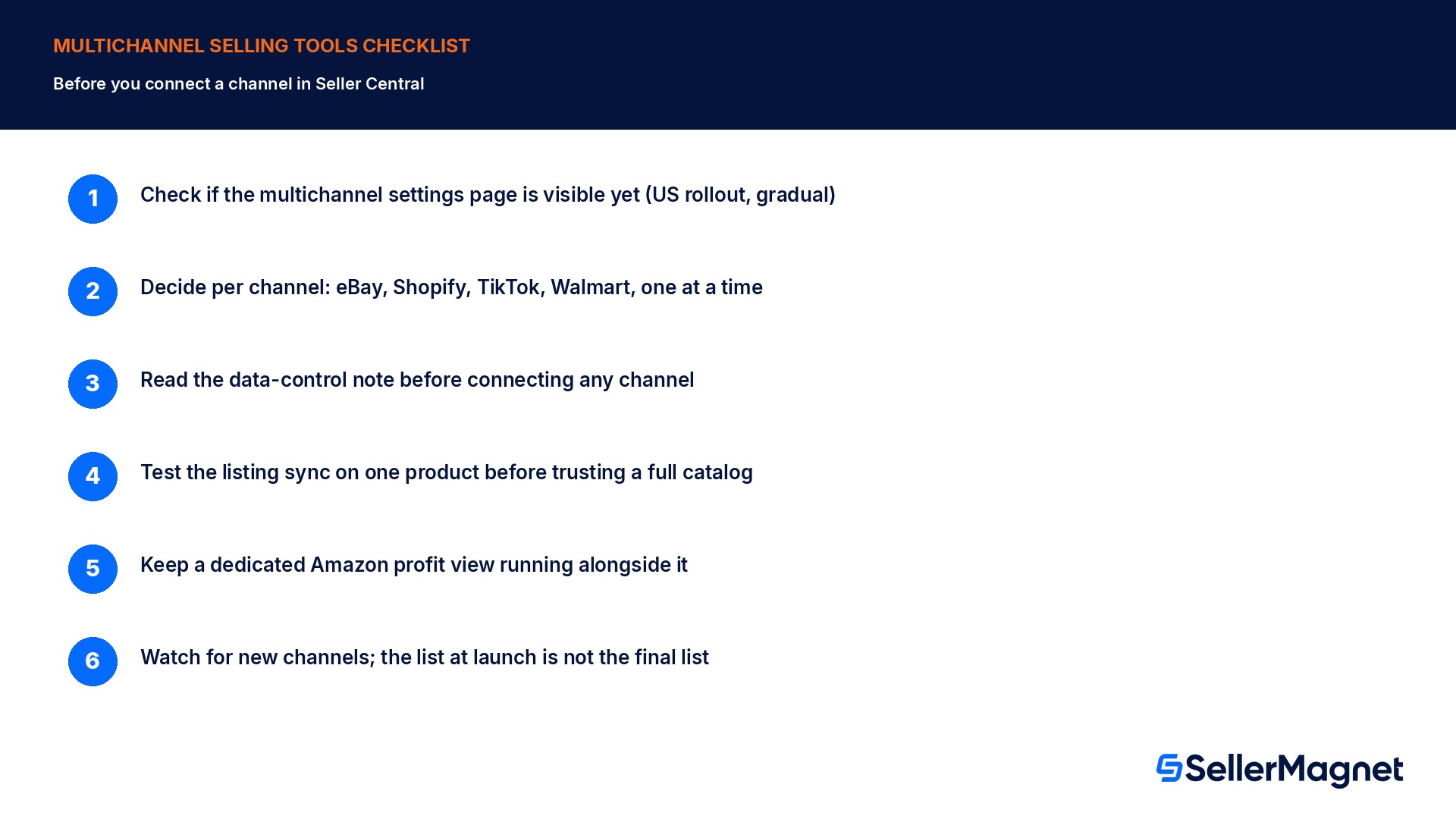
Check if the feature is visible yet - Open Seller Central's Settings menu (top right) and look for the multichannel settings page; it is a gradual US-store rollout, so it may not appear yet.
Decide per channel, not all at once - Amazon lets a seller choose which of eBay, Shopify, TikTok and Walmart to connect individually, and disconnect any of them later.
Read the data-control note before connecting - Amazon states off-Amazon data stays accessible only to that seller and is not shared with other sellers or used for Amazon's own retail decisions; confirm that matches what you are comfortable sharing.
Test the listing sync on one product first - Edit one description on Manage Products and check how it reformats on a connected channel before relying on it across a full catalog.
Keep a dedicated Amazon profit view running alongside it - Amazon's cross-channel profitability view does not itself compute Amazon's own referral and fulfilment fees, COGS, VAT and refunds the way a dedicated Amazon analytics tool does.
Watch for new channels, not just new sellers getting access - Amazon says more channels are coming after eBay, Shopify, TikTok and Walmart; re-check the settings page periodically rather than assuming the list is final.
What are Amazon's multichannel selling tools?
A new experience inside Seller Central, rolling out gradually to US sellers, that connects a seller's eBay, Shopify, TikTok and Walmart accounts and manages listings, orders and profitability across all of them from the same place they run their Amazon business, at no additional cost.
Which channels can I connect today?
eBay, Shopify, TikTok and Walmart at launch. Amazon states more channels and capabilities are rolling out in the coming months.
Is this available outside the US store?
Amazon's own wording describes the rollout as gradual within the US store only; there is no stated date yet for other marketplaces.
Does connecting a channel cost anything?
No. Amazon states multichannel selling tools roll out at no additional cost to sellers.
Can I disconnect a channel once I connect it?
Yes. Amazon states a seller decides which channels to connect and what data to share, and can disconnect at any time.
Does Amazon use my off-Amazon sales data for its own retail decisions?
Amazon states the data is not shared with other sellers and is not used to inform Amazon's own retail business decisions, with strict access controls in place.
Does this replace the need for a dedicated Amazon profit or fee tool?
No. Amazon's cross-channel view pulls together sales, ad spend and traffic per product per channel; it does not itself apply Amazon's own referral and fulfilment fees, cost of goods, VAT or refunds the way a dedicated Amazon profit analytics tool does.
Where do I find it in Seller Central?
In the Settings menu in the top right navigation bar, on the multichannel settings page, once it has rolled out to that account.
Stop Juggling Tools. SellerMagnet Combines Everything You Need.