
Amazon Product Research for Beginners: A Data-Driven Method
What does "good" Amazon product research actually mean?
| Criterion | Question it answers | Typical source |
|---|---|---|
| Demand | Are enough people actually searching for and buying this? | Best Sellers / Movers & Shakers rank, search volume tools |
| Competition | How many sellers, how strong, how many reviews? | Search results page, review counts, number of FBA sellers |
| True margin | What is left after every real cost, not just product cost? | Referral fee schedule, FBA fulfillment fee, landed cost |
| Barriers to entry | Does this need a patent, certification, or brand relationship? | Listing requirements, category gating, compliance pages |
| Policy risk | Is this category restricted, hazmat, or commonly counterfeited? | Amazon restricted products policy, category approval pages |
| Seasonality | Does demand spike and crash, or hold steady through the year? | Search trend tools, Best Sellers rank history |
| Size and weight | Which FBA size tier does this fall into? | Product dimensions and weight vs Amazon's size tier chart |
How does the 7-criteria scoring method work, step by step?
Score a candidate product against the 7 criteria
- Check demand first - Look up the Best Sellers Rank in the exact sub-category the product would list in; a rank in the top few thousand of an active sub-category is a reasonable signal of real, ongoing demand, not a one-off spike.
- Count real competition - Search the exact product type on Amazon and count sellers with 500+ reviews and a 4.3+ rating; five or more entrenched listings at that level means you are fighting for scraps, not opening a new niche.
- Compute true margin, not gross margin - Subtract referral fee, FBA fulfillment fee, a monthly storage allocation and a realistic PPC cost per unit from the sale price, then divide by the sale price, using the product's real size tier and category, not an assumed 15% and a guessed fee.
- Check barriers to entry - Confirm the category is not gated behind an approval process you cannot clear quickly, and that the product does not need a patent license, certification (electrical, children's, food-contact) or brand relationship you do not have.
- Check policy risk - Confirm the product is not in a restricted or hazmat category, and is not a frequently counterfeited item type (electronics accessories, supplements, luxury-adjacent goods) that draws extra account-risk scrutiny.
- Check seasonality - Look at whether demand for the product type holds through the year or spikes for a few weeks (holiday decor, swimwear); a seasonal product can still work, but needs a different inventory and cash-flow plan than an evergreen one.
- Confirm size and weight tier - Measure or estimate the packaged dimensions and weight, and map them to Amazon's FBA size tiers before committing, since fulfillment fee is driven by size tier, not sale price.
Worked example: scoring one product end to end
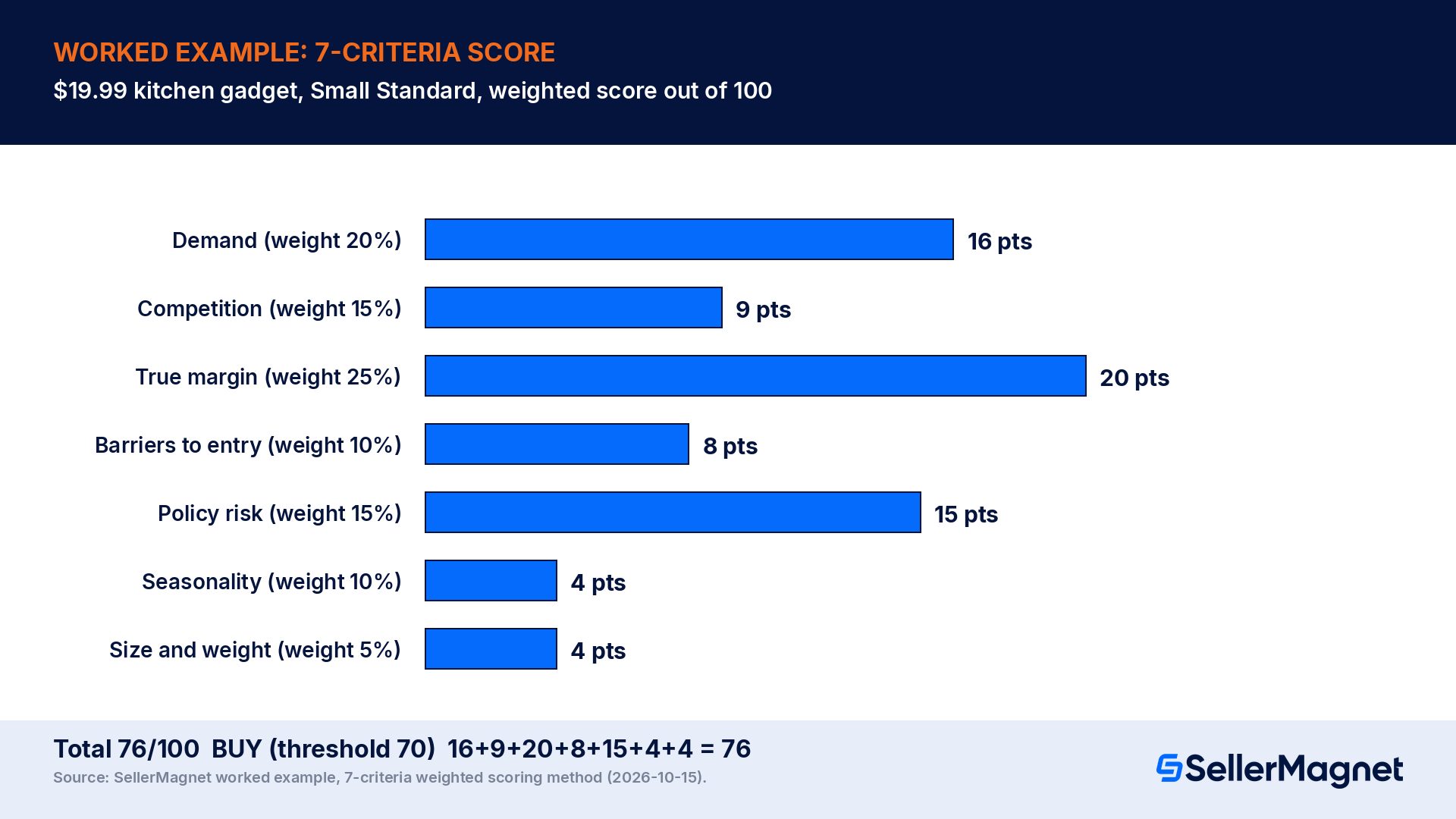
| Criterion | Weight | Score (1-5) | Weighted points | Evidence |
|---|---|---|---|---|
| Demand | 20% | 4 | 16 | BSR #1,840 in its sub-category, steady for 90 days |
| Competition | 15% | 3 | 9 | 6 established sellers, but only 2 above 1,000 reviews |
| True margin | 25% | 4 | 20 | True margin computed at 24.5% after all 5 cost lines (below) |
| Barriers to entry | 10% | 4 | 8 | No patent, no certification required, ungated category |
| Policy risk | 15% | 5 | 15 | Not restricted, not hazmat, not a commonly counterfeited type |
| Seasonality | 10% | 4 | 4 | Demand steady year-round, no sharp seasonal spike |
| Size and weight | 5% | 8 | 4 | Small Standard, 9oz: low fulfillment fee tier |
| Total | 100% | 76 | BUY (threshold 70) |
| True margin line item | Amount | Running balance |
|---|---|---|
| Sale price | $19.99 | $19.99 |
| Referral fee (15%) | -$3.00 | $16.99 |
| FBA fulfillment fee (Small Standard, non-peak) | -$2.95 | $14.04 |
| Monthly storage allocation | -$0.05 | $13.99 |
| PPC per unit (launch-phase) | -$3.30 | $10.69 |
| Landed cost (product + freight + prep) | -$5.80 | $4.89 |
| Net profit | $4.89 | $4.89 |
| True margin | $4.89 / $19.99 x 100 | 24.5% |
Where do beginners actually find candidate products?
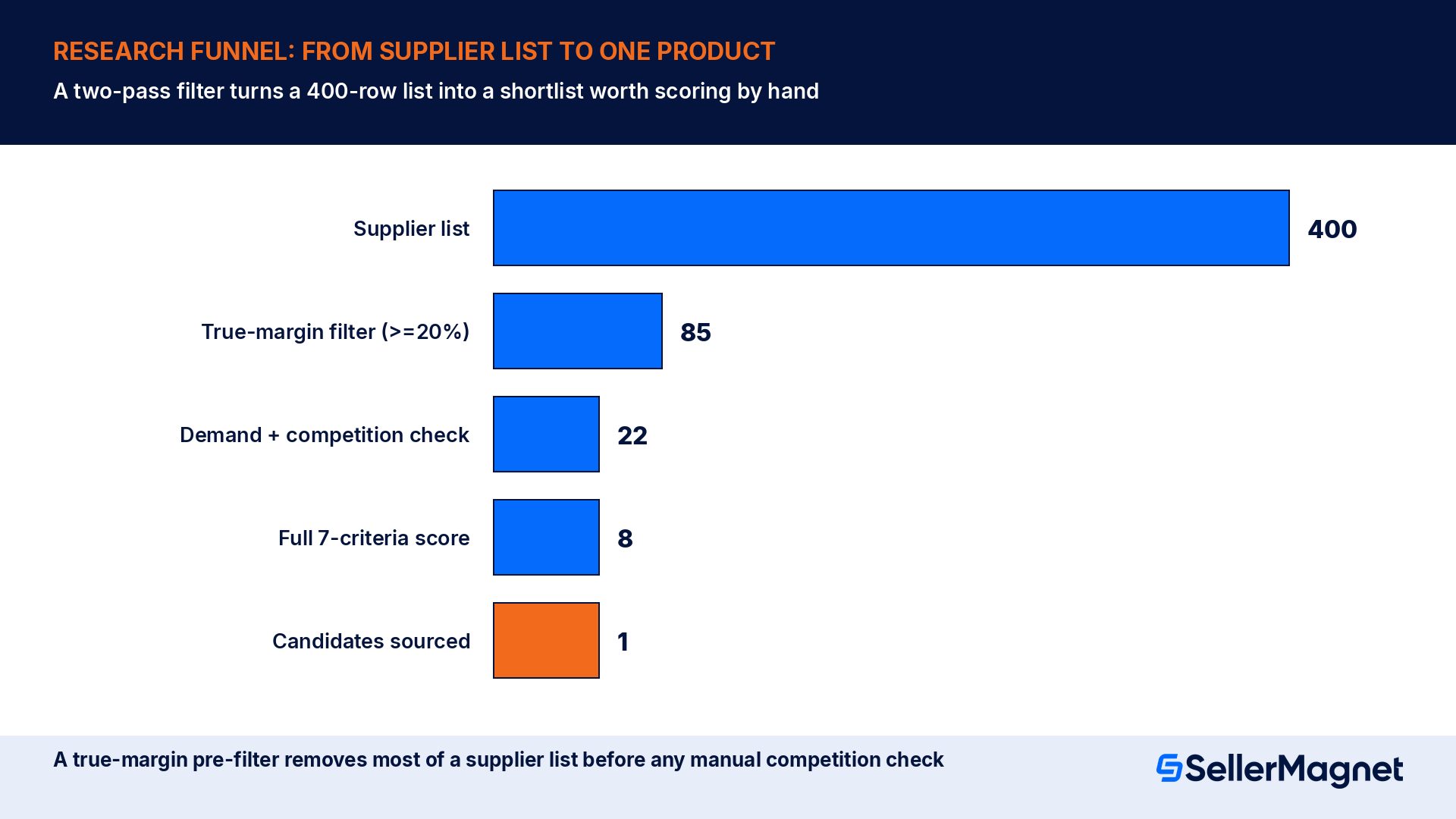
- A supplier catalogue you can already access (a wholesale list, a sample-ready manufacturer catalogue, or a retail arbitrage store run): the fastest source, since you already have real pricing, and a bulk list can be screened by true margin first, which eliminates most candidates before any time is spent on demand or competition.
- Amazon's own Best Sellers and Movers & Shakers lists, filtered down to a narrow sub-category rather than a broad top-level one: a top-3,000 rank in a specific, narrow sub-category is a far more useful demand signal than a top-50,000 rank in a broad one.
- The Chrome extension on Amazon's own product and search pages: browsing Amazon normally while signed in shows a BUY/MARGINAL/PASS verdict directly on the page, which turns ordinary browsing into a screening pass without opening a separate tool for every candidate.
Reading demand signals beyond the Best Sellers Rank
| Signal | What a strong reading looks like | What it misses on its own |
|---|---|---|
| Best Sellers Rank (sub-category) | Top few thousand, stable over 60-90 days | Says nothing about margin or competition |
| Number of reviews on top listings | A spread of review counts, not one dominant listing with 10x the rest | A new, review-light listing can still rank well if the category itself is thin |
| Rating of top listings | 4.3+ average across the top 5-10 results | A high rating with very few total reviews is a small sample, not proof of durable demand |
| Price spread across top listings | A reasonably tight band, not one outlier far below the rest | A single underpriced competitor can signal a margin trap, not real market price |
How do you scale research from one product to a bulk supplier list?
Spreadsheet method vs software method
| Spreadsheet method | Software method | |
|---|---|---|
| Setup | Build your own 7-row scoring sheet once | Nothing to build; verdict appears per ASIN |
| Fee accuracy | Manual lookup per product, easy to go stale | Pulled from Amazon's current public fee schedule |
| Speed per candidate | 10-20 minutes, mostly fee lookups | Seconds once the ASIN or UPC is entered |
| Good for | Learning the method, a handful of candidates | Screening dozens or hundreds of candidates, bulk supplier lists |
| Cost | Free (your own time) | Free lookups available; paid for volume or bulk lists |
Common beginner mistakes in product research
- Scoring demand from "it looks popular" instead of an actual BSR. A product can look busy in a search result while sitting at a weak rank in its real sub-category; always pull the number.
- Using gross margin instead of true margin. Skipping fulfillment fee, storage and PPC can overstate margin by 30 to 40 points on an identical product, turning a MARGINAL candidate into what looks like a confident BUY.
- Skipping policy risk because the product "seems normal". Commonly counterfeited categories and restricted or gated categories are not always obvious from the listing alone; check the category's actual approval and restriction status before sourcing.
- Ignoring seasonality on an otherwise strong score. A product that scores well on demand, competition and margin but sells almost entirely in a 6-week holiday window needs a completely different cash and inventory plan than an evergreen product with the same score.
- Treating one supplier's price as the landed cost. Freight, duty and prep routinely add 15 to 40% on top of a supplier's quoted unit price; using the quote alone overstates true margin every time.
- Researching one product at a time instead of a shortlist. Scoring five to ten candidates against the same 7 criteria, side by side, surfaces the clear winner; scoring one product in isolation just answers whether that one product clears the bar, not whether it is the best option available.
Red flags that override a high overall score
- A single dominant competitor holding most of the reviews in the result. Even with good margin and demand numbers, displacing one entrenched listing is a different, harder problem than entering an open field with several similar-sized sellers.
- Any hint of patent or trademark risk, such as a near-identical design already being sold under a known brand name; this is worth a direct check before sourcing, not an assumption that a generic-looking product is automatically safe to copy.
- A product type that shows up repeatedly in Amazon's restricted or frequently-abused category lists, even if your specific variant looks borderline compliant; category-level scrutiny tends to apply to every new listing in that space, not just problem sellers.
- A true margin that only clears the bar at the current, possibly temporary, supplier price. If the margin case depends on a quote that could move with minimum order quantity or exchange rates, treat the candidate as MARGINAL until the price is locked in writing.
A product research checklist
- Pulled the real Best Sellers Rank in the exact sub-category, not a broad category.
- Counted competitors with 500+ reviews and a 4.3+ rating in the actual search result.
- Computed true margin: referral fee, FBA fulfillment fee, storage and PPC, not gross margin.
- Checked category gating, certification needs and patent risk.
- Checked restricted-product and counterfeit-risk status for the category.
- Checked whether demand is evergreen or seasonal, and planned cash flow accordingly.
- Confirmed the real FBA size tier from actual packaged dimensions and weight.
- Scored at least 5 candidates on the same 7 criteria before committing to one.
How do I start Amazon product research as a beginner?
What makes a good Amazon product to sell?
How much profit margin should I look for in product research?
Do I need an Amazon seller account to do product research?
What is a BUY, MARGINAL or PASS verdict?
How many products should a beginner research before picking one?
Is Amazon product research free to do?
Stop Juggling Tools. SellerMagnet Combines Everything You Need.
Join a smarter way to manage your Amazon store.

Recommended Articles
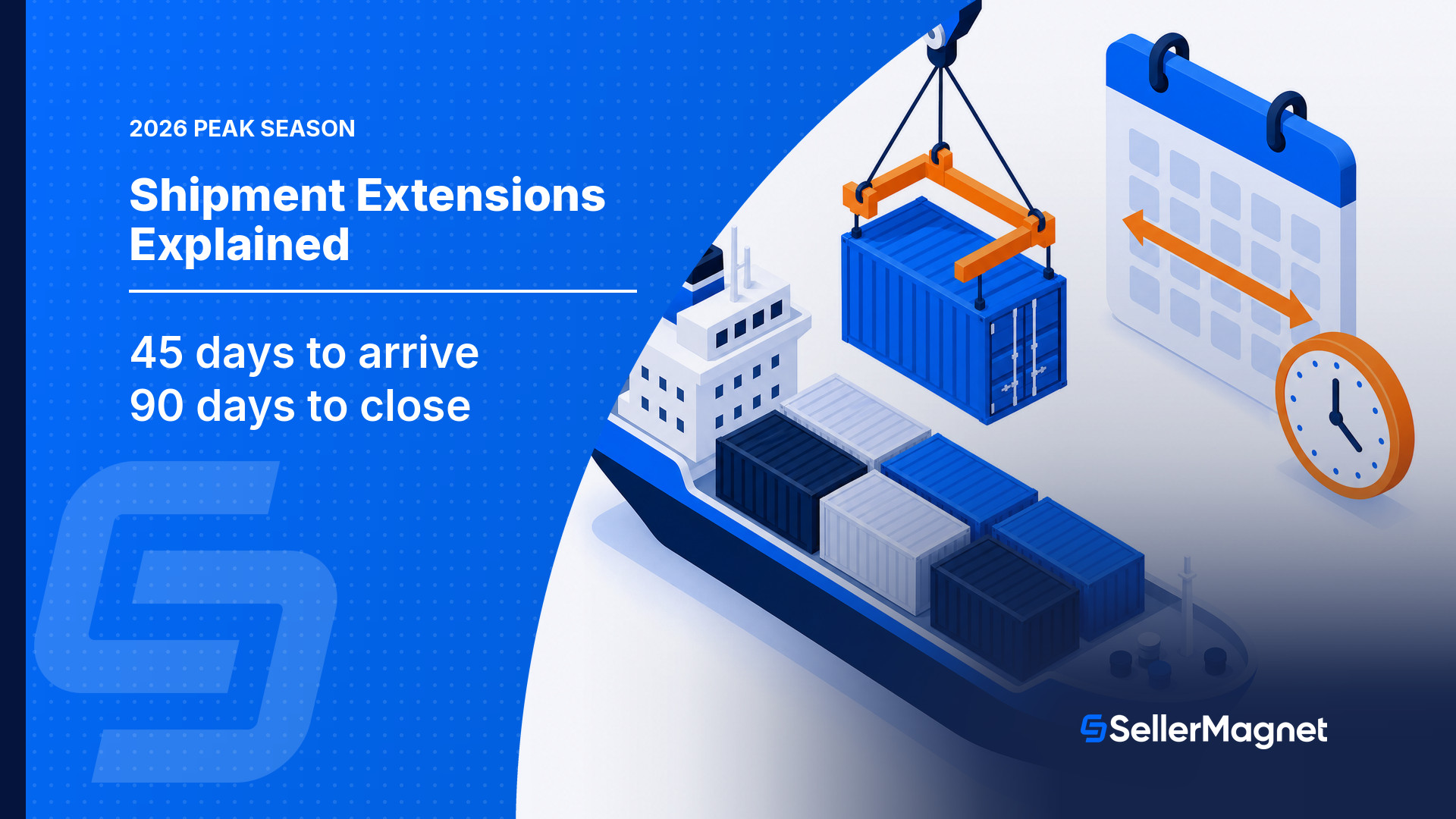
Amazon's Temporary 2026 Peak-Season Shipment Extensions Explained
Amazon extended two shipment-plan clocks for peak season 2026: the related-shipment arrival window (30 to 45 days) and the automatic closure window (90 days). Here is who qualifies and how to check it worked.
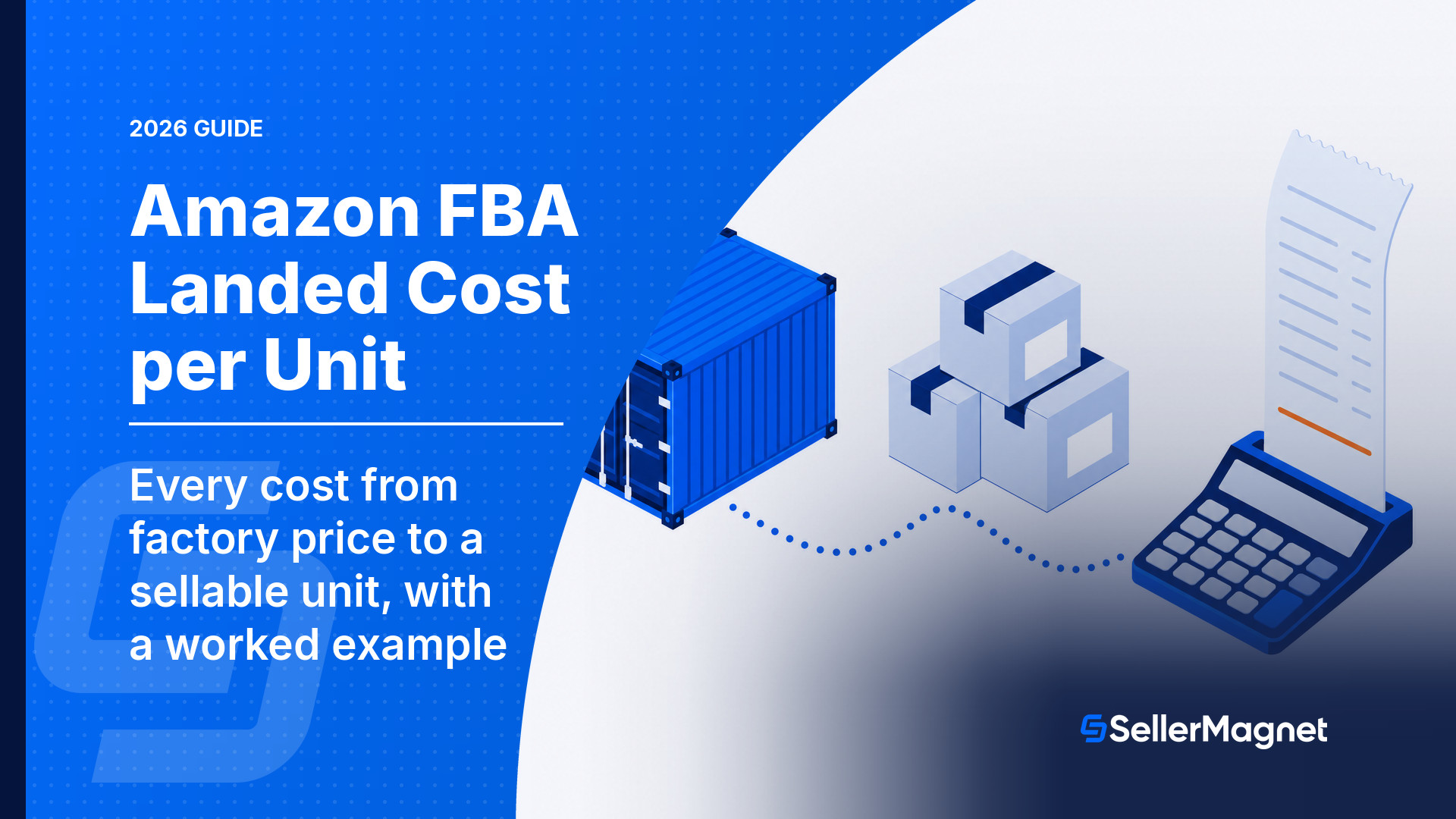
Amazon FBA Landed Cost per Unit (2026): The Full Formula
How to calculate Amazon FBA landed cost per unit: every cost line from factory price to Amazon shelf, a worked $24.99 example, and the EU difference.
Amazon Dietary Supplement TIC Requirements 2026
Amazon's 2026 TIC requirement for dietary supplements: the compliance deadline, baseline vs. NSF/ANSI 173-2024 categories, the approved providers, and how to avoid deactivation.
Amazon Keyword Indexing 2026: Why Listings Go Unsearchable
Why an active Amazon listing can still be unsearchable, Amazon's own 5 documented causes, and a manual way to check indexing without a third-party tool.
Amazon Bundle Policy 2027: What Changes on January 11 and How to Stay Compliant
From 11 Jan 2027 most hard kit bundles outside Consumables must be manufacturer-packaged unless they have a letter of authorization, sit in an exempt category, or become virtual bundles.
Amazon Listing Variations 2026: Parent-Child Errors
What an Amazon parent and child ASIN variation actually is, the 5 causes that break a family, and a worked example of when to split or merge listings.
