A parent ASIN is not a product. It is a connector that does not exist on a shelf, carries no inventory and cannot be bought, yet getting its relationship to the child ASINs wrong is one of the quietest ways a seller's catalog loses sales: reviews split across ASINs that should be one listing, a child that silently drops off the detail page, or a whole family rejected for one bad attribute. This guide works from Amazon's own Variation relationship FAQ and ASIN creation policy: what a variation family actually is, the specific error states that break one, a worked split-versus-merge decision for an existing catalog, and the common mistakes checklist to run before you create or edit one. Variation structure sits upstream of listing SEO and image requirements: a shopper who lands on the wrong color because the family is broken never gets to read your bullets at all.
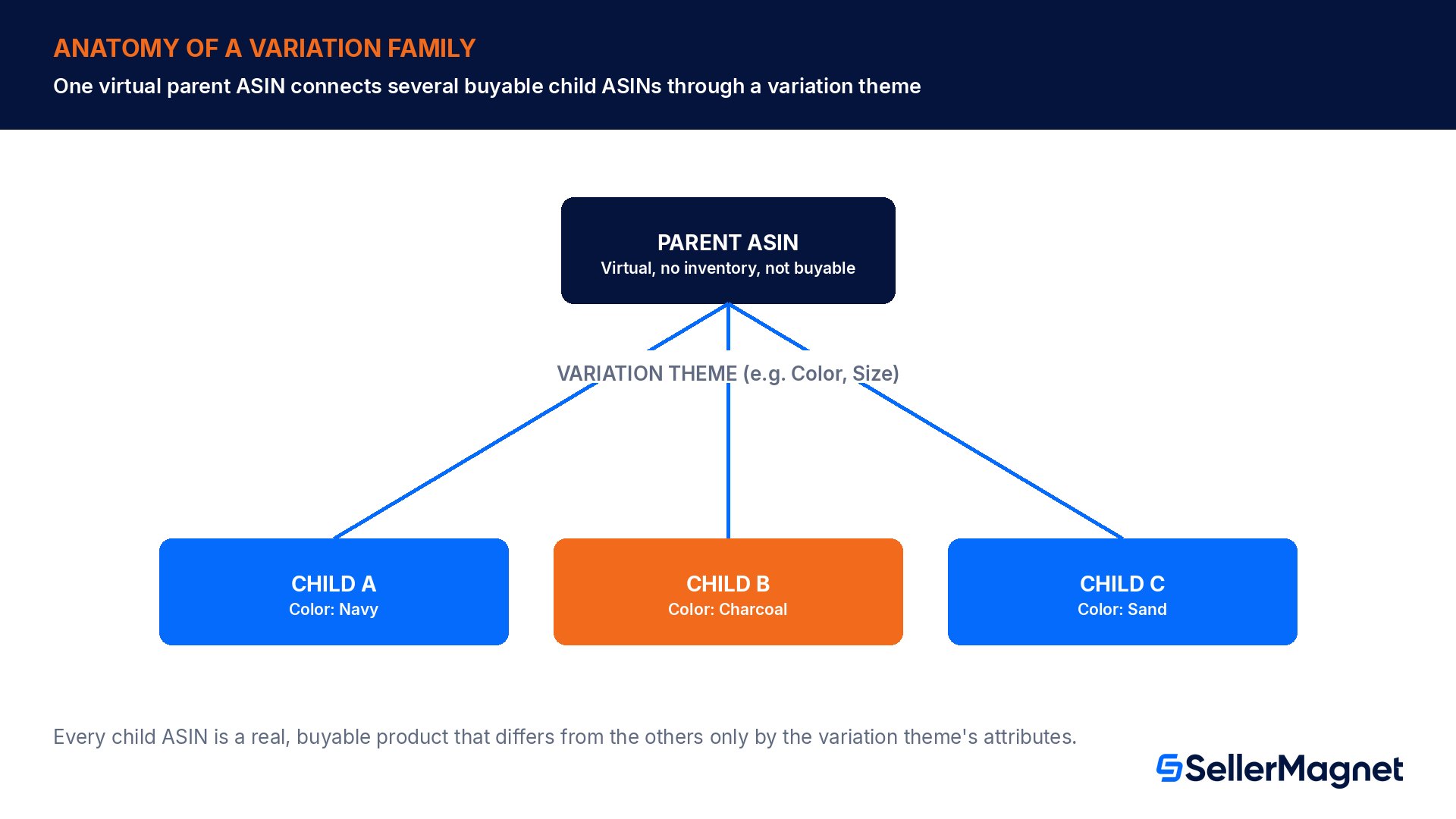
An Amazon variation family has three parts: a parent ASIN, which is virtual and never for sale; one or more child ASINs, which are the real buyable products; and a variation theme, which defines the attribute that tells them apart, such as size or color. Common errors include missing required attributes on a child, duplicate attribute values between two children known as shadow ASINs, an inconsistent theme across the family, or a child that already belongs to a different variation family. You should merge products into one family only when they are genuinely the same product differing by an Amazon-supported attribute, never to combine fundamentally different products or borrow another listing's reviews.
What is a variation family, exactly?
Amazon's Variation relationship FAQ defines a variation relationship as a way to combine multiple related products on a single detail page that are almost identical but differ by one or more key attributes, such as size, color, or flavor, so shoppers can compare options without browsing separate pages. There are three components to every family.
Component
What it is
Amazon's own wording
Parent ASIN
A virtual ASIN that only connects the child ASINs
"It is not a physical item for sale and does not have inventory"
Child ASIN
A real, buyable product
"Differs from other child products based on the variation theme attributes"
Variation theme
The attribute the children differ by, set per category
"Depending on the category chosen to list your products, variation themes also vary"
Which themes are even available depends on the category: clothing listings can vary by size or color, pet supplies can vary by flavor, scent, and quantity, and jewelry has a "Gemstone Type" theme that the home category does not offer at all. Check the Variations tab when listing a product; the available themes for your chosen category appear in its dropdown. Source: Variation relationship FAQ, Amazon Seller Central help.
Two ways to build a family
You can create variations using the Add a Product flow in Seller Central, or with Product Templates, which requires a Professional selling plan. If your category allows 2D or 3D variation, choose the theme from the Variation Theme dropdown while listing.
Variation themes differ by category, so check yours first
Amazon's FAQ makes the category dependency explicit rather than offering one universal theme list: "Not every category supports variation relationships. Check the product template for your category to confirm which themes are available." A theme that exists for one category can be entirely absent from another, which is why the examples below are illustrative, not a guarantee for your own listing.
Category (example)
Typical variation theme(s)
Why it is category-specific
Clothing
Size, Color
The shared product is identical except for the garment's cut or color
Pet Supplies
Flavor, Scent, Quantity
Consumable and multi-pack differences matter more than size here
Jewelry
Gemstone Type
A theme home or kitchen categories do not offer at all
Home
Color, Size (where supported)
No Gemstone Type option; different attribute set entirely
Before building anything, open the Variations tab for the exact category you plan to list in and read the dropdown yourself; guessing a theme from a competitor's listing in a different category is one of the easier ways to end up with an inconsistent-theme rejection, since the two categories may not even share the same attribute names.
Why does a family break, or get rejected on submission?
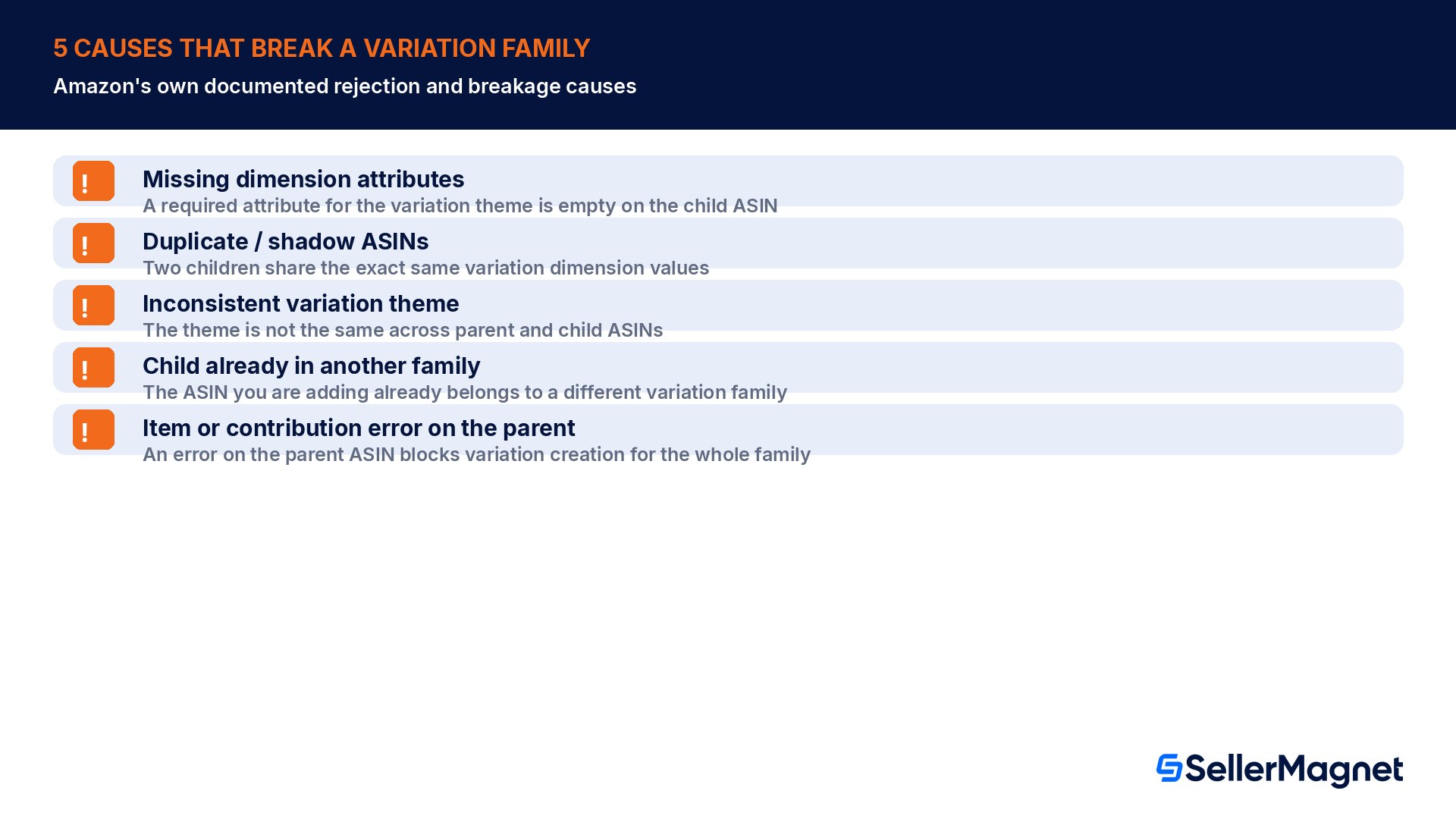
Amazon's FAQ lists the same handful of causes twice: once for why a new variation submission gets errors or is rejected outright, and again for why an existing, working family suddenly comes apart. Both lists point at the same root problems.
Cause
What it looks like
Breaks a new submission?
Breaks an existing family?
Missing dimension attributes
A required attribute for the variation theme is empty on the child ASIN
Yes
Yes
Duplicate / shadow ASINs
Two children share the exact same variation dimension values
Yes
Yes
Inconsistent variation theme
The theme is not the same across parent and child ASINs
Yes
Yes
Child already in another family
The ASIN you are adding already belongs to a different variation family
Yes
No (it is simply refused, not broken later)
Item or contribution error on the parent
An error on the parent ASIN blocks variation creation for the whole family
Yes
Yes
"Shadow ASIN" is Amazon's own shorthand for the duplicate-attribute case: two child ASINs that claim the identical combination of variation attributes, so the system cannot tell them apart. A worked example: two children are both submitted as Color = "Charcoal Gray" and Size = "Large". Because the (Color, Size) pair is identical for both, Amazon's catalog has no attribute left to distinguish them, and the submission is rejected as a duplicate dimension pair, even though the two listings might be genuinely different products with a data-entry mistake behind them. Fixing it means correcting whichever attribute was actually wrong, not deleting either ASIN.
Changing the theme later is not an option
Amazon's FAQ is explicit: once you have created a product with a selected variation theme, you cannot change it, and the display order of variations on the detail page is populated automatically and cannot be reordered. Decide the theme correctly before you submit, since a wrong choice means rebuilding the family, not editing it.
A child is in my account but missing from the detail page: what now?
This specific symptom, the ASIN exists in Seller Central inventory but customers never see it on the shared detail page, has its own short list of causes in Amazon's FAQ.
The child listing is inactive or has no inventory in Seller Central.
The child ASIN is already part of another variation family, so it is refused from joining this one.
The child ASIN failed to be added for another, unspecified reason.
Amazon's own guidance is to wait 24 hours, then contact Selling Partner Support if the issue persists. For the related case where the family looks fine in Seller Central but wrong on the live detail page, Amazon's troubleshooting order is: confirm the Brand Name is active and correct, wait about 15 minutes for changes to propagate, and if that does not resolve it, make a small edit to both the parent and child ASINs to re-drive them through the system. New variation families and merged reviews typically populate within 15 minutes, though Amazon asks sellers to wait a full 24 hours before opening a support case to give the process time to finish. Source: Variation relationship FAQ.
Why the wait matters before you escalate
Opening a support case in the first few minutes after a change is one of the most common wasted steps sellers take, because the underlying system genuinely needs time to re-crawl and re-index the family, and a support agent working the case in minute three has nothing new to check either. Treat the two windows as hard minimums, not suggestions: 15 minutes for a propagation or display glitch where the data in Seller Central already looks correct, and a full 24 hours for a brand-new family's child ASINs and reviews to actually merge onto one detail page. If either window passes and the symptom is still there, that is the point to open a case, armed with the parent ASIN, every child ASIN, and which specific symptom (missing child, wrong order, unmerged reviews) you are seeing, since a vague "my variations are broken" ticket takes longer to route than one with the exact ASINs attached.
Worked example: when to split, when to merge
A seller sells a yoga mat in 3 colors and 2 thicknesses, 6 combinations in total. Today each combination is its own standalone ASIN with no variation relationship between them at all, and each one has accumulated its own separate review count.
ASIN (standalone today)
Reviews on that ASIN alone
ASIN 1
41 reviews
ASIN 2
37 reviews
ASIN 3
29 reviews
ASIN 4
18 reviews
ASIN 5
12 reviews
ASIN 6
9 reviews
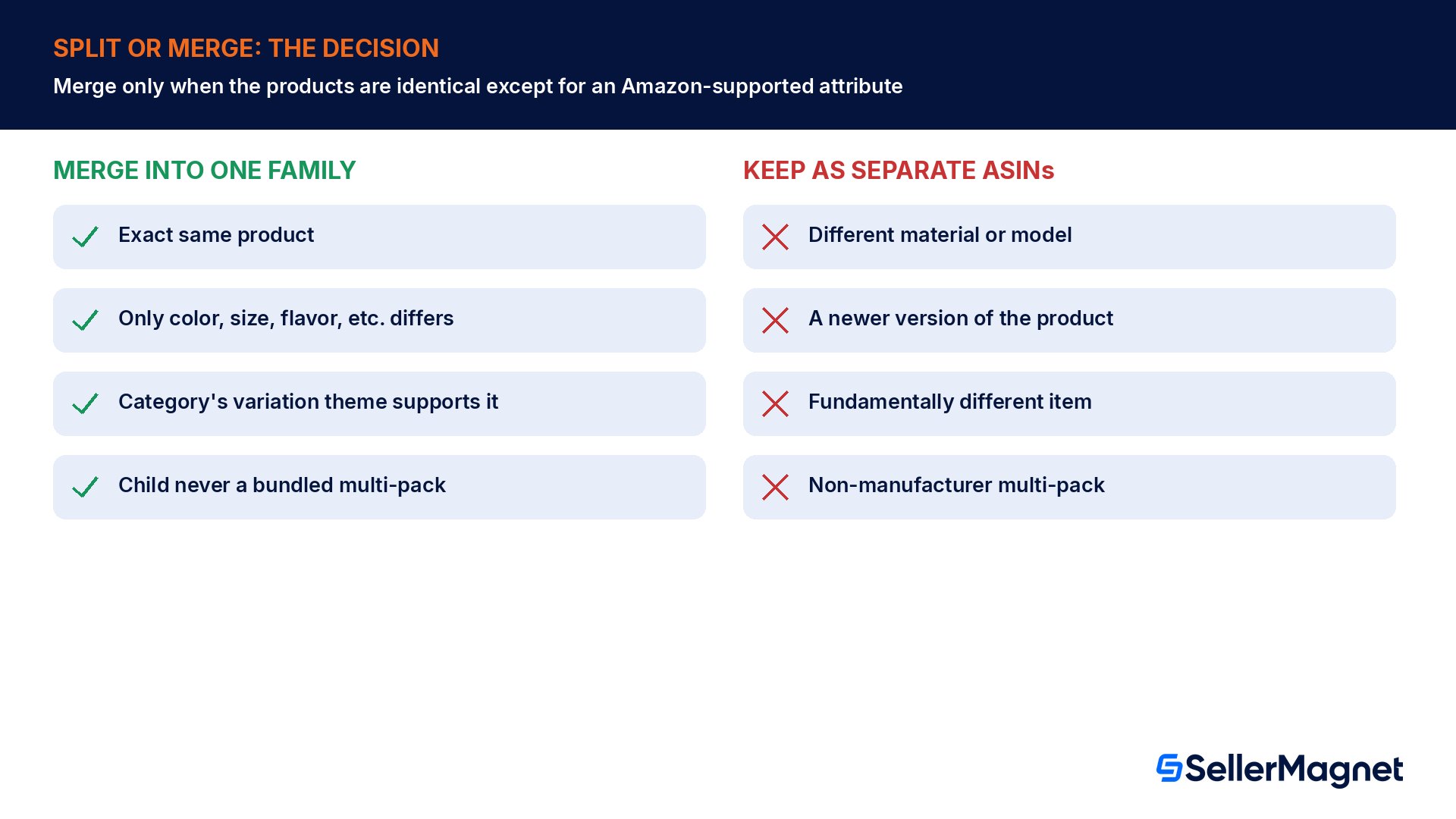
Summed, the catalog has 146 reviews, but a shopper who lands on the weakest-performing combination sees only 9 reviews, about 6% of the family's real total, and has no way to discover the other 5 ASINs unless they already know to search for them. Since color and thickness are both Amazon-supported attributes for this category's variation theme and every unit is the exact same physical product in different options, this is a textbook merge case: creating one parent with a Color-and-Size-style variation theme (checking the category's actual supported theme name first) would let every shopper landing on any one of the six see all 146 reviews and every option, instead of being stuck on whichever ASIN their link happened to point to.
When NOT to merge
The same seller also sells a thicker, premium version of the mat made from a different material blend, not just a different number on the same product. Amazon's ASIN creation policy is explicit that this should stay a separate, standalone listing rather than being folded into the same family as an extra "thickness" option: adding a child that is a fundamentally different product, or a newer version or model of the parent, is listed as a prohibited practice, alongside changing a parent or child's detail page to become fundamentally different from the product that was originally listed. The question to ask before merging two ASINs is not "could I technically make this a variation," it is "is this the exact same product and only this one attribute changed."
Multi-pack variations have their own rule
Amazon's policy separately prohibits adding a multi-pack variation that is not manufacturer-created to an existing parent, and prohibits creating multi-pack children by bundling several units of the same product yourself, for example bundling two three-packs to reach a quantity of six. If a customer wants more units, they select a higher quantity at checkout; that is not a variation to build.
Catching a shadow ASIN or a missing attribute before you submit, not after rejection, saves a round trip. SellerMagnet's Listing Quality scores a listing against dozens of checks before it goes live, and the Listing Builder wizard walks through each required field with a live score as you fill it in, so a missing dimension attribute surfaces while you are still editing, not after Amazon's submission queue rejects the whole family.
Someone else touched my variation family: what are my options?
Variation families are shared catalog data, and Amazon's FAQ addresses the uncomfortable case where another seller changes one you rely on.
Who made the change
What you can do
The original brand owner
Work directly with the brand owner to resolve the concern; provide specific details if you believe the relationship is invalid.
Another third-party seller
Changes can only be made if the variation relationship itself is invalid, for example completely different products varied together incorrectly.
A bad actor manipulating the family
Contact Selling Partner Support with specific details, for example an invalid product being added or a valid product being removed.
This is also the mechanism behind one well-documented abuse pattern: a bad actor deliberately adding an unrelated or lower-quality product into a strong family to siphon off its reviews and Buy Box traffic. If you track hijacking or listing-integrity risk on your catalog, pair this check with your hijacker detection process, since an unexpected new child ASIN appearing in your family is the same kind of signal.
Removing a child ASIN from a family
Amazon draws a line between removing your own offer and removing the ASIN from the family entirely, and the two require different actions.
Remove a child ASIN from a variation family
To stop selling it (most common case) - Upload an inventory file with the Update/Delete column set to Delete for that child ASIN. This removes only your contribution, your offer, from the ASIN; if other sellers still contribute to it, the child ASIN and the variation family continue to exist on the detail page.
To remove the ASIN from the family completely - Contact Selling Partner Support with your removal request and justification. Support approves the request only if they confirm the child ASIN is genuinely incorrect for the variation family.
Check the cap before building a very large family - A variation family with more than 4000 child ASINs cannot be displayed on the detail page, so a catalog approaching that size needs a second parent rather than one oversized family.
Common variation listing mistakes
Leaving a required dimension attribute empty on a child ASIN, which blocks the whole submission, not just that one child.
Submitting two children with the exact same attribute combination (a shadow ASIN pair), instead of catching the data-entry error before upload.
Choosing a variation theme, then trying to change it later instead of rebuilding the family correctly the first time.
Adding a fundamentally different product, a newer model, or a non-manufacturer multi-pack as a "variation" to borrow an existing parent's reviews and ranking.
Assuming a missing child on the detail page is a bug and reordering products, when the real fix is checking inactive status, inventory, or a conflicting family membership first.
Opening a support case within minutes of a change instead of waiting the 15-minute propagation window, or the 24-hour window for a new family's reviews to merge.
Treating every size or color difference as automatically mergeable, without checking whether the category's variation theme actually supports that attribute.
A practical variation-family checklist
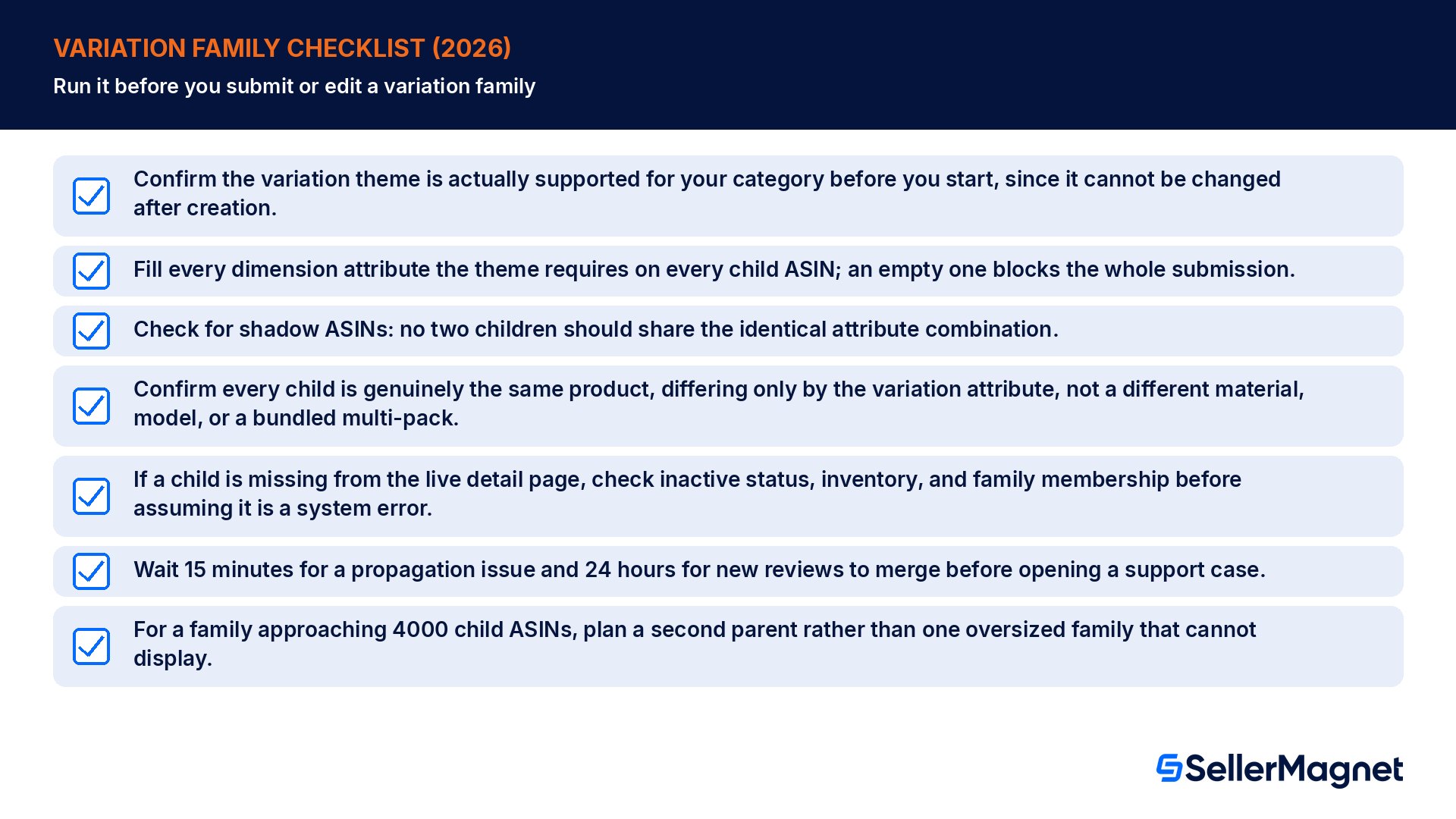
Confirm the variation theme is actually supported for your category before you start, since it cannot be changed after creation.
Fill every dimension attribute the theme requires on every child ASIN; an empty one blocks the whole submission.
Check for shadow ASINs: no two children should share the identical attribute combination.
Confirm every child is genuinely the same product, differing only by the variation attribute, not a different material, model, or a bundled multi-pack.
If a child is missing from the live detail page, check inactive status, inventory, and family membership before assuming it is a system error.
Wait 15 minutes for a propagation issue and 24 hours for new reviews to merge before opening a support case.
For a family approaching 4000 child ASINs, plan a second parent rather than one oversized family that cannot display.
What exactly is a parent ASIN?
A parent ASIN is a virtual ASIN that exists only to connect the unique child ASINs in a variation family. It is not a physical item, has no inventory, and is never directly buyable; shoppers always purchase a child ASIN, which represents the actual product variant they select on the detail page.
Can I change a variation family's theme after creating it?
No. Amazon's Variation relationship FAQ states that once a product is created with a selected variation theme, you cannot change it. If the wrong theme was chosen, the practical fix is rebuilding the family with the correct theme from the start, rather than trying to edit the existing live family in place.
What is a shadow ASIN and why does it cause a rejection?
A shadow ASIN is Amazon's term for a duplicate dimension error: two child ASINs submitted with the exact same variation attribute values, such as the same color and size pair. Amazon's catalog cannot tell the two apart, so the submission is rejected until whichever attribute was actually wrong gets corrected.
Is there a limit to how many child ASINs a variation family can have?
Yes. Amazon's FAQ states that variation families with more than 4,000 child ASINs cannot be displayed on the detail page at all. A catalog approaching that size for one product line needs to be split across a second parent rather than built as a single oversized family, well before the cap is hit.
My child ASIN exists in my inventory but is not showing on the detail page. Why?
Amazon's FAQ lists three common causes: the child listing is inactive or has no inventory in Seller Central, the child ASIN already belongs to a different variation family and is refused from this one, or the add failed for an unspecified reason. Amazon's own advice is to wait 24 hours, then contact Selling Partner Support if it persists.
Should I merge every size or color option of a product into one variation family?
Only if the options are genuinely the same product differing by an Amazon-supported attribute for that category. Amazon's ASIN creation policy prohibits adding children that are fundamentally different products, newer versions or models, or non-manufacturer multi-packs, since that misuses the variation relationship rather than correctly describing one product's real options.
Another seller added an unrelated product to my variation family. What can I do?
If a third-party seller changed a family you rely on, Amazon's FAQ says changes can only be made if the relationship itself is invalid, for example completely different products incorrectly varied together. If you believe a bad actor manipulated the family, such as adding an invalid product, contact Selling Partner Support with specific details about the issue.
How do I remove just my own offer from a child ASIN without breaking the family for other sellers?
Upload an inventory file with the Update/Delete column set to Delete for that child ASIN. This removes only your contribution, your offer, from the listing; if other sellers still contribute to that same child ASIN, it and the variation family continue to exist on the detail page unaffected for everyone else involved.
Stop Juggling Tools. SellerMagnet Combines Everything You Need.