Amazon Keyword Indexing 2026: Why Listings Go Unsearchable
R
RenéFreelance Amazon Editor
|
15 min read
A listing can be active, in stock, and perfectly buyable, and still be invisible for the exact words a shopper types. Amazon calls this being unsearchable or index suppressed, and it is a different problem from ranking low: a poorly ranked listing shows up on page nine, an unindexed one does not show up at all. This guide works from Amazon's own search troubleshooting pages: what indexing actually means, the specific reasons a listing drops out of it, a manual way to check indexing for yourself without naming any third-party checker tool, and a worked example of a listing that is indexed for most but not all of its target terms. Indexing sits underneath everything else: a backend search terms fix, a stronger title, or better ranking signals cannot help a shopper find a listing the search engine never put in its index to begin with.
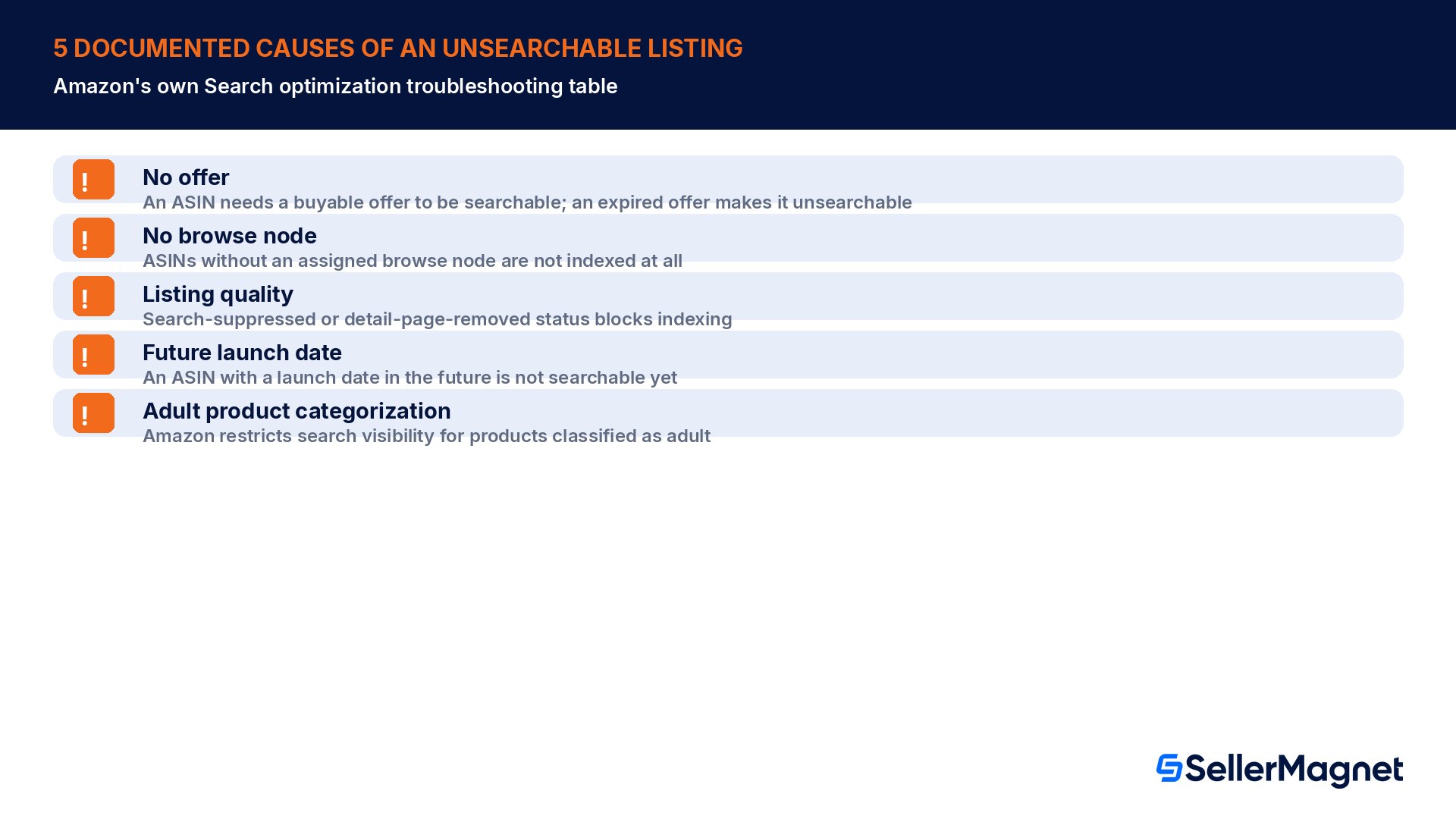
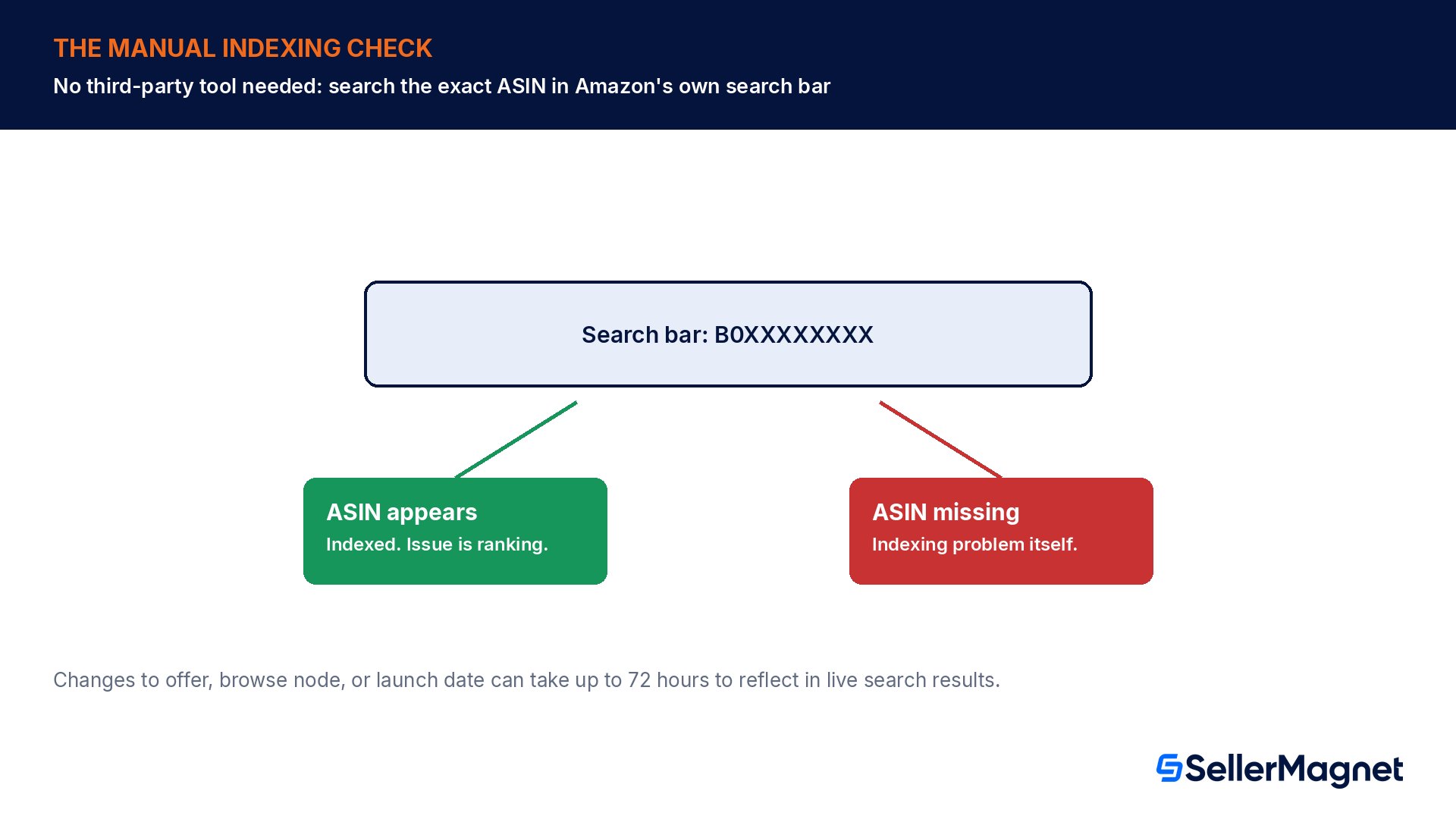
A listing is unsearchable or index suppressed when Amazon's search engine will not return it for any query, even an exact title or ASIN search. Amazon's own troubleshooting guide names five causes: the ASIN has no active buyable offer, it has no browse node assigned, it is marked search suppressed or inactive for a listing-quality issue, it has a future launch date, or it is restricted for adult-product classification. To check it yourself, search the exact ASIN number in Amazon's search bar: if the listing appears, it is indexed and the real issue is ranking, not indexing; if it does not appear, the listing itself is the problem.
Indexed versus ranked: what is the real difference?
Amazon's own search glossary defines being "index suppressed" as a catalog attribute: "When its value is True, the ASIN is suppressed from search, which means it is not discoverable by customers." That is a binary state, not a position. Ranking, by contrast, is where an already-indexed ASIN lands among the results for a given query, anywhere from position one to the last page. Conflating the two wastes effort: optimizing a title or adding backend keywords to chase a better rank does nothing if the ASIN is not indexed at all, and chasing an indexing fix for a listing that is actually just ranking poorly on a competitive term misses the real lever.
Not indexed / unsearchable
Indexed but poorly ranked
Appears for an exact ASIN search?
No
Yes
Appears anywhere in search results?
No, for any query
Yes, just not high enough
Typical cause
No offer, no browse node, suppression, future launch date, adult flag
Weak title, bullets or backend terms; low sales velocity or reviews
Typical fix
Resolve the specific blocker from Amazon's troubleshooting table
Strengthen on-page and backend SEO, build sales and review signal
What are the five documented causes of an unsearchable ASIN?
Amazon's Search optimization help page lists a troubleshooting table with named causes, each with its own check and fix. These are the causes Amazon itself documents, not a guess from indirect signals.
Issue
Cause
How to check
Resolution
No offer
An ASIN needs a buyable offer to be searchable; an expired offer makes it unsearchable
Check for an active offer in Manage All Inventory
Give the ASIN an offer by updating Item Price, Quantity, and Offering Release Date
No browse node
ASINs without an assigned browse node are not indexed at all
Review the product detail page for an assigned browse node
Assign the ASIN to a specific, relevant browse node
Listing quality
Search-suppressed or detail-page-removed status blocks indexing
Review Fix Your Products for a listing quality issue
Fix the flagged issue in Fix Your Products
Future launch date
An ASIN with a launch date in the future is not searchable yet
Check the Offering Release Date field
Update the Offering Release Date to a date in the past
Adult product categorization
Amazon restricts search visibility for products classified as adult
Review the product type classification in Edit listing
If correctly classified, no fix needed; if incorrect, contact Selling Partner Support
Source: Search optimization, Amazon Seller Central help for the US store. The same page adds a blunt structural rule behind the browse-node cause: "A browse node is like a shelf in a supermarket. Your product needs to be on a shelf in order to be found." An ASIN with perfect title and keyword data but no shelf assignment is invisible by design, not by accident.
Latency is normal, up to a point
Amazon's own pages state plainly that any change to an ASIN's offer, browse node, or launch date "can take up to 72 hours to reflect in shopping results," and separately that fixing a search-suppressed listing can let it "become searchable within 72 hours." A fix that has not shown up yet is not necessarily a failed fix; check again after the full window before assuming the change did not work.
Bulk auditing: the two dashboards Amazon points sellers to
Checking one ASIN at a time with a manual search works for a single suspected problem, but Amazon's own search glossary names two dashboards built for auditing an entire catalog at once, rather than one listing after another.
Dashboard
What it is for
Where Amazon says to use it
Search Query Performance Dashboard
Bulk auditing of search and indexing performance across many ASINs at once
Named directly in Amazon's search glossary for "bulk auditing"
Listing Quality Dashboard
Continuous auditing of inventory to correct errors and ensure full discoverability
Named directly in Amazon's search glossary, linked from Manage Inventory
Source: Amazon search glossary. Run one of these dashboards as a weekly or monthly sweep across the whole catalog, and keep the single-ASIN search bar check (below) as the fast, specific test once a dashboard or a sales dip points at a particular listing.
Backend search terms: how a byte-limit mistake becomes an indexing problem
A separate, quieter way to lose indexing coverage runs through the Generic Keyword (backend search terms) field. Amazon caps it at less than 250 bytes, and the field in Seller Central "stops accepting inputs when the byte limit is reached." The practical trap is that bytes are not characters: a plain English letter costs one byte, but an accented or non-English character can cost two or more, so a keyword string that reads as reasonably short can already be over the real limit.
Take a kitchen scale listing built from this Generic Keyword string: "digital kitchen scale food scale gram scale ounce scale stainless steel baking scale measuring scale postal scale coffee scale nutrition scale tare function lcd display rechargeable kitchen scale high precision scale kitchen gadget cooking tool accurate weight". Counted with Python's len(s.encode('utf-8')), that string is 260 bytes, 11 bytes over the 249-byte ceiling. The field does not truncate gracefully and keep the first 249 bytes; it stops accepting input once the limit is hit, so everything past that point in the original typing attempt was never saved. Dropping the two weakest, most generic terms ("cooking tool" and "accurate weight") brings the string to 231 bytes, comfortably inside the limit, with the stronger, more specific terms (gram scale, postal scale, coffee scale, nutrition scale) intact.
Version
Byte count
Valid under less than 250 bytes?
Original string (16 terms)
260 bytes
No, 11 bytes over
Fixed: weakest term dropped
231 bytes
Yes, 18 bytes of margin left
For the full byte-counting method, the list of prohibited words that can get an ASIN suppressed outright, and which 23 product types require this field, see our dedicated guide to Amazon backend search terms.
A new ASIN and an edited ASIN are not the same latency case
Amazon's glossary separates a brand-new product launch from an edit to an existing, already-indexed ASIN, and the two deserve different patience. A first-time listing has no search history at all, so Amazon's systems need to crawl, classify and assign it a browse node before it can appear anywhere, which is the 24 to 48 hour window. An edit to an ASIN that was already indexed, a changed offer, a corrected browse node, a new launch date, is a smaller update to an existing record, which Amazon documents at up to 72 hours. Checking a brand-new listing at the 2-hour mark and concluding indexing is broken is checking before the process has had a realistic chance to run; the same impatience on an edit wastes a support ticket on a change that was always going to need up to three days.
Catalog spam and prohibited terms: a policy risk, not just a wasted byte
Amazon's search glossary defines catalog spam directly: "Catalog spam is catalog data that violates the terms of the seller program ... it is not allowed to include other brand names or ASINs in an ASIN's catalog data. Catalog spam is irrelevant data to the product it describes." The glossary's own example is blunt: including \"phone cover\" in the catalog data of a shoe listing is catalog spam. This is a different risk tier from a search term that simply gets ignored for being generic; spam and prohibited terms (brand names, ASINs, profanity, temporary claims like \"new\") can put the ASIN's search visibility and account health at risk, not just fail to help it.
Generic keywords exist to add real synonyms, not to pad reach
Amazon's glossary describes the Generic keywords field as needing to "include synonyms, abbreviations, and alternative names for a product," never unrelated terms borrowed from a different, higher-traffic product category in the hope of appearing in its searches.
How do you check indexing yourself, no third-party tool required?
Amazon documents a specific manual test for telling an indexing problem apart from a ranking one, and the Seller Forums repeat the same method independently: search the listing's own ASIN number in Amazon's regular search bar.
Check whether a listing is indexed
Search the ASIN itself - Type the exact ASIN into Amazon's consumer-facing search bar. If the listing appears, it is indexed; the real issue is ranking, not indexing.
If the ASIN does not appear, check status first - Go to Manage All Inventory and look at the Status column. "Suppressed" or "Inactive" explains it directly; a suppressed listing will not appear in search or generate ad impressions regardless of bid or budget.
Check for a listing quality issue - Review Fix Your Products (or the Listing Quality dashboard) for a missing required attribute, such as a main image or a category-specific field.
Check the browse node and offer - Confirm the ASIN has an assigned, relevant browse node and a currently active offer with a past Offering Release Date; any one of these missing blocks indexing on its own.
Use Amazon's own diagnosis tool if the cause is still unclear - Search for "ASIN is unsearchable" within Seller Central help to find Amazon's own Search Troubleshooting tool, which takes the ASIN and the search URL and diagnoses why it is not searchable.
If genuinely new, wait before escalating - A brand-new listing can take 24 to 48 hours to be fully indexed; any browse-node, offer or launch-date change can take up to 72 hours. Re-check after the window before assuming the fix failed.
Worked example: indexed for most terms, not all
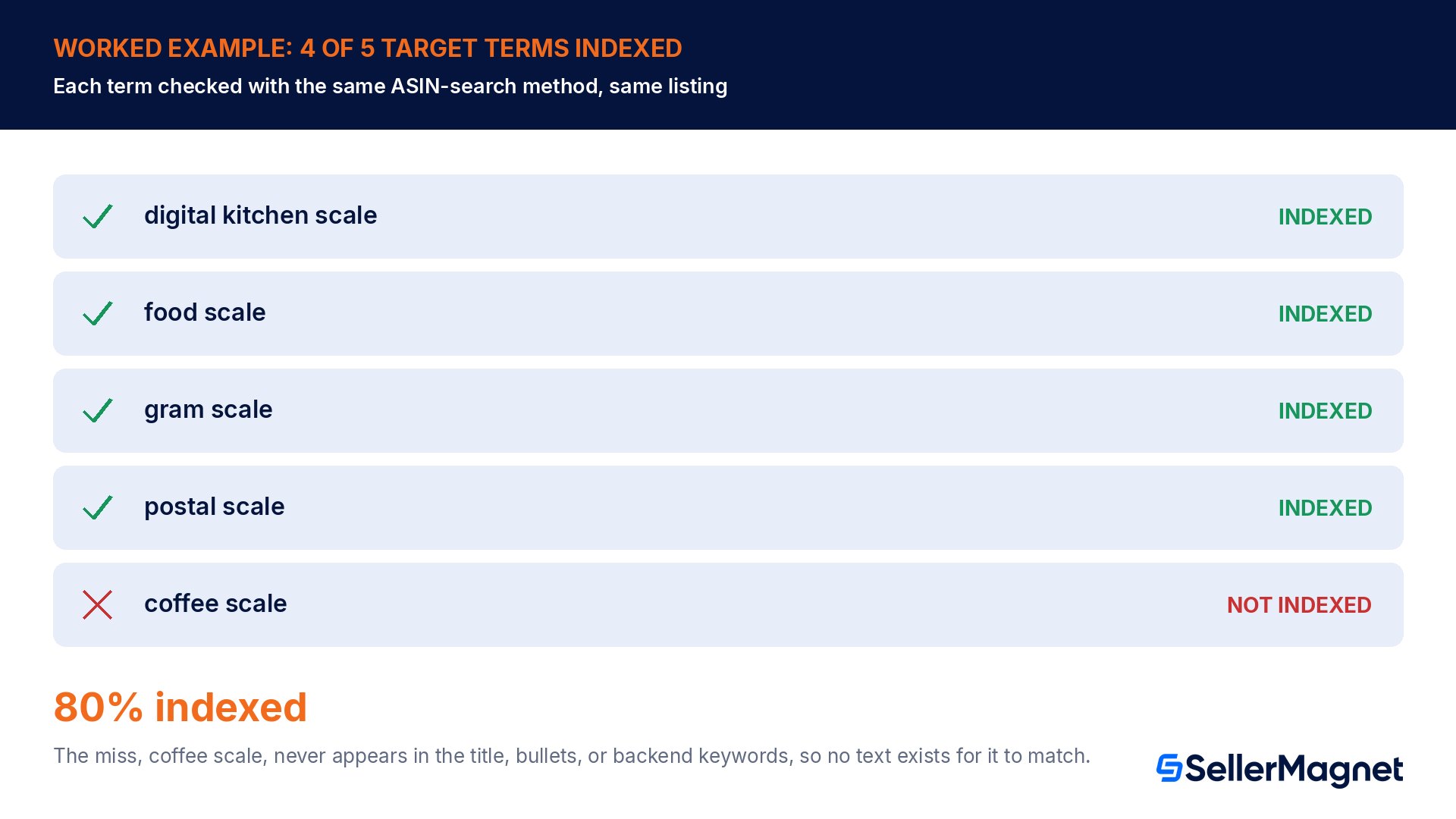
The same kitchen scale listing, now with its backend terms fixed and no suppression, is checked against 5 of its target search terms using the ASIN-search method above, each run as a separate search on the live store.
Target term
Indexed? (ASIN appears for this term)
digital kitchen scale
Yes
food scale
Yes
gram scale
Yes
postal scale
Yes
coffee scale
No
That is 4 of 5 terms indexed, 80%. The one miss, "coffee scale," is a legitimate secondary use case for the product, but if that exact phrase never appeared anywhere in the title, bullets, or Generic Keyword field, Amazon's search engine has no text to match it against, regardless of whether the ASIN is indexed in general. Being indexed is not one global switch covering every possible phrase; each specific term still needs to exist somewhere in the ASIN's searchable text to be matched at all. The fix here is adding "coffee scale" explicitly to the backend terms or a bullet point, then re-running the same ASIN-search check after the latency window, not reopening the broader indexing investigation.
Automatic query correction can mask a real indexing gap
Amazon's search glossary notes that a search query can be automatically corrected, showing a "Showing Results for" message with the corrected term. A seller testing a misspelled or awkwardly phrased version of their own target keyword can see results and wrongly conclude the exact phrase is indexed, when Amazon actually substituted a different, corrected query behind the scenes.
A variation family can hide an indexing problem on one child
A catalog built on variation families (parent ASINs connecting several child ASINs by color, size, or another attribute) adds one more wrinkle: searching the parent's main listing can look perfectly normal while one specific child ASIN, a particular color or size, is quietly unindexed on its own. The ASIN-search test still works here, but it has to be run against the exact child ASIN whose sales dropped, not the parent or a sibling child that happens to still be indexed. A seller who only ever tests the best-selling variant can miss a suppressed or offer-less sibling for weeks.
Common keyword indexing mistakes
Assuming a buyable, active listing is automatically indexed, when no offer, no browse node, suppression, a future launch date, or an adult-product flag can each independently block it.
Testing indexing with a full phrase search instead of the exact ASIN, which conflates ranking (position among results) with indexing (appearing at all).
Writing a Generic Keyword string past the real byte limit and assuming it saved in full, when the field stops accepting input at the limit and never truncates gracefully.
Treating catalog spam, unrelated or borrowed terms from a different product, as a free way to widen reach, when Amazon's own glossary names it a policy violation.
Escalating to a support case within minutes of a fix, instead of waiting the documented 24 to 72 hour window for changes to propagate.
Checking only whether the ASIN is indexed in general, instead of checking each individual target term the way a real shopper would search it.
Mistaking an auto-corrected search query's results as proof that the original, uncorrected phrase is indexed.
A practical keyword indexing checklist
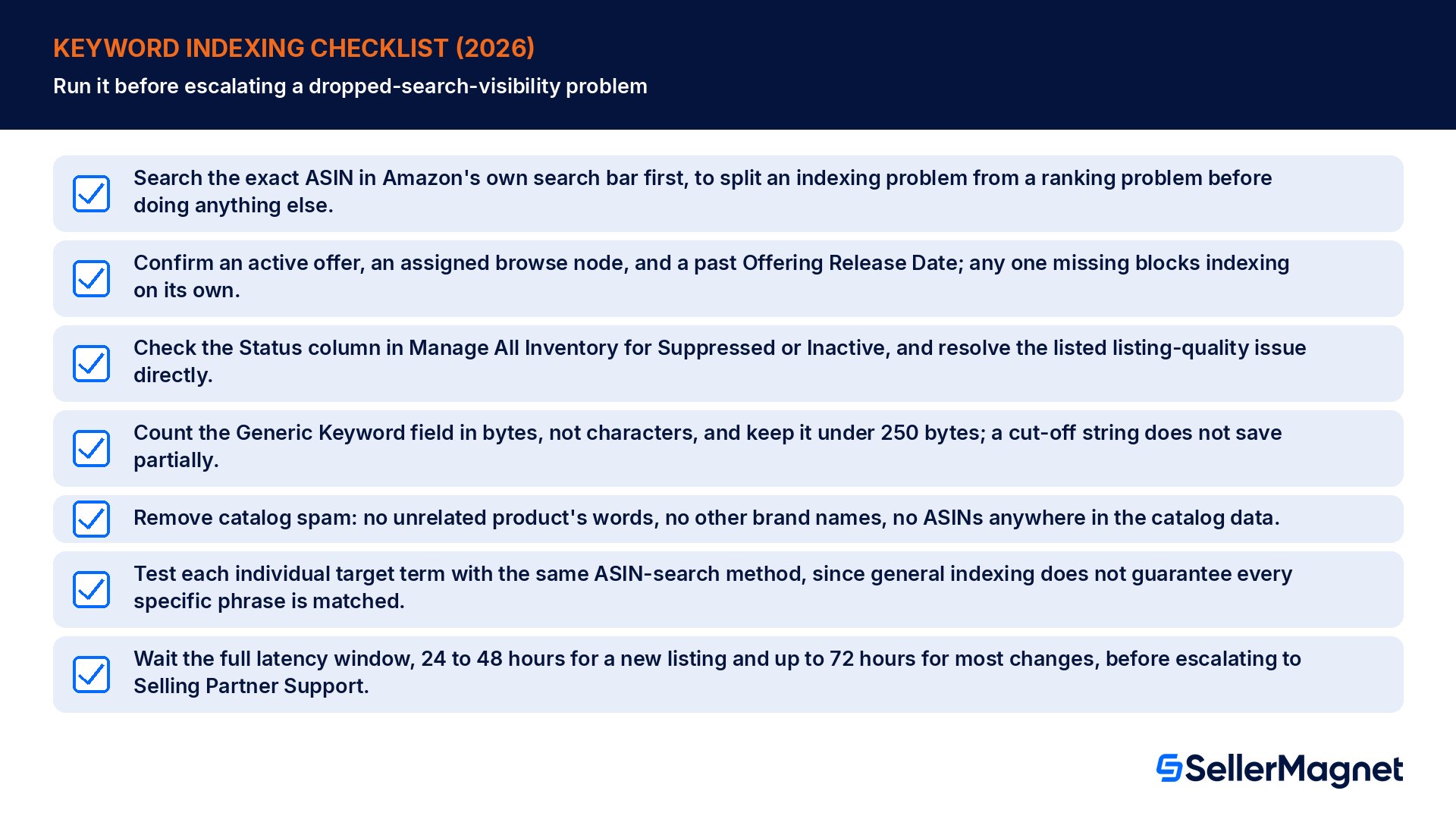
Search the exact ASIN in Amazon's own search bar first, to split an indexing problem from a ranking problem before doing anything else.
Confirm an active offer, an assigned browse node, and a past Offering Release Date; any one missing blocks indexing on its own.
Check the Status column in Manage All Inventory for Suppressed or Inactive, and resolve the listed listing-quality issue directly.
Count the Generic Keyword field in bytes, not characters, and keep it under 250 bytes; a cut-off string does not save partially.
Remove catalog spam: no unrelated product's words, no other brand names, no ASINs anywhere in the catalog data.
Test each individual target term with the same ASIN-search method, since general indexing does not guarantee every specific phrase is matched.
Wait the full latency window, 24 to 48 hours for a new listing and up to 72 hours for most changes, before escalating to Selling Partner Support.
Catch a missing browse node or an over-limit keyword string before it costs 72 hours of invisibility. SellerMagnet's Listing Quality checks a listing for the compliance and completeness gaps that commonly sit behind an indexing problem, and the Listing Builder wizard shows a live score and an Amazon preview as you fill in each field, so a missing attribute or an over-the-limit keyword string surfaces while you are still editing. See our broader listing SEO guide for how indexing, ranking, and conversion-focused copy fit together as one system.
What does it mean for an Amazon listing to be indexed?
Being indexed means Amazon's search engine has the ASIN in its index and considers it eligible, though not guaranteed, to appear in results for a matching search term. An indexed ASIN can still rank poorly; an unindexed ASIN cannot appear in search results for any query at all, no matter how it is optimized.
How can I tell if my listing is unsearchable, not just poorly ranked?
Search the exact ASIN number in Amazon's own search bar. If the listing appears, it is indexed and the real problem is ranking for that particular term. If the ASIN does not appear at all, the listing itself has an indexing problem that needs to be resolved before ranking work can help.
What are the documented causes of an unsearchable ASIN?
Amazon's own Search optimization page names five: no active buyable offer, no browse node assigned, a search-suppressed or inactive listing-quality status, a future launch date, or adult-product classification. Each cause has its own check location in Seller Central and its own documented resolution step, rather than one generic fix for every case.
Does exceeding the backend keyword byte limit affect indexing?
Yes. The Generic Keyword field is capped at less than 250 bytes, and the field stops accepting input once that limit is reached rather than saving a trimmed version. Any terms past the point where input stopped were never saved and cannot be matched, even though the rest of the listing may be fully indexed.
How long does it take for an indexing fix to show up in live search?
Amazon states that changes to an ASIN's offer, browse node, or launch date can take up to 72 hours to reflect in shopping results, and a search-suppressed listing can become searchable again within 72 hours of the fix. A brand-new listing can take 24 to 48 hours to be indexed for the first time.
What is catalog spam, and how does it relate to indexing?
Amazon's search glossary defines catalog spam as catalog data that violates seller program terms, such as including another brand's name, an ASIN, or irrelevant data unrelated to the product, for example the words "phone cover" in a shoe listing. Beyond wasting keyword space, it is itself a policy violation with its own suppression risk.
My listing is indexed overall, but one specific keyword never returns it. Why?
General indexing is not one switch covering every possible phrase. Each specific term still needs to appear somewhere in the listing's searchable text, the title, bullets, or backend keywords, to be matched. If a target phrase is missing from all three, add it explicitly rather than treating it as a broader indexing failure.
Stop Juggling Tools. SellerMagnet Combines Everything You Need.