FREEASIN Converter, Fee Calculator and more free tools, no signup required
How to Report Intellectual Property Violations on Amazon and Protect Your Brand in 2025
FBA FBM Amazon Basics

How to Report Intellectual Property Violations on Amazon and Protect Your Brand in 2025

|
8 min read
Last updated: Mar 31, 2025
When you run an advanced business on Amazon, safeguarding your intellectual property (IP) becomes an absolute priority. Few things are more frustrating than seeing counterfeit products or IP violations on your listings. Fortunately, Amazon provides a number of tools and programs to protect your brand. In this in-depth guide, we’ll examine how to effectively report an IP violation, protect your business, and prevent further issues.

What Does an Intellectual Property Violation Mean?

Intellectual property refers to any intangible asset created by your company: brand names, trademarks, patents, original designs, photographs, texts, videos, music, and more. When someone uses these elements without permission, they’re violating your IP and causing both financial and reputational harm to your brand. The main categories of IP eligible for protection on Amazon are:

Types of Violations You Can Report to Amazon

Below are some practical examples of common violations you might encounter in your daily operations:
  • Product Counterfeiting: Unauthorized sellers replicate your products with subpar materials to deceive buyers and capitalize on your success.
  • Unauthorized Use of Images or Text: Someone employs copyrighted images, videos, or texts you created, diverting traffic and potential sales.
  • Trademark Misuse: A competitor uses your logo or trade name without authorization, confusing buyers and damaging your brand.

How to Report an IP Violation on Amazon

Amazon provides multiple tools to simplify this process, especially if your brand is officially registered.

1. Amazon Brand Registry

If your brand is registered with Amazon Brand Registry, you can use the built-in Report a Violation tool. Steps to follow: - Access your Amazon Brand Registry account. - From the homepage, select “Report a Violation.” - Enter ASIN, product page link, or images to identify the violation. - Clearly specify which type of violation you’re reporting (copyright, trademark, or patent). - Provide concrete evidence and details to enable Amazon to swiftly review the case.

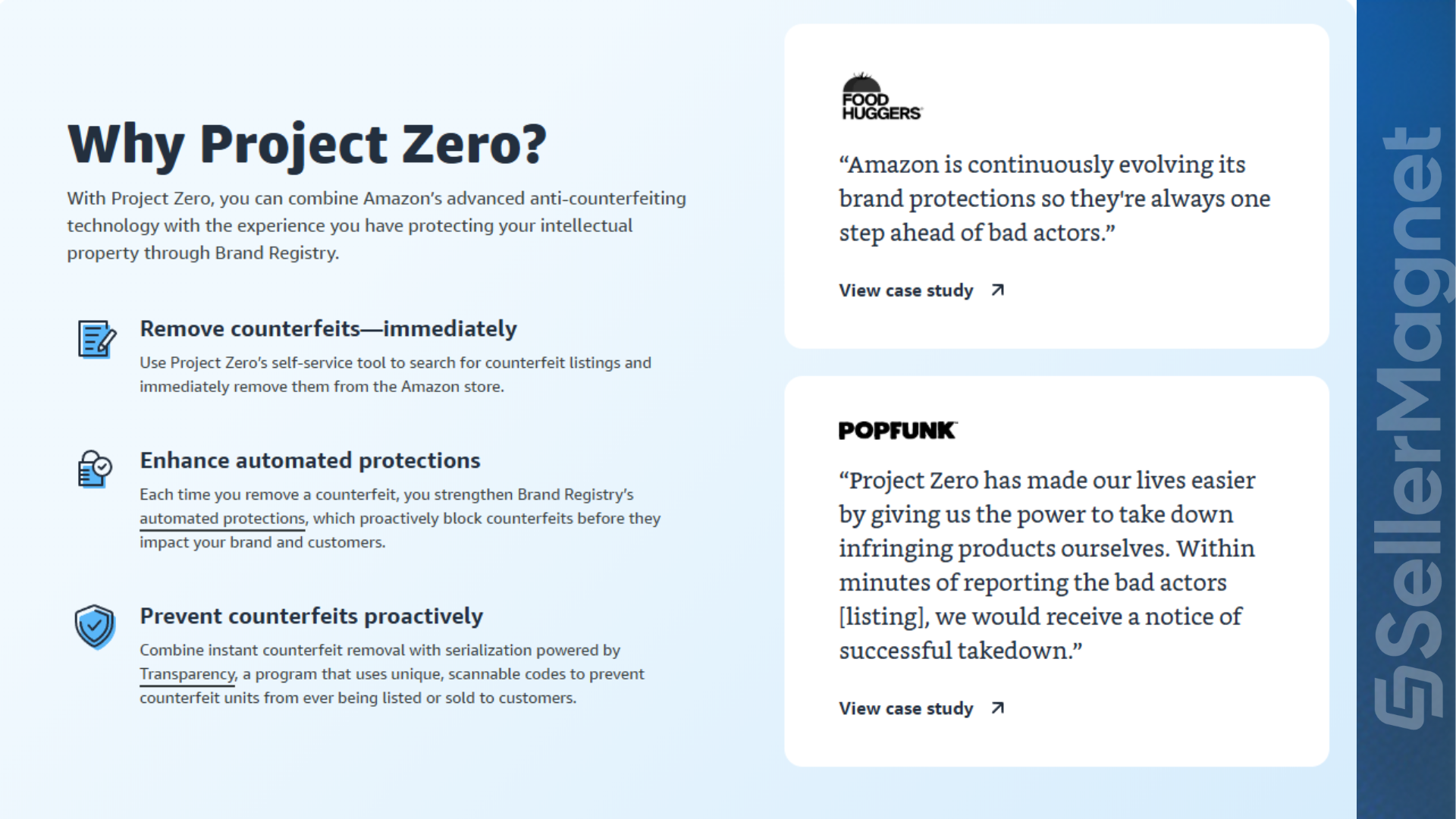
2. Amazon Project Zero

If you’re enrolled in the Brand Registry, you can join Amazon Project Zero, which allows you to directly and immediately remove counterfeit listings. Leveraging Amazon’s sophisticated system, Project Zero detects and preemptively blocks counterfeits, minimizing the risk of financial losses.
2. Amazon Project Zero

3. Amazon Transparency Program

The Amazon Transparency Program allows you to buy unique 2D barcodes for each individual product. Amazon automatically verifies these codes before shipping, making it virtually impossible for counterfeit items to be sold and ensuring complete traceability.
3. Amazon Transparency Program

Case Study: Defending Your Brand from Listing Hijackers

A common issue for sellers is the so-called “listing hijacking.” A hijacker takes over your listing by selling counterfeit or different items under your entry, harming both your reputation and revenue. Dive deeper into how to deal with listing hijacking. If you come across such a problem: - Thoroughly document evidence (images, order data, customer messages). - Immediately use the Report a Violation tool to notify Amazon as soon as possible.

Practical Tips for Proactively Protecting Your IP

  • Register Early: Secure trademarks, patents, and copyrights for your products before any major launch.
  • Ongoing Monitoring: Employ automated monitoring software to detect potential violations in real time.
  • Team Education: Ensure that everyone on your staff understands the importance of intellectual property and knows how to report any suspicious activity.
  • Regular Audits: Conduct frequent checks of each listing to identify potential infringements or vulnerabilities.

Conclusion

Protecting your intellectual property on Amazon is an essential step for the growth of your brand and its long-term success. Using tools like Brand Registry, Project Zero, and the Transparency Program, you can actively defend your business and focus on scaling up your sales. To further enhance your Amazon business performance, consider SellerMagnet, an advanced platform designed to optimize every aspect of selling, from review management to creating high-converting listings.

Stop Juggling Tools. SellerMagnet Combines Everything You Need.

Join a smarter way to manage your Amazon store.

Recommended Articles
Amazon Quick for Sellers: Can and Can't It See?
Amazon Updates Amazon Basics SellerMagnet Tools

Amazon Quick for Sellers: Can and Can't It See?

Amazon's own Seller Central announcement on Amazon Quick and the Selling Partner plugin: what it can tell a connected seller, and what still needs Seller Central.
Read more
Amazon Brand Registry 2026: Requirements and Cost
Amazon Basics Amazon Updates SellerMagnet Tools

Amazon Brand Registry 2026: Requirements and Cost

Amazon Brand Registry requirements, real trademark cost in USD and EUR, the enrollment steps, what changes once you are in, and a worked example of the payback.
Read more
Alibaba Suppliers: Factory or Trading Company? A Pre-Deposit Checklist
Product Research Amazon Basics

Alibaba Suppliers: Factory or Trading Company? A Pre-Deposit Checklist

How to tell an Alibaba factory from a trading company before you pay a deposit: 6 signals, a 5-step video-call checklist, and what a wrong guess actually costs.
Read more
Stranded Inventory on Amazon: Why It Happens and How to Fix It Fast
Amazon Basics Inventory Management SellerMagnet Tools

Stranded Inventory on Amazon: Why It Happens and How to Fix It Fast

Amazon's own help pages on what strands FBA inventory, the 48-hour fix window, the 30-day unsellable deadline, and a worked cost example at 2, 7 and 30 days.
Read more
No Featured Offers Available: Why and How to Fix It
Amazon Basics Amazon Updates

No Featured Offers Available: Why and How to Fix It

Why a listing shows "no featured offers available" in 2026, the real causes now that Amazon removed the seller-eligibility gate, and the exact fix for each one.
Read more
Amazon High Pricing Error: Why Listings Deactivate
Amazon Basics Amazon Updates

Amazon High Pricing Error: Why Listings Deactivate

Why Amazon deactivates a listing with a "Potential high pricing error," exactly what triggers it in 2026, and how to set Minimum/Maximum Price so it stops happening.

Read more

Ready to grow your Amazon business?

Used on nearly 800 Amazon projects to automate pricing, track profits and scale faster.

14-day free trial • Cancel anytime