Spreadsheet Profit Tracking vs a Profit Dashboard (2026)
R
RenéFreelance Amazon Editor
|
10 min read
A spreadsheet profit formula is only as current as the day someone last edited it. Amazon's own fee rules do not wait for that edit: in 2026 alone, the FBA returns processing fee moved to a per-category return-rate threshold, the low-inventory-level fee switched from being measured per parent ASIN to per seller FNSKU, a 3.5% fuel and logistics surcharge landed on US FBA fulfillment fees, and a full establishment-by-store digital services fee matrix went live across 4 EU stores. None of those changes announce themselves inside a spreadsheet cell; they just make the number in that cell quietly wrong. This guide works through where a manual profit spreadsheet and Amazon's actual 2026 fee rules are most likely to diverge, with a worked example of the exact gap one seller's numbers could show in a single month.
A manual profit spreadsheet usually falls behind Amazon's own numbers because it tracks static formulas, not live fee rules. In 2026, three changes commonly broke old spreadsheet logic: the returns processing fee now applies above a per-category return-rate threshold instead of on every return, the low-inventory-level fee is measured per FNSKU instead of per parent ASIN since January 15, 2026, and a 3.5% fuel and logistics surcharge was added to US FBA fulfillment fees from April 17, 2026. A dashboard that pulls these fee rules live stays accurate; a spreadsheet only catches up when someone manually updates the formula.
Why a spreadsheet and Amazon's own numbers start to disagree
A profit spreadsheet is a snapshot of a formula, built on the fee rules that were true on the day it was written. Amazon's fee rules are not a snapshot; Seller Central documents dozens of fee-rule changes a year, several of which change HOW a fee is calculated, not just the rate. A rate change is easy to catch (the number on the page moved). A calculation-method change is the one spreadsheets miss, because the formula still runs and still returns a number, just the wrong one for the current rule. The 3 changes below are exactly that kind: each one changed what counts toward the fee, not only how much it costs.
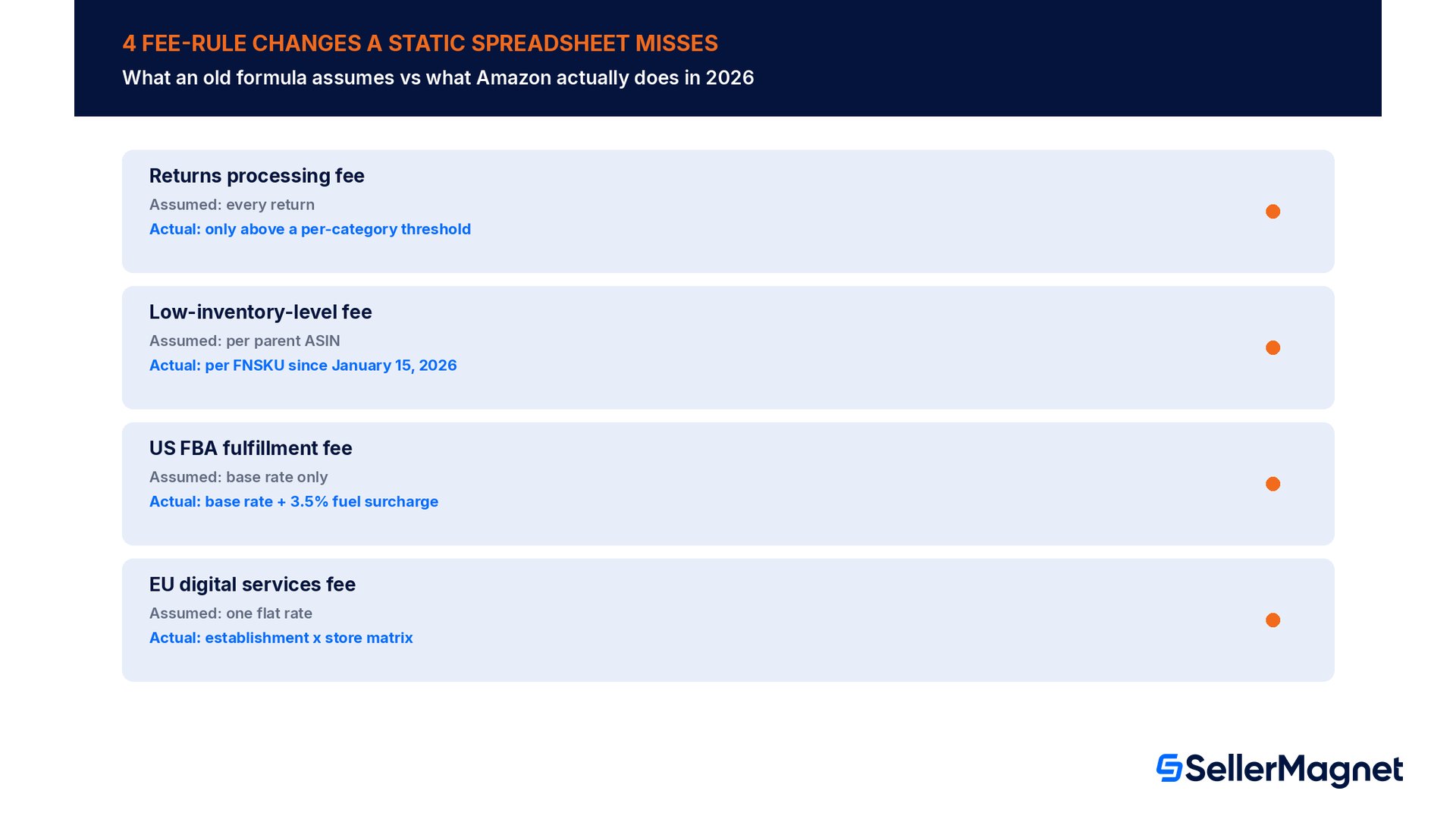
2026 fee-rule change
What a stale spreadsheet formula often assumes
What Amazon actually does now
Returns processing fee
Charged on every returned unit (pre-2026 assumption)
Charged only on units above a per-category return-rate threshold; apparel and shoes pay on every unit; under 25 units shipped/month is exempt
Low-inventory-level fee
Measured once per parent ASIN
Measured per seller FNSKU since January 15, 2026; each child variation's own stock level decides its own fee
US FBA fulfillment fee
Base rate only
Base rate plus a 3.5% fuel and logistics surcharge since April 17, 2026 (also on Buy with Prime/MCF since May 2, 2026)
EU digital services fee (DST)
One flat rate per store, if tracked at all
A seller-establishment x store matrix since March 20, 2026: 2% UK, 3% France/Italy/Spain, applied to specific fee lines that vary by establishment
None of this is hidden
Every rule above is published on Amazon's own Seller Central help pages. The gap is not secrecy, it is update timing: a fee-rule change that takes effect mid-year does not retroactively fix a formula written in January. The question is not whether the rule is documented, it is whether anything checks your numbers against it every week.
Worked example: the same month, two different numbers
The figures below are a hypothetical example, not real seller data, built to show how a parent-level spreadsheet formula and the actual per-FNSKU rule can land on different numbers for the exact same inventory. A seller's parent ASIN has 2 child FNSKUs. Child A ships 40 units in the month and has a healthy days of supply in both the 30- and 90-day windows, so it owes no low-inventory-level fee. Child B ships 150 units and sits at 21 to 27 days of supply in both windows, a small standard item, so it is charged at $0.32 per unit.
A spreadsheet formula still reading days of supply at the parent level blends both children together and comes out at roughly 31 days of supply, clear of the 28-day bar, so it shows $0 in low-inventory-level fees for this ASIN that month. Amazon, measuring per FNSKU since January 15, 2026, charges Child B on its own: 150 units x $0.32 = $48.00, a fee the parent-level view never saw coming.
The same seller's US FBA fulfillment fees that month run around $8000 before any surcharge. A spreadsheet formula built before April 17, 2026 has no line for the fuel and logistics surcharge; the actual bill adds 3.5%, or $280.00. Between the one thin child FNSKU and the fuel surcharge alone, this single month's real fees run $328.00 higher than what the old formula reports, before counting any DST exposure in an EU store or a returns-processing edge case.
Where a spreadsheet still gets it right, and where cadence beats it
A spreadsheet is not wrong by design; COGS, shipping cost and VAT rate are inputs a seller usually knows and enters correctly, and a well-maintained spreadsheet can track those just fine. What a spreadsheet structurally struggles with is cadence: Amazon reassesses the low-inventory-level fee weekly, the returns-processing threshold is evaluated per category on a rolling basis, and a surcharge or DST rate change takes effect on a specific calendar date regardless of when anyone opens the file again. A profit dashboard that pulls fee data on the same cadence Amazon assesses it closes that gap automatically; a spreadsheet closes it only on the day someone remembers to check Seller Central's own fee-change announcements and edits the formula to match.
Common mistakes sellers make reconciling the two
Reading days of supply at the parent ASIN level. Since January 15, 2026 the low-inventory-level fee is assessed per FNSKU; a healthy blended parent number can still hide one thin child variation that is charged on its own.
Assuming the returns processing fee applies to every return. Outside apparel and shoes, it only applies above a per-category return-rate threshold, and products shipping under 25 units a month are exempt entirely.
Treating the FBA fulfillment fee rate card as the full cost. Amazon's own published US rate tables are labeled as excluding the fuel and logistics surcharge; the actual per-unit cost is the table rate plus 3.5%.
Tracking one DST rate per store instead of per establishment. Since March 20, 2026 the same store can carry a different digital services fee rate, and apply to different fee lines, depending on where the selling business itself is established.
Updating the spreadsheet only after noticing a payout looks off. Every rule above has a published effective date; the spreadsheet gap exists from that date forward, not just from whenever someone happens to investigate.
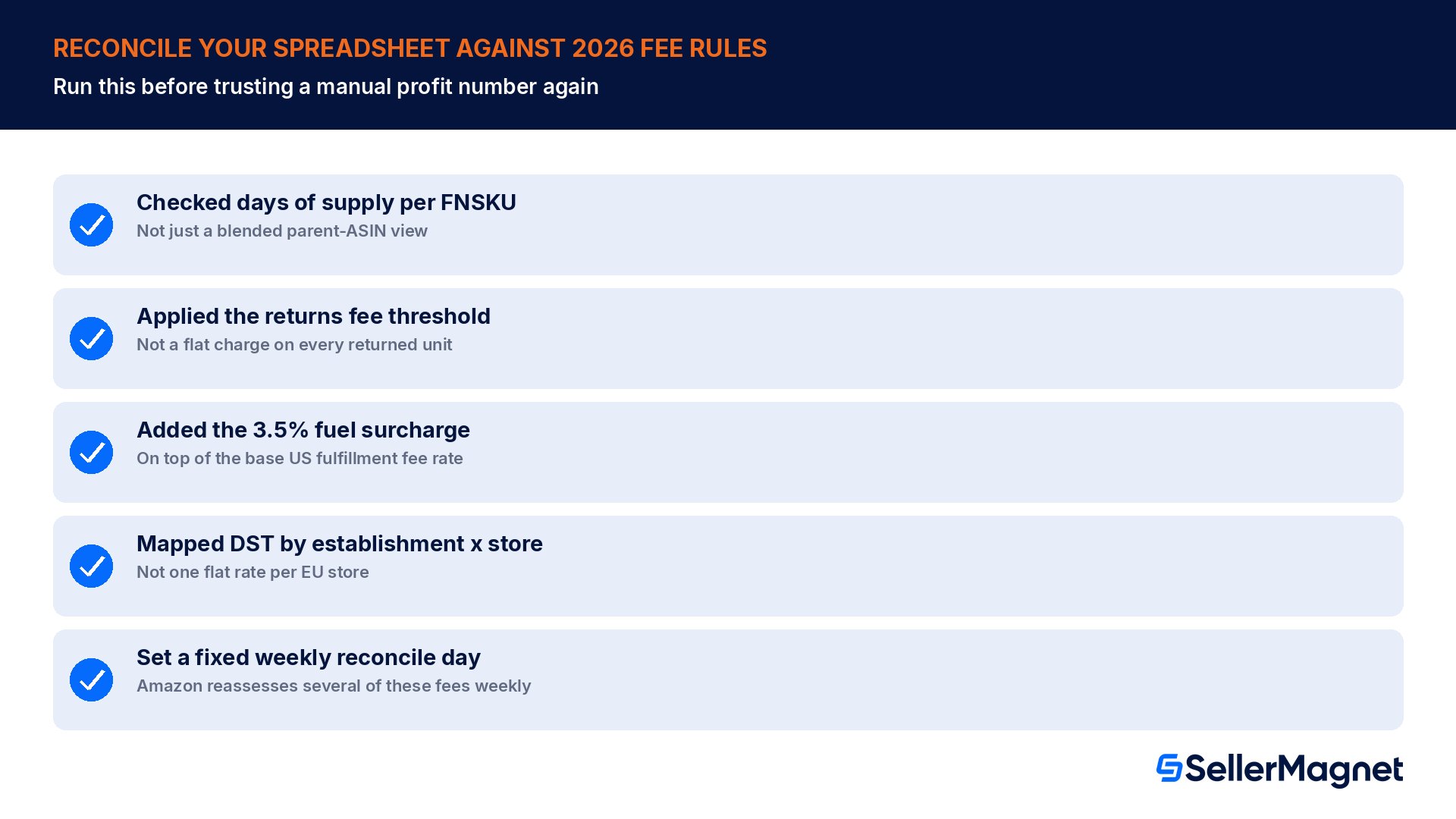
Checklist: reconciling a spreadsheet against Amazon's actual 2026 fee rules
Checked whether the low-inventory-level fee formula reads days of supply per FNSKU, not per parent ASIN.
Confirmed the returns processing fee formula applies the per-category threshold instead of charging every returned unit.
Added the 3.5% fuel and logistics surcharge on top of the base US FBA fulfillment fee rate, and on Buy with Prime/MCF fees where it applies.
Mapped DST exposure by seller establishment x store, not by store alone, for every EU store sold into.
Picked one day a week to re-pull live fee data rather than relying on the next payout to reveal a mismatch.
How to find your own spreadsheet-vs-reality gap
Check where your profit spreadsheet and Amazon's actual 2026 fees diverge
Pick one ASIN with multiple child FNSKUs - Check each child's own days of supply in Seller Central, not only the parent-level blended view.
Compare against the low-inventory-level thresholds - A child under 28 days of supply in both the 30- and 90-day windows owes $0.32 to $1.11 per unit shipped, even if the parent view looks healthy.
Check your returns processing fee formula - Confirm it applies the per-category return-rate threshold, not a flat per-return charge, unless the product is apparel or shoes.
Add the fuel and logistics surcharge - Apply 3.5% on top of the base US FBA fulfillment fee rate from the published rate card.
Map your DST exposure - List each EU store you sell into against your business's own establishment country to find the correct digital services fee rate and which fee lines it covers.
Re-check on a fixed weekly day - Amazon reassesses several of these fees weekly; a monthly or quarterly spreadsheet review is a cadence mismatch by design.
Where SellerMagnet fits next to a spreadsheet
The Analytics Dashboard shows net profit per order, product and marketplace after Amazon fees, COGS, shipping, VAT, refunds and your own expenses, pulled from the same fee data Amazon assesses against, so a per-FNSKU low-inventory-level charge or a DST line shows up in the same place as COGS and shipping instead of waiting for a formula update.
Fee Audit checks flagged fee lines against Amazon's own published rates and only marks a row claimable when it can verify the overcharge, which is the same comparison this guide walks through by hand: a published rule on one side, the actual charge on the other. See the SellerMagnet plans for current availability.
Why would a profit spreadsheet show a different number than Amazon's own payout?
Usually the spreadsheet's formula is built on an older fee-calculation rule. In 2026, 3 rules changed HOW a fee is measured, not only its rate: the returns processing fee now applies above a per-category threshold, the low-inventory-level fee is assessed per FNSKU instead of per parent ASIN, and a 3.5% fuel surcharge was added to US FBA fulfillment fees. An old formula still runs, just on the wrong rule.
Does the low-inventory-level fee really change per child variation?
Yes. Since January 15, 2026, Amazon measures historical days of supply per seller FNSKU, so each child variation of a parent ASIN is judged on its own stock level. A parent-level view that blends several children together can show a comfortable days-of-supply number while one specific FNSKU is still charged the fee on its own.
Is the returns processing fee charged on every return?
No, except for apparel and shoes. For other categories it is charged only on units returned above a per-category return-rate threshold, and products shipping fewer than 25 units a month are exempt from the fee entirely.
What is the digital services fee and does it apply to every EU sale?
It is a surcharge that passes through government digital services taxes: 2% in the UK, 3% in France, Italy and Spain. Since March 20, 2026 the exact rate and which Amazon fee lines it covers depend on both the store the sale happens in and the country the selling business is established in, not the store alone.
Does a dashboard replace the need to understand these fee rules?
No. A dashboard that pulls live fee data closes the update-timing gap a static spreadsheet has, but understanding why a number changed (a threshold, a per-FNSKU rule, a surcharge date) still helps when deciding what to fix, such as restocking a thin FNSKU or re-checking an EU pricing strategy.
How often should I reconcile my own numbers against Amazon's fee rules?
At least weekly for anything tied to inventory levels, since Amazon reassesses the low-inventory-level fee weekly. Rate or calculation-method changes (like the fuel surcharge or DST matrix) are rarer but take effect on a fixed calendar date, so a quick check right after any Amazon fee-change announcement catches those before a full payout cycle passes.
This guide covers the fee-rule mechanics behind the spreadsheet-vs-dashboard gap, not a full rate card. For the complete 2026 US FBA fee tables, see our FBA fees complete table; for the low-inventory-level fee's own rates and exemptions, see our low-inventory-level fee guide; for the full EU digital services fee matrix, see our digital services fee guide.
Stop Juggling Tools. SellerMagnet Combines Everything You Need.