Amazon Returnless Refunds 2026: Rules and Real Cost
R
RenéFreelance Amazon Editor
|
15 min read
Last updated: Nov 01, 2026
A returnless refund lets a customer keep an item and still get their money back, which sounds like Amazon simply giving money away on your behalf. It usually is not. For a low-value item, the cost of shipping it back, inspecting it and restocking it can exceed what the item is worth, so letting the customer keep it and refunding them anyway is often the cheaper outcome for the seller, not the more expensive one. The part sellers get wrong is assuming a returnless refund means no reimbursement and no fee either way; it means no reimbursement for the lost item, but the refund administration fee mechanics stay exactly the same as a normal return. This guide works through Amazon's US help pages for refund options, returnless resolutions, the FBA-specific Returnless Resolutions program, and the refund administration fee calculation, with worked numbers for what a returnless refund actually costs you.
A returnless refund on Amazon means a seller or Amazon refunds a customer and lets them keep the item instead of sending it back. Sellers can set rules for this by price range or by SKU in Seller Central return settings, and Amazon also grants some returnless refunds automatically, such as low-value international returns with no domestic return address. The seller still pays the refund administration fee, 20% of the referral fee capped at $5 per line item, the same as on a normal return, but for FBA Returnless Resolutions specifically there is no reimbursement for the item and the high-return-rate fee is waived.
What a returnless refund actually is
Amazon's Refund options page introduces the mechanic under seller-issued refunds: a seller can choose to issue a refund and let the buyer keep the item instead of sending it back, a returnless refund. The companion Returnless resolutions page frames it more broadly: a returnless resolution is when a seller issues a refund or a replacement and lets the buyer keep the original product. A resolution can be a refund or a replacement shipped without requiring the original item back; both skip the return-shipping step entirely.
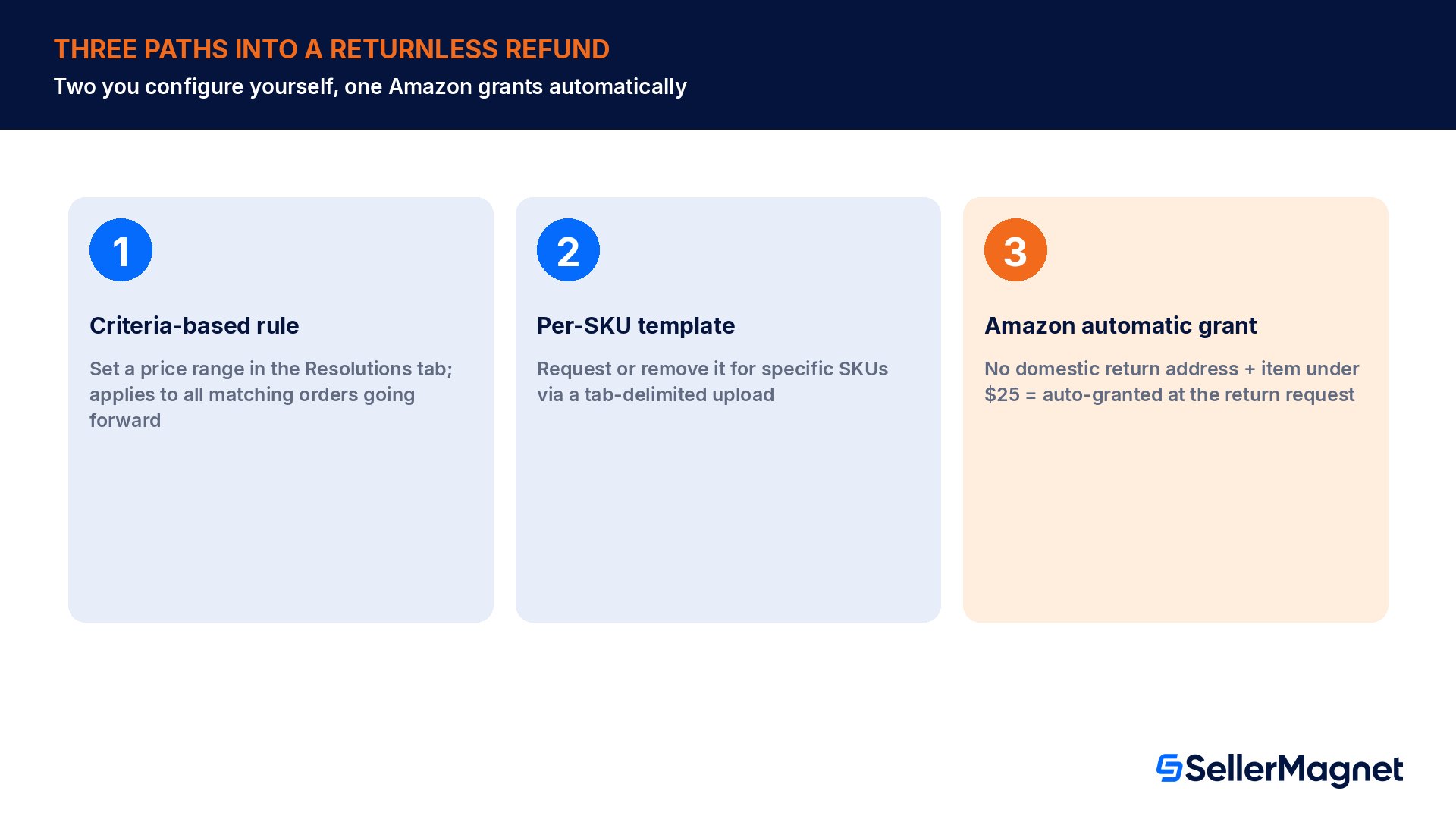
There are two distinct paths into a returnless outcome, and mixing them up is the most common source of confusion. The first is seller-controlled: you configure rules in Seller Central return settings that automatically grant a returnless resolution when a return meets criteria you set. The second is Amazon-controlled: Amazon issues a returnless refund on your behalf under specific policies, most notably for certain international and out-of-country returns, regardless of whether you have any rule configured at all.
Configuring your own returnless resolution rules
Amazon's Returnless resolutions page lists two ways to set this up yourself: offering returnless resolutions for returns that meet criteria you set, or offering and removing them for specific SKUs. The criteria-based path is a price-range rule: go to Return settings, open the Resolutions tab, click Create a returnless resolution rule, name the rule, set a price range, and save. The newly configured rule applies to all matching orders from that point forward.
Setup method
How it works
Best fit
Criteria-based rule (price range)
Create a rule in the Resolutions tab, set a price range, save; applies to all matching orders going forward
A whole catalog tier, such as every item under a set price
Per-SKU template
Download the Returnless resolution template, request or remove it per SKU, upload as a tab-delimited file
A small number of specific, high-return SKUs you want to control individually
The per-SKU path has more moving parts than the rule-based one. Amazon's instructions specify downloading the Returnless resolution template, indicating the returnless resolution exemption reason code, saving it first as an Excel workbook (so it stays editable later), then re-saving specifically as a tab-delimited (.txt) file for upload, with the Returnless resolution tab displayed before saving. The file is uploaded back through Return settings, Manage return templates.
A criteria rule does not require manual authorization
Amazon's FAQ on returnless resolutions confirms that once a rule is set, you do not have to authorize or manually refund a matching return: any return request for a product that qualifies for returnless resolution under the rules you have set is automatically authorized, and a refund equal to the product cost is automatically sent to the customer with no action needed from you.
What the customer actually sees
The customer-facing side of an automatic returnless resolution is deliberately simple, and worth knowing before a support ticket arrives asking whether the refund actually went through. Amazon's FAQ describes the message the customer gets: a short note telling them their refund is being processed and that they do not need to send the item back, followed by the payout timing, a refund to the original payment method within 5 to 7 business days, charged to the seller's account. A seller who sees a chargeback-style debit a few business days after a return request, with no inbound shipment ever recorded, is very likely looking at exactly this flow working as designed, not an error.
International returns add one more detail to plan around on the shipping-cost side specifically: for international returns, the cost of return shipping is always the seller's responsibility, even for customer-responsible returns. Domestically, the split depends on fault: with a domestic return option offered, the seller is not required to refund the original shipping cost on a customer-responsible return, but on a seller-responsible return the original shipping cost must also be refunded. None of those shipping-cost rules change when a return turns into a returnless resolution instead; they describe what you owe on the shipping line specifically, separate from the refund administration fee covered further down.
When Amazon grants a returnless refund automatically
Independent of any rule you configure, Amazon issues returnless refunds on its own under specific conditions. The clearest case is out-of-country returns with no domestic return address on file: for items valued under $25, Amazon automatically grants a returnless refund at the time of the return request; for items valued above $25, if the seller does not follow Amazon's international-returns policy, Amazon may issue a refund to the buyer on the seller's behalf.
Worked example: the $25 threshold in practice
A seller fulfilling orders into the US from outside the US, with no domestic return address on file, sells an item at $38.00. Because $38.00 is above the $25.00 threshold, the automatic returnless-refund grant does not apply on its own. The Returnless resolutions FAQ spells out what to do instead: offer the buyer a seller-prepaid return label within 48 hours of the return request, or voluntarily issue a full refund without requesting the item back. Doing neither has a consequence: Amazon may issue a refund to the buyer on the seller's behalf and charge the amount to the seller's account.
Item value
No domestic return address: what happens
Under $25
Amazon automatically grants a returnless refund at the time of the return request; no action needed from you
$25 and above
No automatic grant. Offer a seller-prepaid return label within 48 hours, or a voluntary returnless refund, or Amazon may refund the buyer and charge your account
Out-of-country returnless refunds cannot be disputed
Amazon's Refund options page states this plainly: an out-of-country returnless refund cannot be disputed. That applies on top of the general rule that once you grant any seller-issued refund, returnless or not, it cannot be disputed either, so there is no appeal path once either kind of returnless refund has been issued.
FBA Returnless Resolutions: a separate FBA-specific program
For FBA inventory specifically, Amazon runs a distinct enrollment called FBA Returnless Resolutions, and it is worth treating as its own decision rather than an extension of the seller-fulfilled rules above. By default, buyers are required to return FBA inventory to Amazon's fulfillment centers, where it is evaluated for sellability. Enrolling in FBA Returnless Resolutions means buyers instead get a refund and keep the item, saving the seller the fees tied to high return rates, customer returns processing, storage and removals.
The trade-off Amazon flags before enrollment is the one sellers most often miss: when a customer keeps an item under a returnless resolution, the seller receives no reimbursement at all, unlike a standard FBA return where a damaged item may qualify for reimbursement. The same page frames the economics directly: Returnless Resolutions are most cost-effective when return shipping and processing costs exceed the item's value. The return still counts toward the ASIN's return-rate metrics even though the unit never travels back; FBA Returnless Resolutions: What It Really Costs goes deep on the eligibility ceiling, the return-rate accounting and the enrollment mechanics specifically, this section stays focused on the fee math.
Worked example: when a returnless resolution beats a standard return
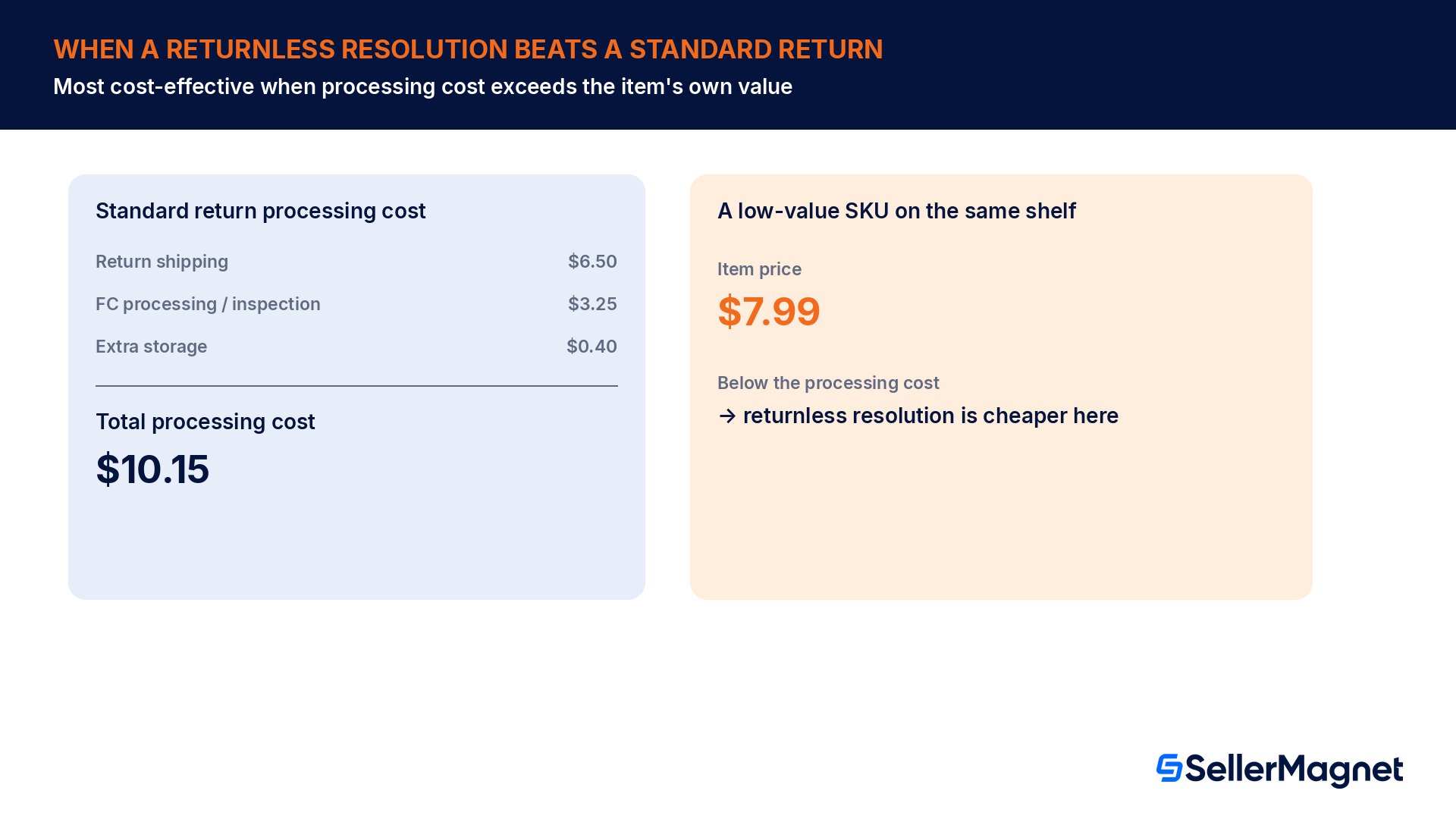
A seller estimates the real cost of processing one standard FBA return: $6.50 in return shipping, $3.25 in fulfillment-center processing and inspection, and $0.40 in extra storage while the unit sits pending disposition, a total of $10.15. A low-cost accessory in that seller's catalog sells for $7.99, below the $10.15 processing cost. Per Amazon's own cost-effectiveness framing, that specific SKU is a stronger candidate for a returnless resolution than a $120 item on the same shelf, where the same $10.15 processing cost is a small fraction of the item's value and standard return-and-resell economics usually win instead.
Cost component of a standard return
Estimate
Return shipping
$6.50
FC processing and inspection
$3.25
Extra storage while pending
$0.40
Total processing cost
$10.15
Low-value item price (below the processing cost)
$7.99
Enrollment does not make every return on an enrolled SKU returnless automatically. Amazon's FAQ is specific on this point too: each return is evaluated on its own against per-item eligibility criteria, and a return that fails those criteria still goes back to Amazon's fulfillment center the normal way. Treat enrollment as opening the possibility for eligible low-value, high-processing-cost SKUs, not as switching off standard returns across your whole catalog.
Two fee-side upsides are specific to the FBA program and worth weighing against the lost reimbursement. First, the referral-fee mechanics stay normal: a seller still gets the FBA referral fee refunded, less the administration fees, exactly as with any customer return. Second, the fee most sellers actually enroll to avoid: returns successfully handled through FBA Returnless Resolutions are not charged the high return rate fee.
The refund administration fee does not disappear on a returnless refund
The single most common cost mistake is assuming a returnless refund is somehow fee-free because nothing physically comes back. It is not. The refund administration fee mechanics described on Amazon's Refund credits and administration fees page apply the same way: on a full refund for a non-Media Product, Amazon retains 20% of the original order-related fees, up to $5 (5 EUR in the EU) per line item in the refund, and keeps that amount as a refund administration fee.
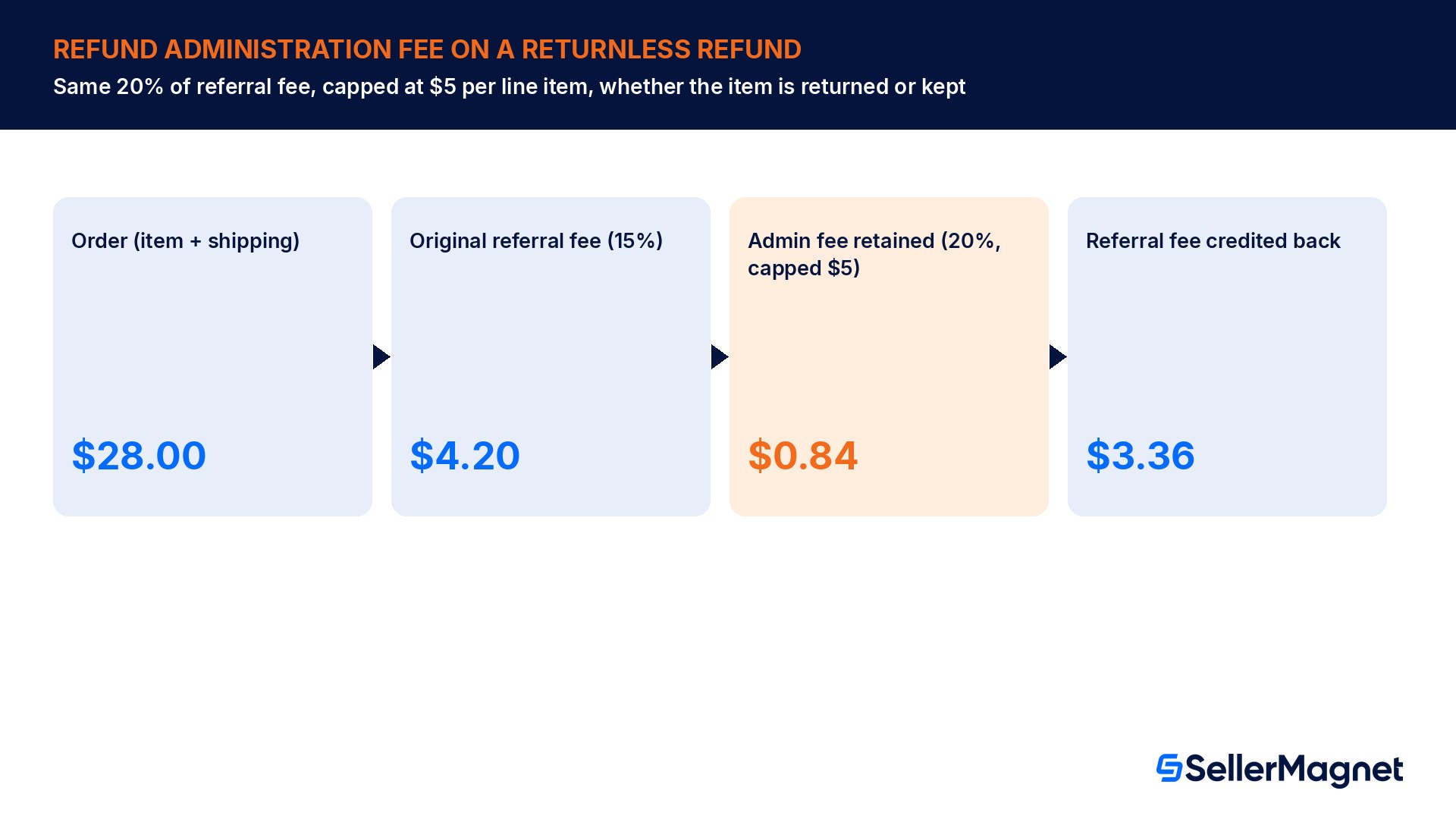
Run the numbers on a single returnless refund. An order has an item price of $24.00 plus a $4.00 shipping charge, a combined $28.00 base for the fee calculation. At a 15% referral-fee category rate, the original referral fee charged on the order was $4.20. The refund administration fee retains 20% of that referral fee, $0.84, which sits well under the $5.00 cap, so the full $0.84 is retained. You get back $3.36 of the original referral fee, not the full $4.20, whether the customer returned the item or kept it under a returnless refund.
Step
Calculation
Result
Order total for fee purposes
$24.00 item + $4.00 shipping
$28.00
Original referral fee
$28.00 x 15%
$4.20
Refund admin fee (uncapped)
$4.20 x 20%
$0.84
Refund admin fee cap
Per line item
$5.00
Admin fee actually retained
min(uncapped, cap)
$0.84
Referral fee credited back to you
$4.20 minus $0.84
$3.36
Tax is never part of this calculation
Amazon's fee examples note that tax is excluded from the refund administration fee calculation, and Amazon does not retain any portion of refunded taxes. That applies identically to returnless refunds; only the item-and-shipping-related fee amount is subject to the 20%-capped-at-$5 holdback.
Where returnless refunds fit against the 2025 reimbursement policy change
It is worth separating this topic cleanly from the March 2025 FBA reimbursement policy change covered elsewhere on this site: that change affects how much Amazon reimburses you for inventory Amazon itself lost or damaged, and how long you have to file the claim. Returnless refunds and resolutions are a different mechanic entirely, about whether a customer's return ever has to physically travel back at all, and what happens to your referral fee and reimbursement eligibility when it does not. A seller can be affected by both changes at once without either one explaining the other; see the 2025 FBA reimbursement policy change for the claim-window and reimbursement-amount mechanics specifically.
The two topics do connect on one practical point: a high rate of customer returns on a given SKU is exactly the signal that makes FBA Returnless Resolutions worth evaluating for that SKU, and the same return-rate pattern is also the first thing worth root-causing on its own, since preventing the return in the first place is cheaper than either reimbursing it or waiving its return fee. Why customers return your product goes through finding that root cause in Amazon's own return-reason data.
Common returnless refund mistakes
Assuming a returnless refund means no fee at all, instead of the same 20%-of-referral-fee, $5-capped refund administration fee as a normal return.
Enrolling every FBA SKU in Returnless Resolutions instead of the ones where processing cost genuinely exceeds item value.
Expecting reimbursement for an item kept under a returnless resolution; FBA Returnless Resolutions explicitly pays no reimbursement for the kept item.
Assuming the $25 out-of-country automatic grant applies above that threshold too, instead of proactively offering a prepaid label or a voluntary returnless refund.
Trying to dispute a returnless refund after it has been granted; both seller-issued and out-of-country returnless refunds cannot be disputed once issued.
Treating a per-SKU returnless template upload the same as a criteria-based rule, when the template needs a specific tab-delimited save step the criteria rule does not.
Not re-checking high-return-rate SKUs regularly; a SKU that qualified for a sensible returnless rule six months ago can have a different return-cost profile today.
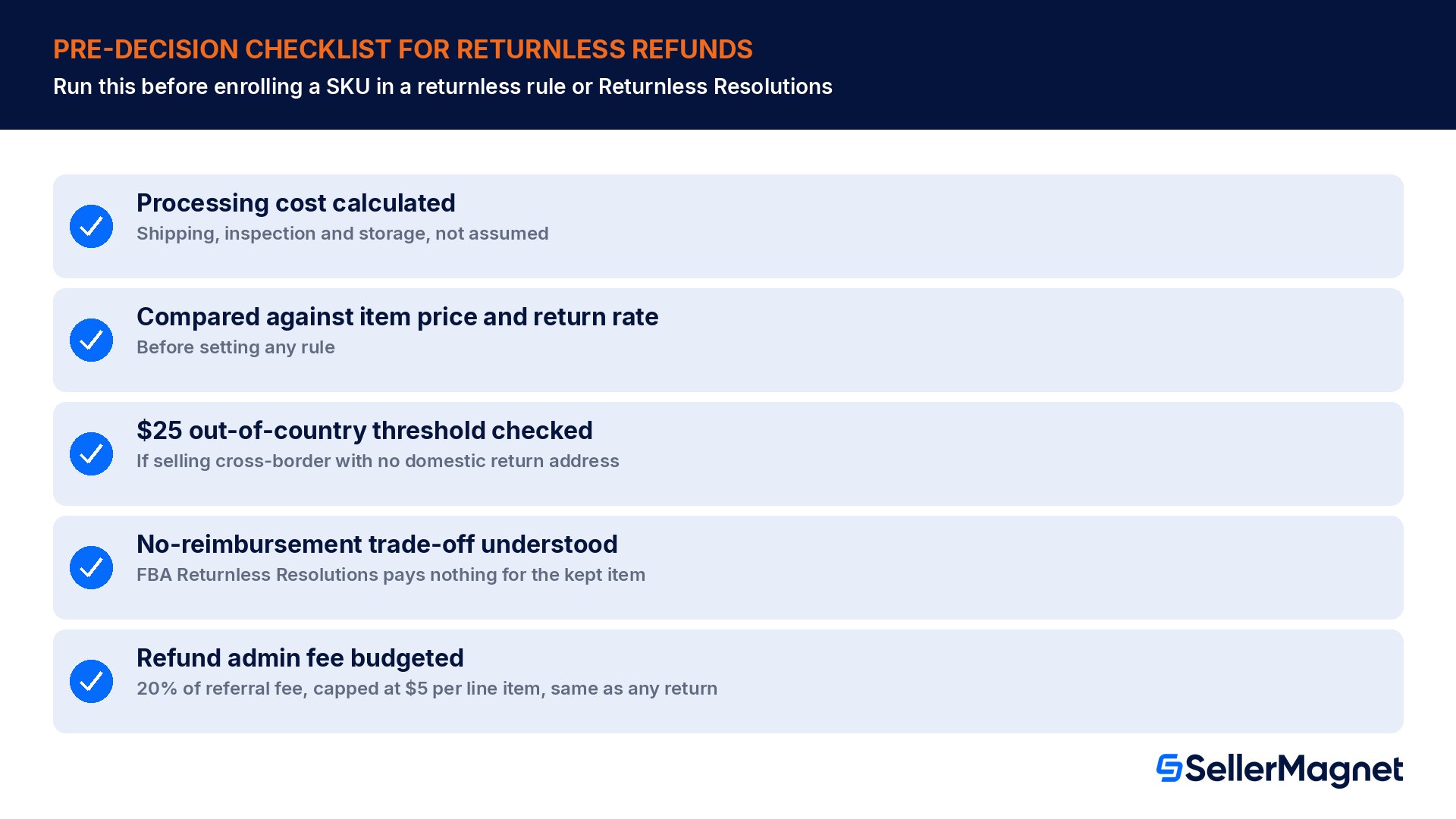
Pre-decision checklist for returnless refunds
Calculated the real processing cost (shipping, inspection, storage) for the SKU, not just assumed a returnless refund is always cheaper.
Compared that processing cost against the item's price and typical return rate before setting a price-range rule or per-SKU template.
Confirmed whether the item sits above or below the $25 out-of-country automatic-grant threshold, if selling cross-border with no domestic return address.
Understood that FBA Returnless Resolutions pays no reimbursement for the kept item, only a waived high-return-rate fee and the usual referral-fee-minus-admin-fee refund.
Budgeted the refund administration fee (20% of referral fee, capped at $5 per line item) into the real cost of every returnless refund, the same as a normal return.
Checked that enrollment does not force every return on that SKU returnless; each return is still evaluated against per-item eligibility criteria.
Logged which SKUs are on a returnless rule and why, so the decision can be revisited as the SKU's price or return rate changes.
See the reimbursement and returnless trade-off side by side before you enroll a SKU.Lost & Found scans up to two years of Seller Central data for lost, damaged and unreturned inventory and fee issues, which is the reimbursement path you give up on a kept item under FBA Returnless Resolutions, so you can see exactly how much that SKU's returns have actually recovered in reimbursements before deciding to waive that path for a lower return-rate fee. Fee Audit checks flagged fees, including refund administration fee entries, against Amazon's own published rates, so a returnless refund's fee line gets the same verification a normal return's would.
What is a returnless refund on Amazon?
A returnless refund, or returnless resolution, is when a seller or Amazon issues a refund (or replacement) and lets the customer keep the original item instead of returning it. Sellers can configure this themselves by rule or per SKU, and Amazon also grants some returnless refunds automatically under its own policies.
Do I still pay a fee on a returnless refund?
Yes. The refund administration fee applies the same way it would on a normal return: 20% of the original referral fee, capped at $5 per line item. A returnless refund does not change that calculation at all.
Does FBA Returnless Resolutions reimburse me for the item?
No. Amazon states explicitly that when a customer keeps an item under a returnless resolution, you receive no reimbursement for it, unlike standard FBA returns where damaged inventory may qualify for reimbursement.
When does Amazon automatically grant a returnless refund?
The clearest automatic case is an out-of-country return with no domestic return address on file: items valued under $25 get an automatic returnless refund grant at the time of the return request. Above $25, you need to offer a prepaid return label or a voluntary returnless refund, or Amazon may refund the buyer and charge your account.
Can I dispute a returnless refund once it is issued?
No. Amazon states that once you have granted a seller-issued refund it cannot be disputed, and separately that out-of-country returnless refunds specifically cannot be disputed either.
Is Returnless Resolutions the right choice for every SKU?
No. Amazon frames it as most cost-effective when return shipping and processing costs exceed the item's value, and enrollment does not make every return on an enrolled SKU automatically returnless; each one is still evaluated against per-item eligibility criteria.
Is the high return rate fee charged on a returnless resolution?
No. Amazon's FAQ states the high return rate fee is not charged for returns successfully given to customers through FBA Returnless Resolutions, which is one of the two main savings the program offers against the lost reimbursement.
How is a returnless refund different from the 2025 FBA reimbursement policy change?
They are unrelated mechanics. The 2025 change affects how much Amazon reimburses sellers for inventory Amazon itself lost or damaged, and the claim deadlines. Returnless refunds and resolutions are about whether a customer's own return ever has to come back physically, and what that means for your referral fee and reimbursement eligibility.
Stop Juggling Tools. SellerMagnet Combines Everything You Need.