Amazon Passkeys: What Happens to a Shared Seller Account
R
RenéFreelance Amazon Editor
|
12 min read
Last updated: Oct 26, 2026
Amazon is moving Seller Central from passwords to passkeys, and its help page says it will mandate them during 2026 for some security-sensitive features. The part almost nobody has planned for is not the sign-in itself: a passkey belongs to one person, not to an account, so the day it becomes required on a login that three people share, two of them stop being able to get in.
A passkey lets you sign in to Amazon Seller Central with your fingerprint, face scan or PIN instead of a password. Amazon says passkeys are not yet required for everyone but will become required for some accounts during 2026, and because a passkey belongs to one person rather than to the account, anyone sharing a single login will be locked out unless they are added as a secondary user with their own passkey.
What is a passkey on Seller Central?
A passkey is a sign-in credential stored on your device instead of in your head. Amazon's passkey help page describes it as a way to sign in "using your fingerprint, face scan, or PIN - the same way you unlock your phone or tablet", with "No passwords to memorize, no email challenges to complete". It works across the retail site, Seller Central and Vendor Central.
Amazon frames this as a preference rather than an addition. The page says it recommends passkeys "over two-step verification and one-time password logins because they are phishing-resistant, fast, and easy to use". That is the honest argument for the change: a one-time code can be read out to somebody on the phone pretending to be Seller Support, and a passkey gives them nothing to ask for.
Where the passkey actually lives
Not on one laptop. Amazon says passkeys "are tied to your account and sync across your devices through a passkey provider like iCloud Keychain, Google Password Manager, or 1Password". That is what makes them portable between your own phone and desktop, and it is also exactly why they do not travel to a colleague.
Is a passkey required yet?
Not for every account, and Amazon is careful about that wording. The help page says passkeys "are available to all selling partners and buyers" and that "While it is not yet required for all users, we encourage you to set up your passkey now". The rollout has been incremental: Amazon announced passkeys as an option from 2 December 2025, then extended them with "Starting in July 2026, we're extending passkeys to all Seller Central accounts".
The direction is not ambiguous, though, and it is stated in the section about switching passkeys off. Amazon writes that even after disabling one "you may still be prompted to use a passkey at sign-in - and as we mandate passkey usage for some security sensitive features in 2026, it may become required for your account". It then adds what happens when that day arrives: "If passkeys become required and you don't have one set up, you'll be guided through the setup process before you can sign in."
Note the scope Amazon actually commits to. The 2026 mandate it describes is "for some security sensitive features", and the requirement "may become required for your account" rather than will. Amazon has not published a date on which every Seller Central sign-in needs a passkey, so treat this as a change to prepare for rather than one already on your calendar.
Read that last sentence as an operational fact rather than a reassurance. The setup happens at the login screen, before anything else can proceed, and on a shared login it is the owner's passkey provider that governs. Amazon says anyone without access to that provider cannot sign in or create a passkey on the account, so a colleague who meets that prompt at seven in the morning is not quietly enrolled. They are simply stopped.
What happens to an account several people share?
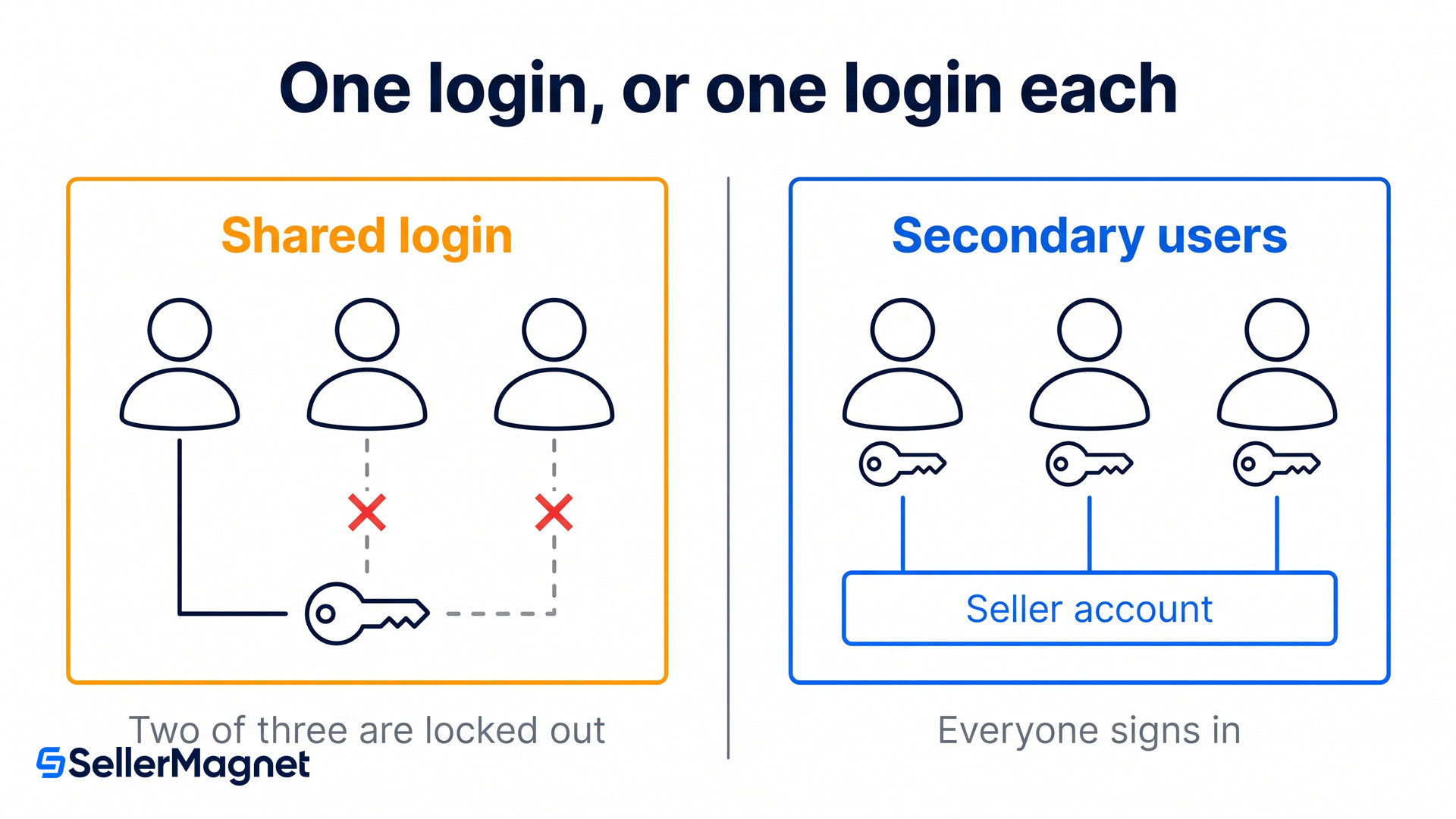
Everyone except the passkey holder gets locked out, and Amazon says so directly. The help page explains that "passkeys are personal" and that "Anyone who doesn't have access to your passkey provider won't be able to sign in or create a passkey on your account". Then the sentence that matters most in the whole document: "For shared accounts, this means additional users will be locked out unless they have their own secondary account."
The difference between a password and a passkey is ownership, and it is a feature rather than a bug. A password is a string, so it can be put in a shared vault and used by five people from five countries. A passkey is bound to a passkey provider, so sharing it means sharing an Apple ID or a Google account. Sharing a passkey would therefore mean sharing an Apple ID or a Google account outright, which is not a position any account owner wants to be in.
A virtual assistant who logs in with the owner's credentials stops being able to log in at all.
An agency managing ads or listings on the main login loses access at the moment the passkey requirement reaches that account.
A business partner in another country cannot use a passkey that syncs through someone else's iCloud Keychain.
A second device you own is fine, because it shares your passkey provider. This is the case that makes the problem easy to miss in testing.
Test this with a colleague, not a second laptop
Signing in on your own phone and your own desktop proves nothing, because both pull the same passkey from the same provider. The failure only appears when the second person is a different human with a different Apple ID or Google account. If your access plan has never been tested that way, it has not been tested.
How do you give each person their own passkey?
By making each of them a secondary user, which is Amazon's recommended answer and the subject of its own forum announcement for secondary-user passkeys. The help page frames it as the clean solution: "Each user gets their own login and can register their own unique passkey, so everyone can access the shared account independently - without sharing credentials or compromising security."
There is one prerequisite that stops people on the day, and it is worth checking before you start. Amazon states that "The secondary user will need a brand-new email address that has not been used on any Amazon account before." An assistant who has ever bought something on Amazon with their work address cannot use that address here, and neither can a freelancer who already has their own seller account on a personal one.
How to prepare a shared account before passkeys become required
List everyone who signs in with the main credentials - Include the people you would not think of as users: a bookkeeper who pulls reports at month end, an agency that touches listings quarterly, a developer who set up an integration once. Anyone who has the shared password today is someone who loses access later.
Find each person a genuinely unused email address - Amazon requires an address that has never been used on any Amazon account, retail included. Check each one before you send an invitation rather than after, because this is where the process stalls. A role address on your own domain, such as one created specifically for this, is usually the cleanest route.
Invite them under User Permissions - Go to Settings and click User Permissions, select the account you want to add the user under, enter their contact information and click Send invitation. Repeat for each person, then ask them to follow the instructions in the email they receive.
Give each user only the permissions their role needs - Amazon's own guidance is to grant each user only what their role requires and to review those permissions regularly. This is the moment to do it, because you are touching every user record anyway, and a shared login has almost certainly been handing everyone full access by default.
Have each person register their own passkey - Once registered, each user signs in and sets up a passkey from the Login and Security Settings page, or by selecting Enable Passkey at the next login prompt. Their passkey syncs through their own passkey provider, which is the whole point.
Give the primary login a second device before you need one - Amazon recommends having multiple devices tied to your account's password manager when you enable passkey verification, so that losing one device does not lose you the account. Set the second one up while you still have a working first one.
What happens if you lose the device with the passkey?
If you have a second device on the same passkey provider, nothing: the passkey synced there already. Amazon's position is that this is the intended safety net, and it says a passkey "can be enabled across multiple devices tied to your account, allowing for options when traveling and in case your device is lost, stolen, or replaced".
Without a backup device the path is slower and worth knowing before you need it. Amazon says to contact your carrier first and have the line blocked or suspended, then: "if you don't have a backup device and can't change your settings, we encourage you to contact Customer Support or Seller Support and provide documentation verifying your identity. Once reviewed and approved, Passkey verification will be disabled so you can log in on a new device." You then set a passkey up again on the next login.
The sentence to plan around
Amazon attaches a flat note to that recovery path: "Selling Partner Support cannot override this verification process." There is no escalation that skips the document check, which means recovery runs on Amazon's timetable and not on yours. For an account where a day of lost access costs real money in Q4, a second device is not a nicety. It is the difference between a minor annoyance and a week of selling through somebody else's hands.
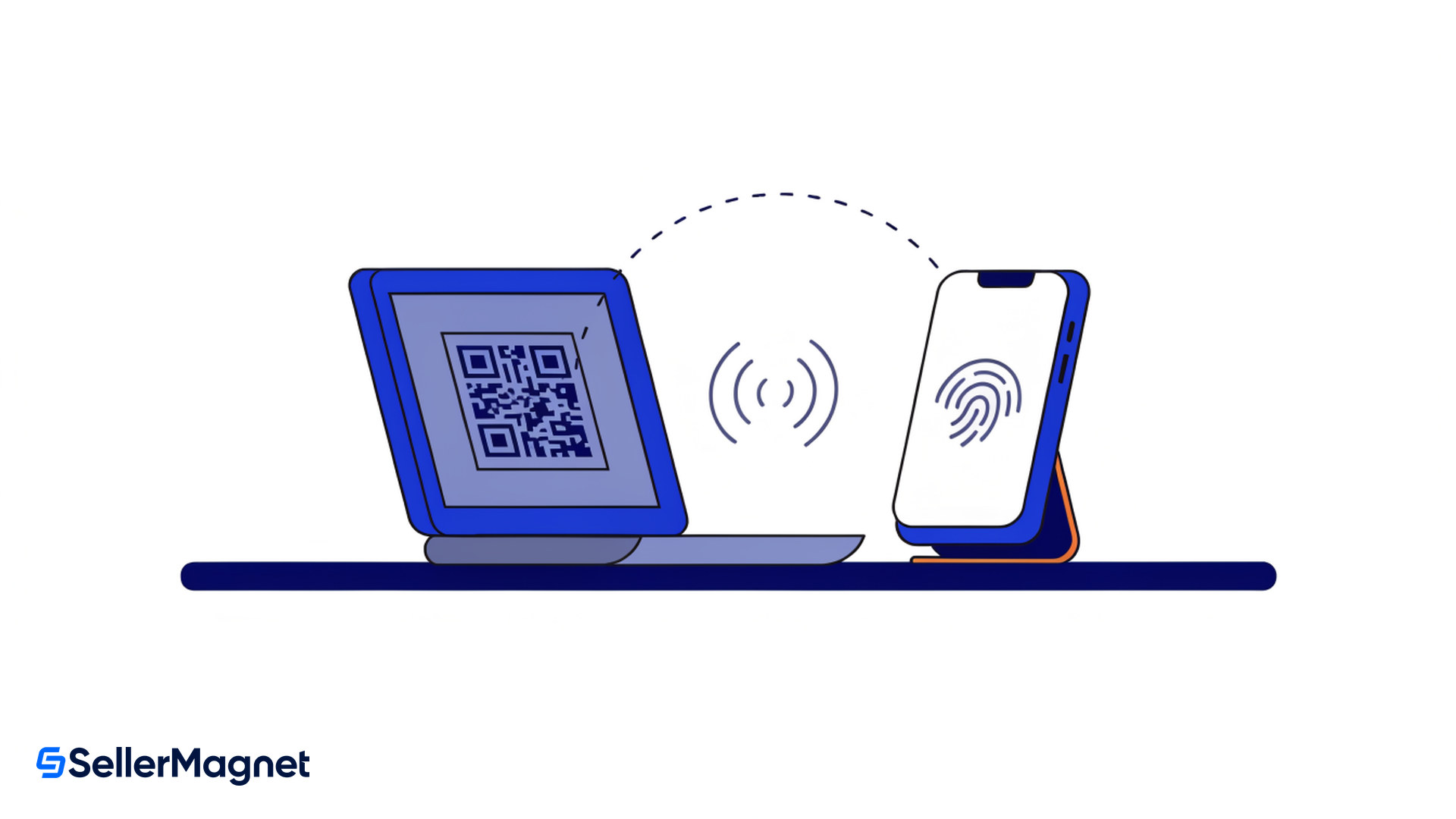
There is a separate cross-device route, though it does not rescue you if the device is gone, because it needs a device that already holds your passkey. Amazon's instructions for signing in from a machine with no saved passkey are to follow the on-screen prompts to use a passkey from another device, make sure Bluetooth is enabled, and "Scan the QR code with the phone or tablet's camera that has your passkey saved". That is the mechanism for borrowing a colleague's laptop for an hour without handing anything over.
Does this affect your buying account too?
Your buying account is affected if it shares the same login, which for a lot of sellers it does. Amazon says your passkey "is linked to the login you use to access Amazon", and that if you use one login for both, "your passkey covers both - you'll use it to sign in to the Amazon retail site, Seller Central, and Vendor Central".
If you would rather not have a passkey on the retail side, Amazon's stated option is to "create a separate Amazon account for buying", while recommending a passkey on each account anyway. Separating the two is good practice for other reasons: it keeps personal purchases out of a business login that several people may eventually hold permissions on, and it makes the seller account's security story much easier to reason about alongside the rest of your account health signals.
Situation
What breaks when passkeys are required
What to do now
One person, one device
Nothing, but a lost device means an identity check
Add a second device to the same passkey provider
One person, several own devices
Nothing, the passkey syncs
Confirm the provider really is syncing, not storing locally
Several people, one shared login
Everyone except the passkey holder loses access
Create a secondary user per person, each with a fresh email
Agency or VA on the owner's login
They lose access at the login screen, and you may hear about it from them first
Move them to a secondary user with scoped permissions
Same login for buying and selling
The passkey covers both sites
Split the retail account off if you want them separate
The five-minute version
Open Settings, then User Permissions, and count the people who should be there against the people who actually have your password. If those two numbers differ, that gap is your exposure, and closing it needs one unused email address per person. Amazon says enrolment itself takes under two minutes. Finding five clean email addresses is what takes the afternoon, so start there rather than with the passkey.
Access hygiene tends to get attention only after something goes wrong, which is a shame, because it is one of the few Amazon problems you can fix entirely on your own schedule. If you are tidying up who can reach what, it is also a reasonable moment to look at which tools hold credentials against your account and what they actually need, from analytics to repricing. A seller analytics dashboard that reads through your own authorised connection is a much better answer than a shared login and a password in a spreadsheet.
Are passkeys mandatory on Amazon Seller Central?
Not for every account. Amazon's help page says passkeys are not currently required for all users, and that Amazon will mandate them during 2026 for some security-sensitive features, so it "may become required" for a given account. When it does, accounts without one will be walked through setup at the login screen before they can sign in.
Can two people share one Amazon passkey?
No. A passkey syncs through one person's passkey provider, such as iCloud Keychain or Google Password Manager. Amazon states that on a shared account additional users will be locked out unless they have their own secondary account.
What email address does a secondary user need?
One that has never been used on any Amazon account, including a personal shopping account. This is the step that most often blocks the process, so check each address before sending invitations.
What if I lose the phone with my passkey on it?
If another of your devices shares the same passkey provider, you still have access. If not, you contact Support and verify your identity with documents, after which passkey verification is disabled so you can sign in on a new device and set one up again.
Can Seller Support turn my passkey off for me?
Only through the documented identity check. Amazon states plainly that Selling Partner Support cannot override the verification process, so there is no faster escalation route to ask for.
Do passkeys replace two-step verification?
Amazon recommends passkeys over two-step verification and one-time password logins, because a passkey is phishing-resistant: there is no code that can be read out over the phone. Passkeys are the direction the account security settings are moving in.
Stop Juggling Tools. SellerMagnet Combines Everything You Need.