
Amazon Quick for Sellers: Can and Can't It See?
Seller Assistant, Amazon Quick and Claude: 3 different tools, 1 shared brain
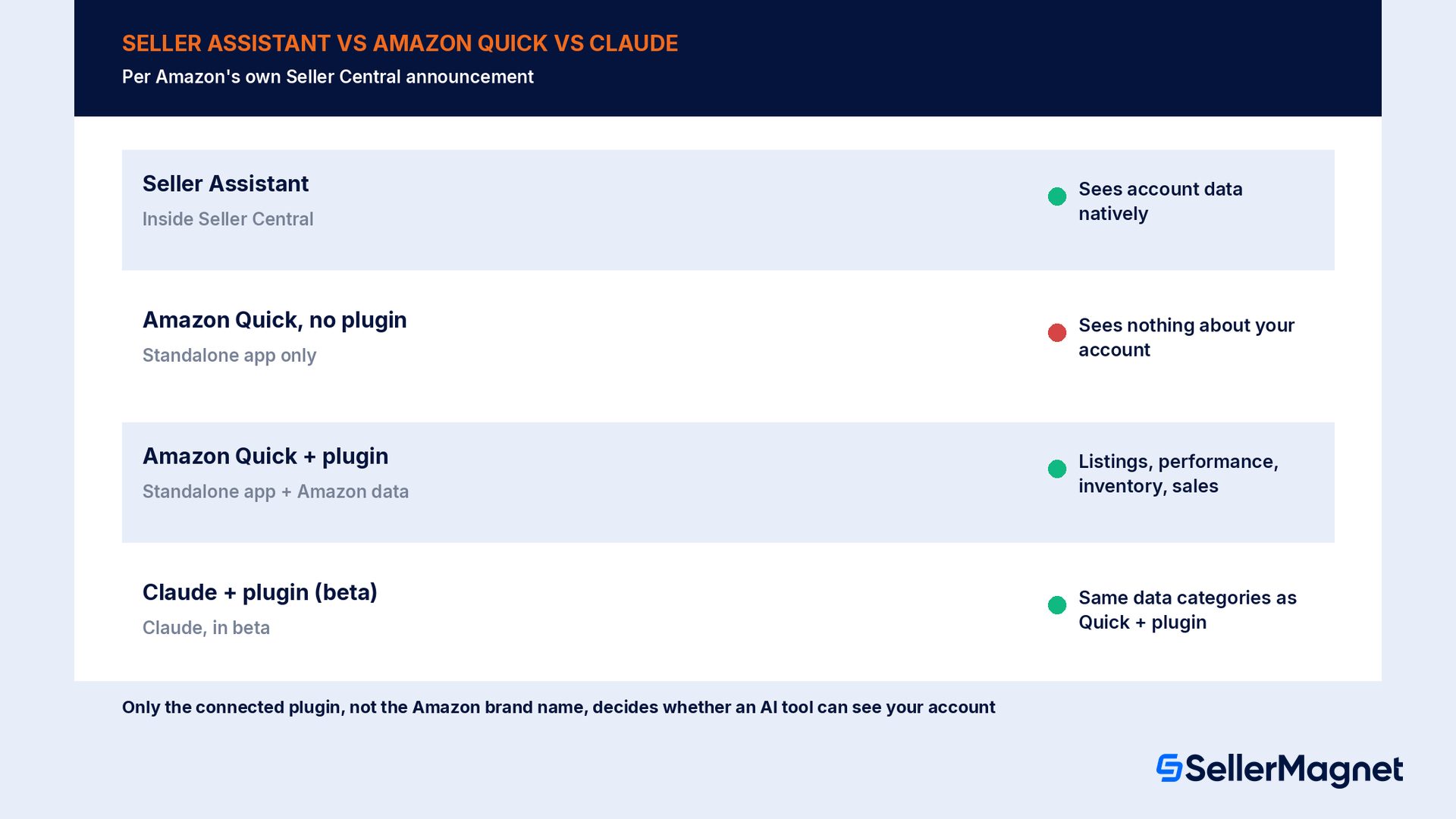
| Tool | Where it lives | Sees your Amazon account data? | Needs the Selling Partner plugin? |
|---|---|---|---|
| Seller Assistant | Inside Seller Central | Yes, natively | No, built in |
| Amazon Quick (no plugin) | Standalone app: phone, web, desktop | No | N/A, works as a general assistant only |
| Amazon Quick + Selling Partner plugin | Standalone app, with Amazon data piped in | Yes: listings, performance, inventory, sales | Yes, beta, connects in about 60 seconds per Amazon |
| Anthropic Claude + Selling Partner plugin | Claude, in beta | Yes, same data categories | Yes, in beta |
The Selling Partner plugin: the only bridge from Quick to your account
Why Amazon built a plugin instead of making Quick account-aware by default
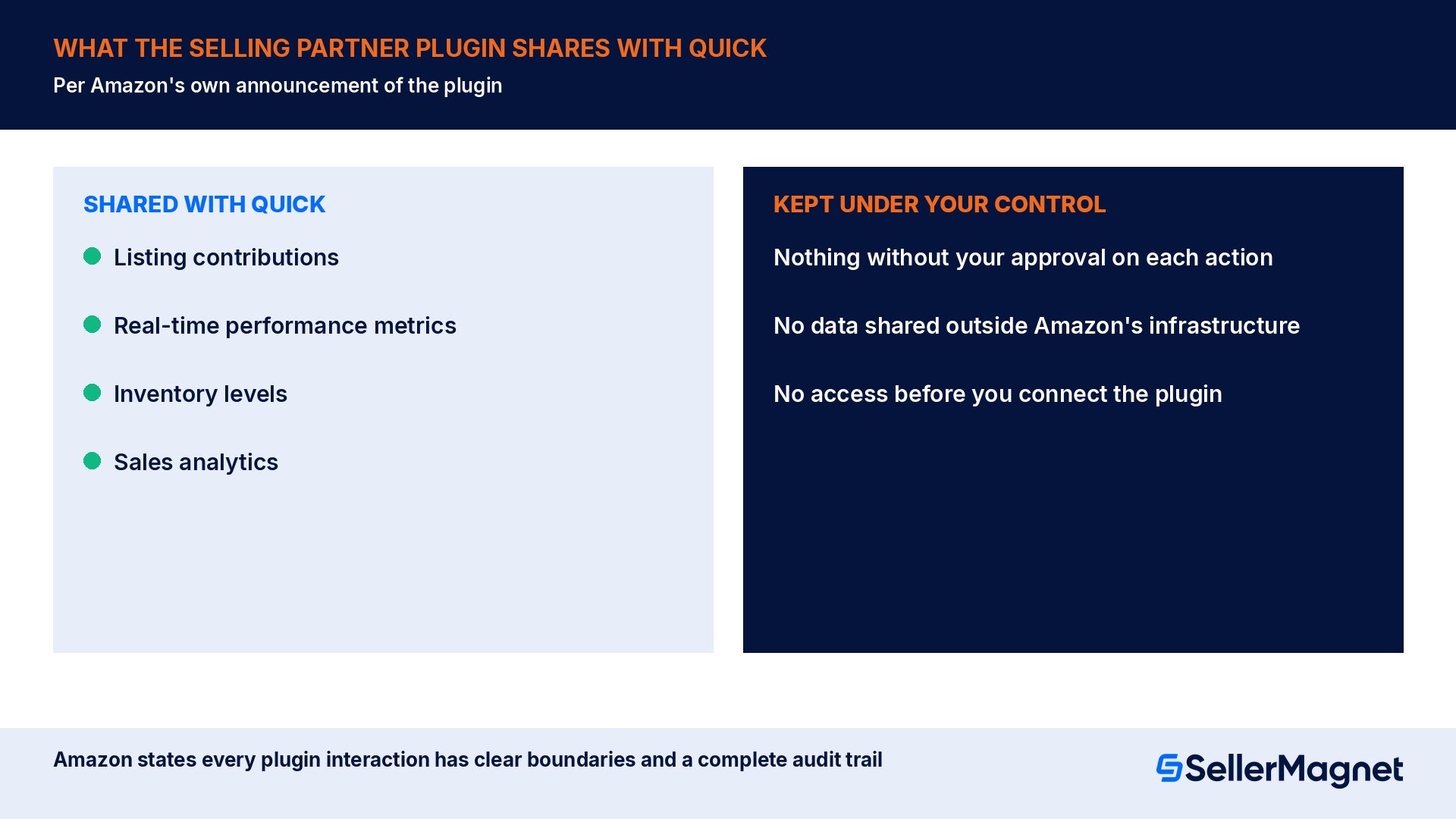
What Amazon Quick can tell you about your account once the plugin is connected
- Reasoning that connects your own data, not just a lookup. Amazon's description has Seller Assistant identify a competitive signal, connect it to an advertising or cross-promotion opportunity, assess a listing improvement and draft a recommendation, all in one pass, and that same reasoning carries into Quick once the plugin is connected.
- Persistent memory of your pricing patterns, inventory cycles and growth goals, following you between Seller Central, Quick and Claude, so you are not re-explaining your business every session.
- Purpose-built agents you design yourself. Amazon's phrasing is a pricing agent, a listing agent or a restock agent, each monitoring the condition you describe and acting, with your permission, or only recommending, your choice.
- A reasoned draft with its logic attached. Amazon states every suggestion comes with the reasoning behind it, so you can evaluate it rather than simply accepting or rejecting a black-box answer.
- Your Amazon data sitting next to the rest of your business. The plugin is pitched specifically at combining Amazon data with financial, marketing and manufacturing data already in the tools a seller runs Quick alongside.
- A visual, interactive view of scenarios. Seller Assistant's canvas, which the same memory and data feed into, lets a seller model pricing strategies and diagnose campaign performance visually rather than through chat text alone.
What Amazon Quick can't tell you, or can't do, yet
- Nothing about your account without the plugin connected. Quick's base product is a general AI companion with no mention of Amazon seller data anywhere in Amazon's own description of it; a seller who has not connected the plugin is talking to a generic assistant that may still answer confidently, just not from your real numbers.
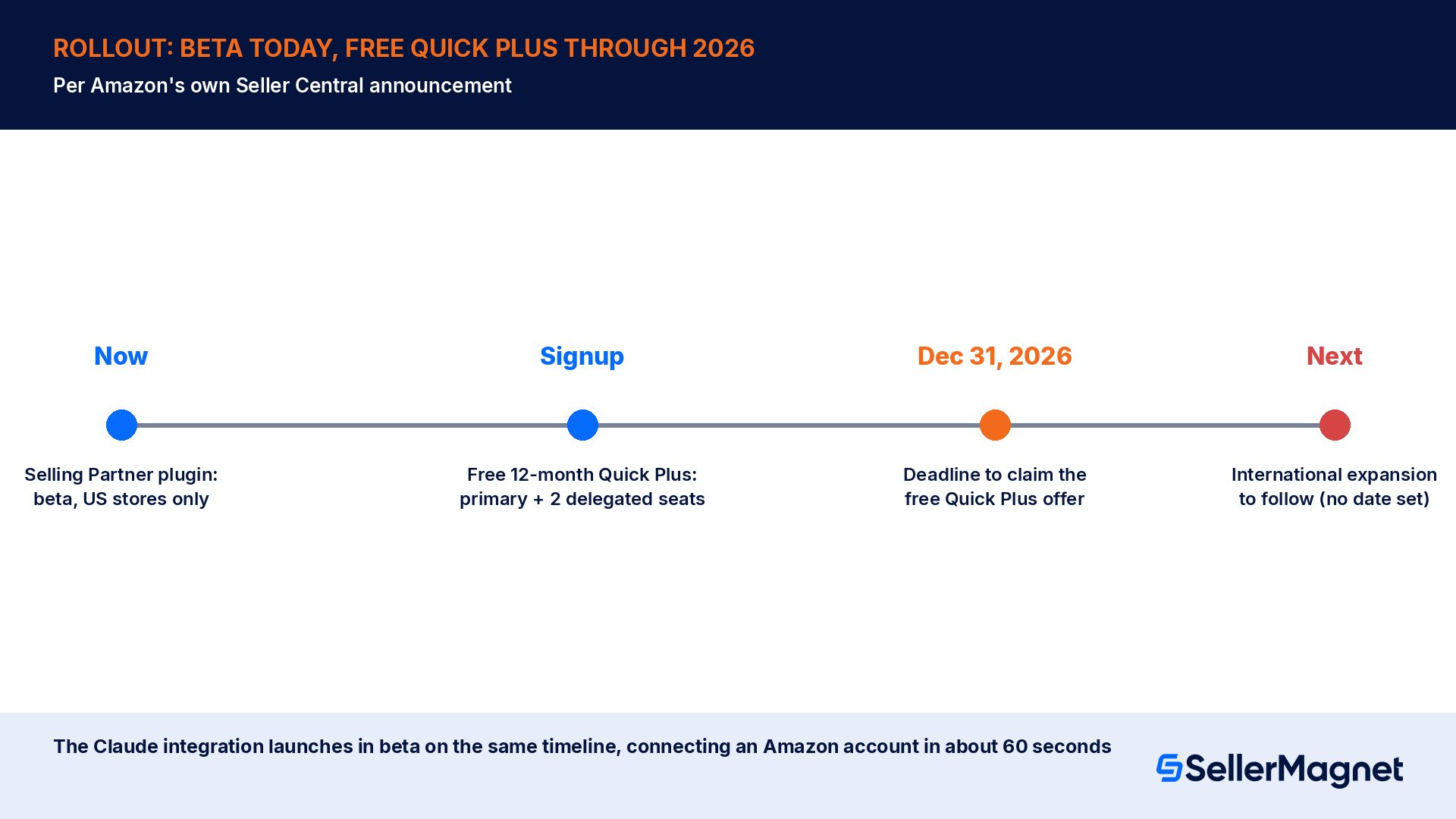
- Nothing, for most sellers outside the US, yet. The plugin is explicitly beta, US stores only, with international expansion still described as something 'to follow', not a date Amazon has committed to.
- Nothing it acts on without your sign-off. Amazon's own framing is that sellers stay in control, reviewing and approving actions before they are carried out, whether that is a price change, a restock order or a listing edit.
- Nothing that replaces the Account Health page itself. Reviewing alerts, notifications and policy compliance status is still described by Amazon as a Seller Central function; Quick and Seller Assistant surface insight about it, they do not replace the compliance record.
- Nothing it keeps outside Amazon's own infrastructure. Amazon states seller data stays inside Amazon's infrastructure and is never shared outside Amazon, even when it is being used through Quick or Claude; good for privacy, but it also means there is no separate data export beyond what the connected AI tool itself shows you.
- A free seat for your whole team. The free 12-month Quick Plus offer covers the primary account holder plus up to 2 delegated users Amazon names specifically; additional team members sit outside that free allocation.
Worked example: the same question, asked before and after connecting the plugin
| Question asked | Amazon Quick, no plugin connected | Amazon Quick + Selling Partner plugin |
|---|---|---|
| "How did my discount on this product perform last Black Friday?" | A general explanation of how to evaluate a past promotion, with no reference to any specific product, discount or result, because Quick has no Amazon data to draw on. | A reasoned answer referencing the seller's real listing, the actual discount applied, and the sales lift and margin impact Amazon's performance metrics recorded for that promotion, since the plugin piped that data in. |
| "Which of my products are about to surge in demand?" | A generic framework for spotting demand signals (seasonality, search-trend tools, competitor watching), without naming any of the seller's own ASINs. | An opportunity tied to the seller's own inventory and sales trends, connected to a specific recommendation with the reasoning included, matching Amazon's own description of what this reasoning produces. |
| "Adjust my ad spend if conversion drops below 2%." | Advice on how a seller could structure that rule manually in their advertising console; Quick cannot create or run it. | A workflow Quick can help set up: continuously monitoring the condition and acting, or only recommending, inside the guardrails the seller sets. |
Where this stands today, and the free Quick Plus window
Common mistakes sellers make with Quick and Seller Assistant
- Assuming Quick already has your account data because it is an Amazon product. It does not, until you connect the Selling Partner plugin; an un-plugged Quick answer about your business is a generic answer dressed up in specific-sounding language.
- Trying this from outside the US and expecting the plugin to work today. Amazon's own wording is beta, US stores, with international expansion to follow; sellers elsewhere should watch for the plugin's own rollout rather than assuming Quick's general availability covers it.
- Treating a Quick or Seller Assistant recommendation as already executed. Amazon's description keeps the seller in the approval loop for every action; a drafted price change or restock plan is not live until you approve it.
- Letting a workflow run on default guardrails you never reviewed. Amazon's workflows are built to run continuously, even when you are not logged in, which is exactly when an unreviewed guardrail does the most damage.
- Treating Seller Assistant, Quick and Claude as 3 separate memories of your business. Amazon states the persistent memory follows the seller between all 3, so stale, contradictory instructions given to one surface can resurface in another.
- Missing the free Quick Plus window because nobody on the account signed up. The offer runs only through December 31, 2026, and only the primary holder can designate the 2 free delegated seats.
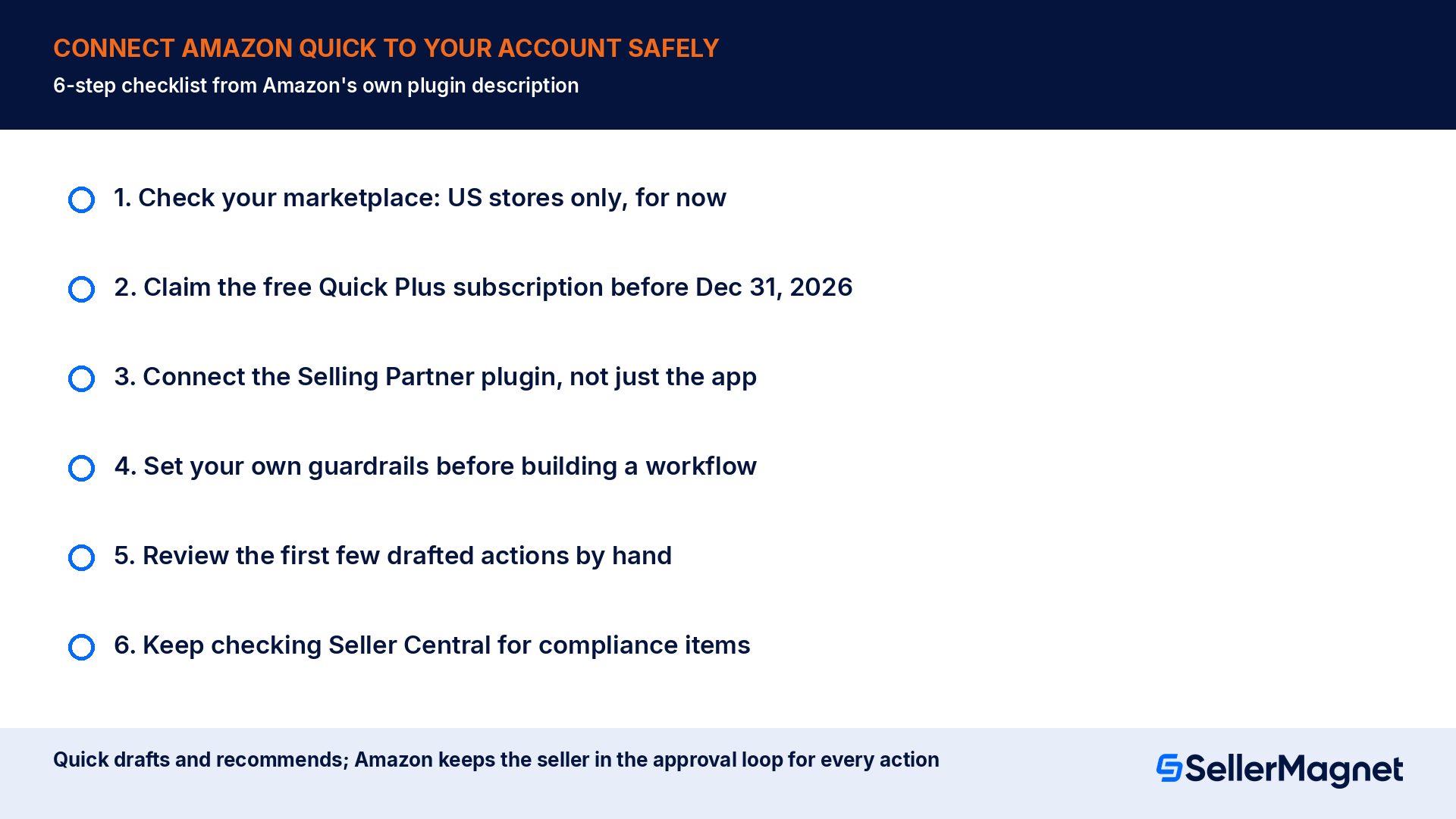
Checklist: connecting Amazon Quick to your seller account safely
How to connect the Amazon Selling Partner plugin to Quick
- Check your marketplace - Confirm you sell in one of Amazon's US stores; the Selling Partner plugin is beta there only as of this announcement, with international expansion still to come.
- Claim the free subscription first - Sign up for the free 12-month Amazon Quick Plus subscription as the primary account holder before December 31, 2026, then name up to 2 delegated users who should also get it free.
- Connect the plugin, not just the app - Installing or opening Quick alone does not connect your Amazon data; look specifically for the Amazon Selling Partner plugin connection step, which Amazon describes as roughly a 60-second, no-code process.
- Set your own guardrails before building a workflow - Decide, per workflow, whether Quick should only recommend or should also act, and set the specific condition (for example a rating floor or a conversion-rate threshold) before turning it on.
- Review the first few drafted actions by hand - Amazon keeps sellers in the approval loop by design; use the first week to see the reasoning behind a handful of suggestions before trusting a workflow to act unattended.
- Re-check Seller Central for anything compliance related - Account Health alerts, policy violations and required removals stay a Seller Central responsibility; treat Quick and Seller Assistant as a reasoning layer on top of that record, not a replacement for checking it.
How SellerMagnet fits around Quick and Seller Assistant
Is Amazon Quick the same thing as Seller Assistant?
Does Amazon Quick work for every Amazon seller right now?
How much does Amazon Quick Plus cost?
Can Amazon Quick change my prices or restock inventory on its own?
Does connecting the Selling Partner plugin share my data outside Amazon?
What is the difference between a Seller Assistant workflow and a one-off question?
Does Amazon Quick replace checking my Account Health page?
Can I use Amazon Quick's data inside Anthropic's Claude instead?
Stop Juggling Tools. SellerMagnet Combines Everything You Need.
Join a smarter way to manage your Amazon store.

Recommended Articles
Amazon Quick for Sellers: Can and Can't It See?
Amazon's own Seller Central announcement on Amazon Quick and the Selling Partner plugin: what it can tell a connected seller, and what still needs Seller Central.

Amazon Brand Registry 2026: Requirements and Cost
Amazon Brand Registry requirements, real trademark cost in USD and EUR, the enrollment steps, what changes once you are in, and a worked example of the payback.
Alibaba Suppliers: Factory or Trading Company? A Pre-Deposit Checklist
How to tell an Alibaba factory from a trading company before you pay a deposit: 6 signals, a 5-step video-call checklist, and what a wrong guess actually costs.
Stranded Inventory on Amazon: Why It Happens and How to Fix It Fast
Amazon's own help pages on what strands FBA inventory, the 48-hour fix window, the 30-day unsellable deadline, and a worked cost example at 2, 7 and 30 days.
No Featured Offers Available: Why and How to Fix It
Why a listing shows "no featured offers available" in 2026, the real causes now that Amazon removed the seller-eligibility gate, and the exact fix for each one.
Amazon High Pricing Error: Why Listings Deactivate
Why Amazon deactivates a listing with a "Potential high pricing error," exactly what triggers it in 2026, and how to set Minimum/Maximum Price so it stops happening.
