Amazon FBA Returns Dashboard 2026: Every Metric Explained
R
RenéFreelance Amazon Editor
|
12 min read
Open Seller Central's Returns & Recovery dashboard for the first time and it throws ten metric names at you at once: return units, customer initiated return rate, critical review rate, FBA return fees, net recovery percent. None of them are self-explanatory, two of them are deliberately delayed by 45 days, and at least one looks like a return number but is not calculated from current sales at all. This guide walks through every metric on the Return Insights and Recovery tabs field by field, plus the underlying FBA Customer Returns report that actually lists each returned unit, so you can read the dashboard instead of guessing at it.
Amazon's Returns & Recovery dashboard in Seller Central has two main tabs. Return Insights shows return units, customer initiated return rate, critical review rate, FBA return fees and customer refunds issued, with return units and return rate delayed 45 days because they are mapped to the shipped date. Recovery shows net recovery percent, recovered value, recovery fees, removal fees and disposal fees across Grade and Resell and Liquidation channels. The separate FBA Customer Returns report lists every returned unit with its own disposition and status codes.
Where the dashboard lives, and its four tabs
Seller Central's help page describes it plainly: "Insights and Opportunities dashboard for Returns and Recovery in Seller Central allows both Amazon-fulfilled and Fulfilled by Merchant sellers to monitor customer returns performance data. This tool provides insights into the top reasons for customer returns and recommendations on how to resolve return-related issues. The dashboard also monitors the value that sellers are recovering from unsellable customer returns." It is organized into four tabs: Return Insights, Recovery, Resource Center and Settings. Return Insights is where the headline return metrics and the product-level return table live. Recovery is a separate view of what you got back from returned inventory through Grade and Resell and Liquidation. Resource Center links out to the related reports. Settings holds the account's returns, evaluation, recovery and removal configuration for both FBA and seller-fulfilled products.
The five Return Insights metrics, defined
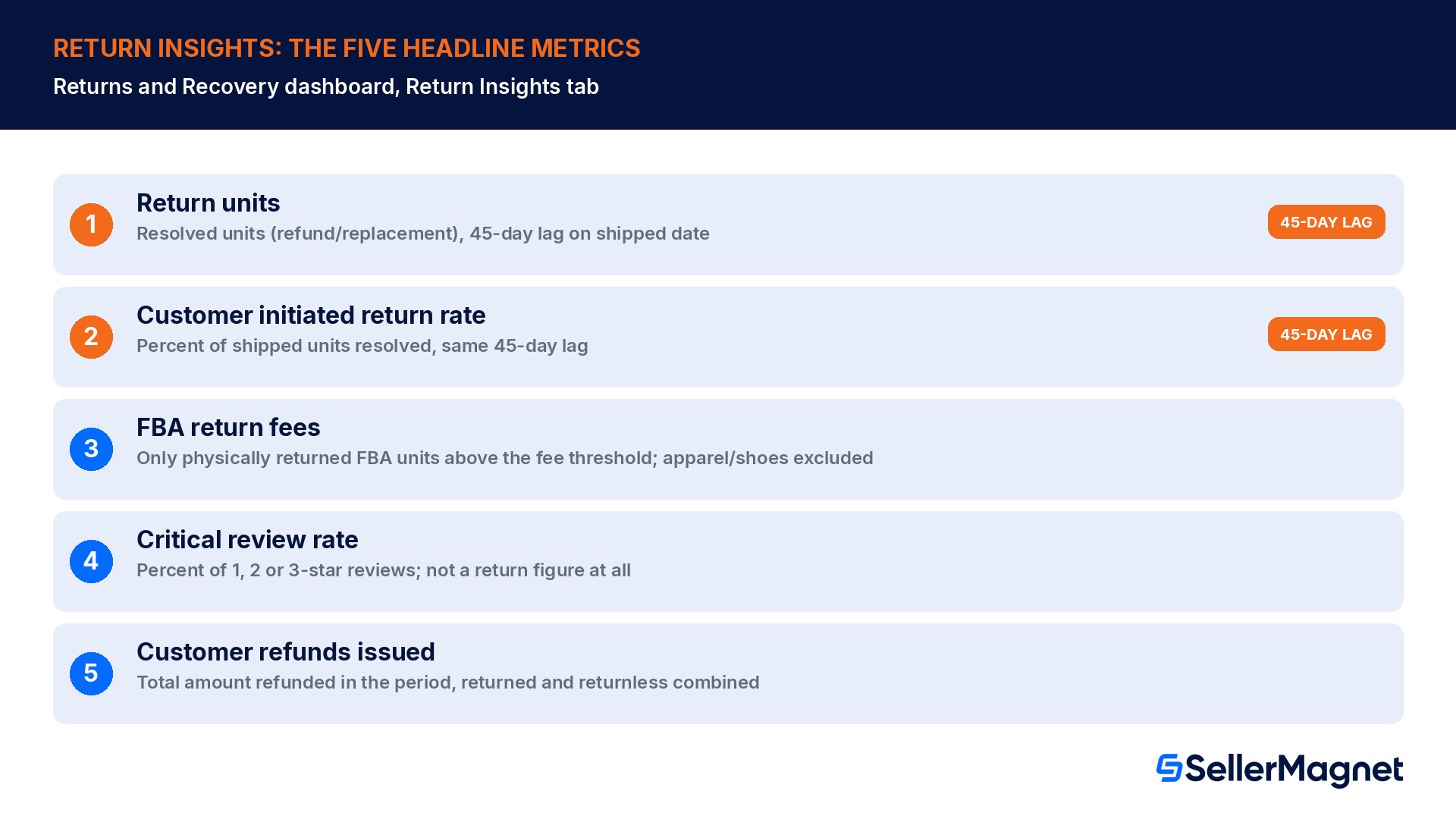
The Returns overview section on the Return Insights tab shows five metrics for the selected time period (90 days by default), each with a comparison against the previous period and a View trends link. Seller Central's own Key Metrics glossary defines each one:
Metric
What it actually measures
Return units
Total units customers returned and received a resolution for (refund or replacement), including both physically returned products and those refunded without requiring a return. Mapped to the shipped day, shown with a 45-day lag.
Customer initiated return rate
Percentage of shipped units that received that same resolution. Same 45-day lag as return units, for the same reason: the return window plus transit time has to close before a shipped unit's outcome is final.
FBA return fees
Total return processing fee on physically returned FBA products above their fee category's return-rate threshold, excluding apparel and shoes. Shown only for completed measurement periods.
Critical review rate
Percentage of 1, 2 or 3-star customer reviews in the selected period. Not a return figure; it rides alongside returns because both flag the same product problems.
Customer refunds issued
Total amount refunded to customers in the selected period, covering both returned and returnless refunds.
Why return units looks lower than you expect this week
Seller Central is explicit about the lag: "Return units and customer-initiated return rate are mapped to the shipped day and displayed with a 45-day lag from the current date for the selected time period. This adjustment accounts for the return window and the additional transit time for returns. For example, the data for the last 90 days shows return units and return rate for orders that were shipped 45 days before the current date." A sudden quality problem from last week will not move this number until the return window on those shipments closes.
The product-level table: Return insights and suggested actions
Below the five headline metrics, the Return Insights tab lists return performance per product. Seller Central names the columns directly: Product details (image, name, link to the listing), Return units and Customer initiated return rate (same definitions and same 45-day lag as above, now per ASIN), Return badge, FBA return fees, Customer return reasons, and Suggested actions.
Column
What it shows
Return badge
Appears only when a product is flagged as frequently returned or at-risk; it is Amazon's separate badge signal, not the raw rate number in the adjacent column.
FBA return fees
Same fee logic as the headline metric, now per ASIN: physically returned FBA units above that product's fee-category threshold, excluding apparel and shoes.
Customer return reasons
The top three reasons for that product's returns, summarized from customer feedback during the selected period.
Suggested actions
Amazon's own recommendations to update the listing or address product quality, with a 'See all suggested actions' link for the full detail.
On the separate, older FBA Returns page (the ASIN-level return detail view linked from the FBA dashboard's Inventory tab), the customer return reason column carries a tooltip with up to three structured fields where available: "Base Issue, why the customer is returning the product (for example Incorrect Size, Defective, Not Compatible, Missing Item, Arrived Late). Issue Detail, what specifically went wrong (for example 'Too small, did not fit', 'Screen cracked on arrival'). Product or Listing Insight, identifying what may need fixing in the listing or the product itself." Some marketplaces still show the customer's raw free-text comment instead of this structured breakdown.
The Recovery tab: a separate set of metrics for returned inventory
Recovery is not a sub-view of Return Insights, it is its own tab with its own default window (180 days, comparable against up to 365 days) and its own filters: fulfillment type (Amazon-fulfilled only), recovery channel (Grade and Resell, Liquidation, or all), category and marketplace. It tracks what happened to inventory after it came back, across two recovery channels, Grade and Resell and Liquidation.
Recovery metric
Definition
Net recovery %
Percentage of value recovered from recovery channels, less fees.
Recovered value
Gross value recovered on returned inventory, before fees.
Recovery fees
Fees paid on returned inventory for recovery.
Removal fees
Fees charged for removal orders on returned inventory.
Disposal fees
Fees charged for disposal orders on returned inventory.
Returns graded into Used condition
Grade and Resell metric: total customer returns successfully graded into a used condition.
Grade and Resell sold units
Grade and Resell metric: total units sold through the program.
Liquidated units
Liquidation metric: total liquidated units sold.
A visual chart on the Recovery tab splits each selected metric by recovery channel, and the ASIN-level Recovery Insights table below it adds Net Recovery, Recovered Value, Recovery Fees, Removal Fees, Disposal Fees and average Your Price per product. The Top Actions panel on this tab is where Amazon suggests enrolling specific ASINs, or the whole catalog, in Grade and Resell, including an option for automated price adjustments against similar live listings.
The report behind the dashboard: FBA Customer Returns
The dashboard summarizes and delays its numbers; the FBA Customer Returns report does not. It lists each returned FBA unit as its own row. Per Seller Central's own description: "The FBA Returns reports provide you with a list of returned FBA purchases. When a customer returns an item, we assess the condition (disposition) of the returned item and then process the return based on the condition." Note the scope: "FBA returns don't appear on the Manage Returns page. The Manage Returns page is for seller-fulfilled returns only," so this report and the Returns & Recovery dashboard both cover FBA (Amazon-fulfilled) returns, a different data source from the seller-fulfilled Manage Returns workflow.
Each row in the report carries a Returned date, Order ID, Merchant SKU, ASIN, FNSKU, product name, quantity, the fulfillment center that processed it, an LPN (the unit's unique serial number through the fulfillment process), any customer comments, plus two fields worth reading carefully: Disposition and Status.
Disposition (condition)
What it means
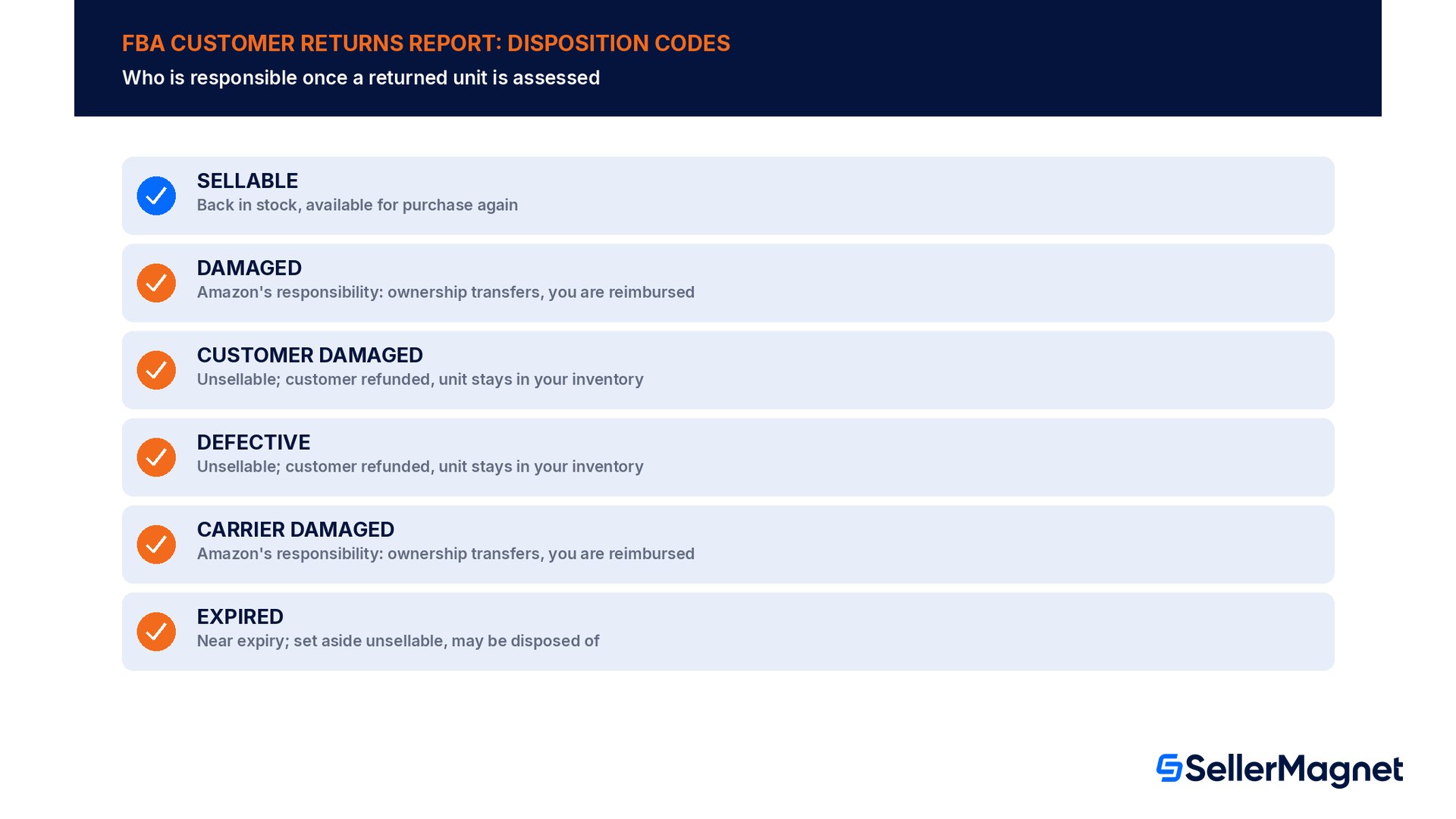
SELLABLE
Returned to stock and available for purchase again.
DAMAGED
Amazon takes responsibility; ownership transfers to Amazon and you are compensated under the FBA inventory reimbursement policy.
CUSTOMER DAMAGED
Returned to stock in unsellable condition; the item itself need not be damaged (packaging may just be opened), but it stays in your inventory as unsellable and the customer is still refunded.
DEFECTIVE
Returned to stock unsellable, the unit is obviously damaged or the customer reported it faulty; the customer is refunded and the unit stays unsellable.
CARRIER DAMAGED
Amazon takes responsibility; ownership transfers to Amazon, compensated under the same reimbursement policy as DAMAGED.
EXPIRED
Units within roughly 50 days of their expiration date may be set aside as unsellable and later disposed of; disposed units cannot be returned.
Status
What it means
Unit returned to inventory
Returned to your sellable or unsellable inventory.
Reimbursed
A reimbursement has been approved; the unit has not been returned to inventory (allow up to 5 days for it to post).
Pending repackaging / Repackaged successfully
The unit is being, or has been, repackaged and returned to sellable inventory.
To be auto-removed
Returned to unsellable inventory and scheduled for removal under your automated removal settings.
Immediate disposal / donation / liquidation
Processed under your automated unfulfillable settings and, where relevant, your donations preferences.
Policy-related disposal
Disposed of under product health, safety or regulatory policy.
Refunds without a return never show up in this report
Seller Central's note is direct: "At our discretion, we may give a refund without requiring that the customer return the item. These refunds don't appear in the FBA Customer Returns report. You can view the refund amount that you're responsible for in the Payments dashboard." So a returnless refund (see our guide on FBA Returnless Resolutions) shows up in Customer refunds issued on the dashboard and in Payments, not as a row in this report. Reimbursements, separately, live in the dedicated Reimbursements report, trackable "whether or not an item was returned."
Read the real numbers behind the dashboard, not just the summary tiles.Analytics pulls return-related charges straight from your Settlement and Payments reports, so FBA return fees and customer refunds issued reconcile against your actual payout, not just the 45-day-delayed dashboard tile. Lost & Found scans up to two years of Seller Central data for the DAMAGED and CARRIER DAMAGED dispositions above that should have triggered a reimbursement but did not, since a missed reimbursement never shows up as a line item until you go looking for it.
Worked example: reading one return line correctly
A seller checks the Returns & Recovery dashboard on November 1 and sees a 90-day customer initiated return rate for one ASIN. Per the lag rule, that figure reflects units shipped up to 45 days earlier, roughly back to mid-September, not units shipped last week. The same seller then opens the FBA Customer Returns report for the same ASIN and finds three rows: one SELLABLE (back in stock, available to sell again immediately), one DAMAGED (ownership transferred to Amazon, a reimbursement should follow under the FBA inventory reimbursement policy), and one with Status Reimbursed dated four days ago (approved, but not yet posted to inventory or cash, since reimbursements can take up to 5 business days). None of those three units will have moved the dashboard's return rate tile yet if they shipped within the last 45 days; the report already shows them because the report has no such delay.
Common mistakes reading this dashboard
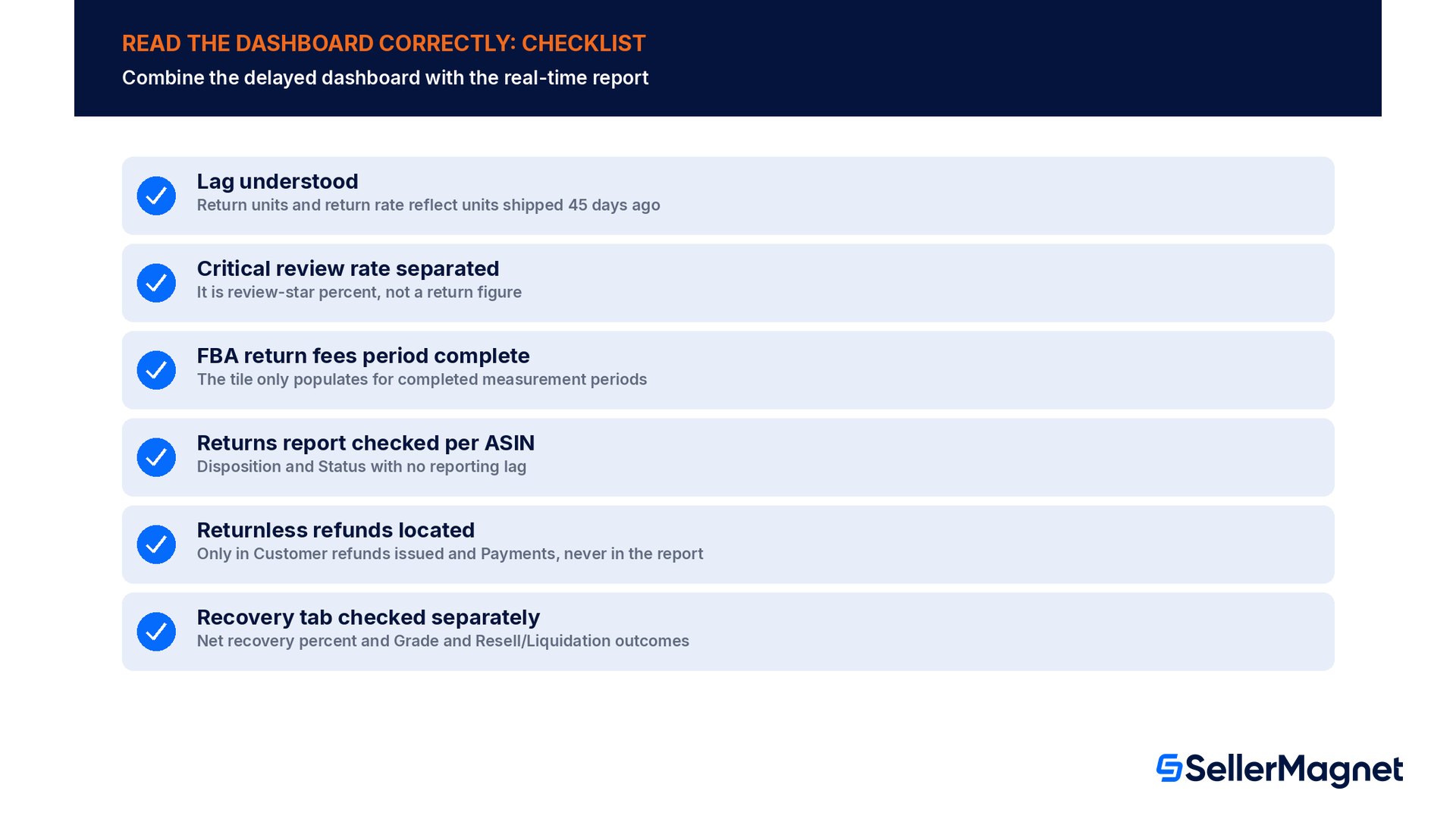
Treating a 90-day return rate as current-week performance, when it is mapped to the shipped date and delayed 45 days.
Reading critical review rate as a return metric; it is review-star percentage, shown alongside returns because both flag product quality.
Expecting the FBA return fees tile to update mid-period; it only populates for completed measurement periods.
Looking for a seller-fulfilled return in the FBA Customer Returns report; FBA returns and seller-fulfilled returns (Manage Returns) are two separate data sets.
Assuming a returnless refund will show up as a report row; it only appears in Customer refunds issued and in the Payments dashboard.
Confusing the Return Insights tab's per-ASIN return rate with the Recovery tab's net recovery percent; one measures how often a product comes back, the other measures how much value you kept once it did.
How to check a single ASIN's full return picture
Read one ASIN's returns correctly across both the dashboard and the report
Open Return Insights - Go to the Returns & Recovery dashboard, Return Insights tab, and filter to the ASIN or category you want.
Note the lag - Remember the return units and return rate figures reflect units shipped roughly 45 days before today, not this week's shipments.
Check the return badge - Look for a frequently-returned or at-risk badge on the product row; it is a separate signal from the raw rate.
Read the top return reasons - Open the customer return reasons column for the structured Base Issue / Issue Detail / Insight breakdown where available.
Pull the FBA Customer Returns report - Filter it to the same ASIN for every individual unit's Disposition and Status, with no reporting lag.
Check Recovery separately - Switch to the Recovery tab to see net recovery percent and Grade and Resell or Liquidation outcomes for the same ASIN's returned units.
Why is my return rate on the dashboard lower than I expect this week?
Return units and customer initiated return rate are mapped to the shipped date and shown with a 45-day lag, to allow for the return window and transit time. A 90-day view reflects units shipped up to 45 days ago, not this week.
Is critical review rate a return metric?
No. It is the percentage of 1, 2 or 3-star customer reviews in the selected period. It is shown next to the return metrics because both flag the same kind of product problem, not because it is calculated from returns.
What is the difference between the FBA Customer Returns report and the Returns & Recovery dashboard?
The dashboard summarizes return performance with a 45-day lag on return units and return rate. The FBA Customer Returns report lists every individual returned unit with its own Disposition and Status, with no such lag.
Do returnless refunds show up in the FBA Customer Returns report?
No. Refunds issued without requiring the item back do not appear in that report. They show up in the dashboard's Customer refunds issued metric and in the Payments dashboard.
What does a Reimbursed status mean on a returned unit?
A reimbursement has been approved for that unit, but the unit has not been returned to inventory. Allow up to 5 business days for the reimbursement to post.
Does the Recovery tab cover seller-fulfilled returns?
The Recovery tab's fulfillment filter caters to Amazon-fulfilled items only. Grade and Resell and Liquidation metrics apply to FBA returned inventory.
What is a return badge on a product row?
A flag Amazon shows on an ASIN it considers frequently returned or at risk. It is a separate signal from the return rate number in the adjacent column, and links to Amazon's Frequently-returned item badge help page.
Stop Juggling Tools. SellerMagnet Combines Everything You Need.