FREEASIN Converter, Fee Calculator and more free tools, no signup required
Amazon Case Log 2026: The Official Rules for Contacting Seller Support
Amazon Basics SellerMagnet Tools

Amazon Case Log 2026: The Official Rules for Contacting Seller Support

|
15 min read
You open a new case because the old one has gone quiet, and a day later you have two tickets, two case IDs, and an Amazon reply telling you the second one is being closed as a duplicate. Amazon runs a short, specific set of rules for how sellers are supposed to use the Case Log, and almost every frustrating support experience traces back to one of them being missed, by the seller or by Amazon's own routing. This guide covers exactly what Amazon's own Seller Central help page says about contacting Selling Partner Support, what case statuses actually mean for your next move, and why you sometimes only see chat and phone instead of the option to open a written case at all.
The Amazon Case Log is the record of every support case you have opened in Seller Central, found under Help, Get Support, then Case Log. Amazon's official guidelines ask sellers to check the Case Log and the status of an existing case before opening a new one, to open only one case per issue, to reopen a closed case rather than filing a new one, and to flag a time-sensitive case as Urgent. Amazon may close a case that does not follow these guidelines, and for many issue types it now defaults to real-time chat or phone support instead of a written case.

What the Case Log actually is

The Case Log is the running list of every support case tied to your Seller Central account, reachable from Help in the top right, then Get Support, then Case Log (some help flows label the same screen Contact Us). Every case gets a case ID, a status, and a thread of messages between you and Amazon's Selling Partner Support team. Amazon's own guidance is blunt about the first thing to do before contacting Support at all: review your case log and check the case status instead of opening a new case, specifically so an issue that is already being worked on does not end up duplicated across two tickets handled by two different people.
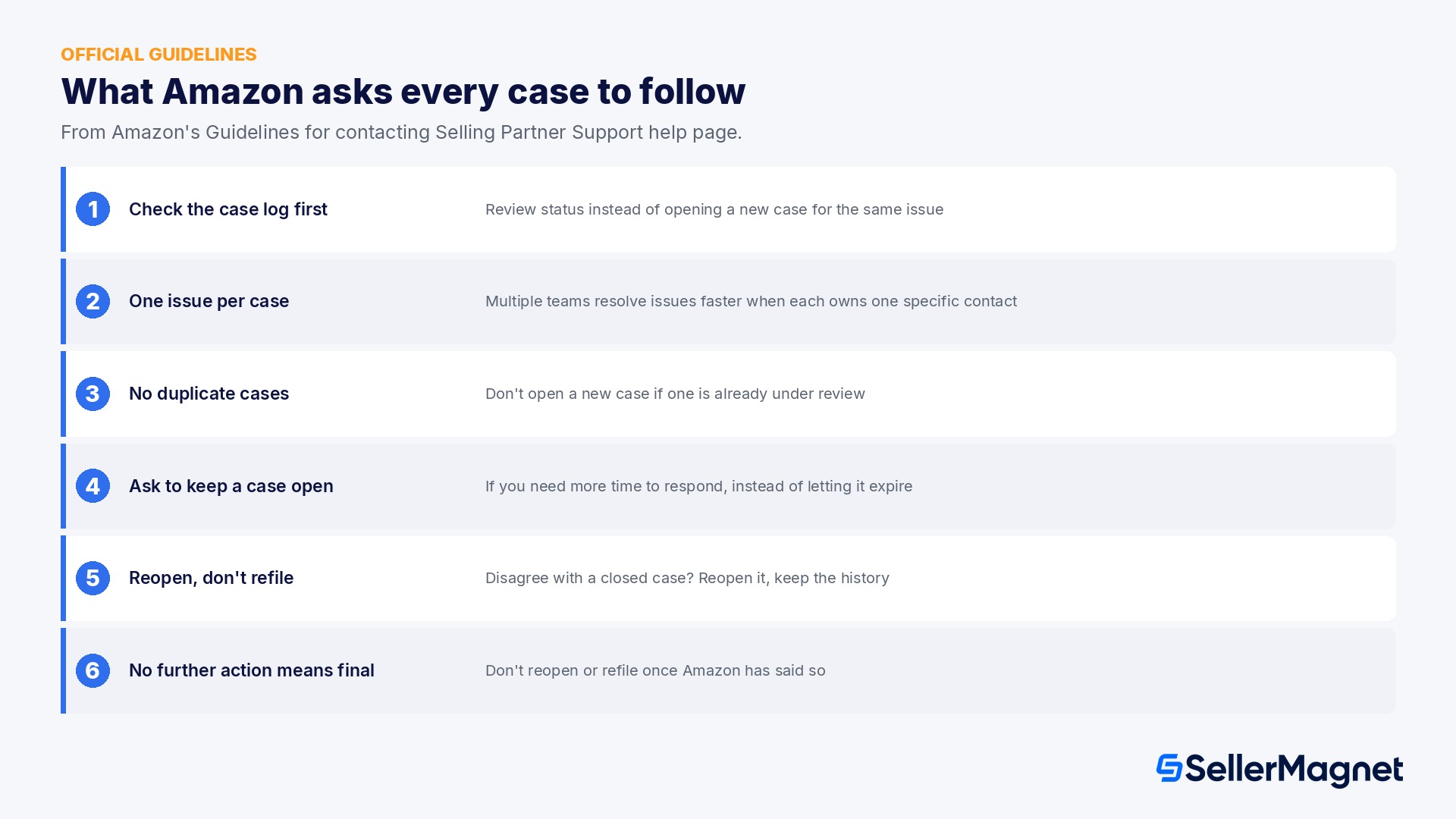
Amazon Case Log official support guidelines summary

The guidelines Amazon asks every case to follow

Amazon's Guidelines for contacting Selling Partner Support help page lists a short set of rules sellers are expected to follow. They read like etiquette, but each one maps to a specific, avoidable support failure.
Guideline (Amazon's wording) What it actually prevents
Review your case log and check the case status instead of opening a new case Two tickets for the same issue, handled by two different people with no shared context
Create one case per issue, since multiple teams resolve issues more efficiently when each team gets its own specific contact A single case stalling because it was routed to a team that only owns half of what you asked about
Don't open a new case if one is already under review for the same issue A duplicate case competing with the original for the same specialist team's time
If you need more time to respond to a case, ask Amazon to keep the case open A case auto-expiring while you are still gathering the documents Amazon asked for
If you have questions about a closed case or think it was handled incorrectly, reopen it instead of opening a new case Losing the full history and evidence already attached to the original case
Do not reopen a case or raise it as a new case once Amazon has said no further action will be taken A case being closed again immediately, with no new information to change the outcome
The page adds a direct consequence for ignoring these: to protect sellers and customers, Amazon declines requests that are not consistent with its policies, and it may close a case if you do not follow these guidelines. In practice this means an impatient second or third case rarely speeds anything up; it is more likely to get closed on sight while the original case keeps its place in the queue.

What actually counts as "one issue"

The one-case-per-issue rule sounds obvious until you are the one filling out the form, and the temptation to fold a second, related problem into an existing case is strong because it feels faster than starting over. In practice Amazon's routing treats issue type as the unit that matters, not the ticket, so two different issue types inside one case usually means one of them gets a real answer and the other gets a generic acknowledgement or gets skipped entirely.
  • A suppressed listing and a separate question about an unrelated return are two issues, even if they happened the same week and even if you only want to talk to Support once about your account in general.
  • A shipment discrepancy and the reimbursement that should follow from it are often treated as two issues by Amazon's own teams, even though sellers reasonably see them as one connected problem; expect to file the reimbursement case once the discrepancy itself is resolved, not alongside it.
  • An account health warning and the specific policy violation behind it are usually one issue; don't split a single root cause into two cases just because it shows up in two places in Seller Central.
  • If you are not sure whether something is one issue or two, a useful test is whether a single specialist team could plausibly resolve all of it; if the answer clearly needs two different teams, it is two cases.

Building a case that does not bounce back for more information

A large share of slow cases are not slow because Support is ignoring them; they are slow because the first reply asks for information that could have been attached from the start, and the case sits waiting on your response in the meantime. Amazon's guidelines already tell you to ask for more time rather than let a case expire while you gather that information, but the faster path is simply not needing the extra round trip.
  • State the ASIN or order ID, the exact date the issue started, and what you expected to happen, in the first message, not scattered across a back-and-forth.
  • Attach the specific screenshot or document the help topic you chose typically asks for; the help flow usually hints at this when you select the issue category.
  • Avoid pasting a long narrative where the actual request is buried in the third paragraph; lead with what you want Amazon to do.
  • If the issue is time-sensitive, say so in the first message and flag the case Urgent there, rather than mentioning urgency only after a slow first reply.

When the Seller Forums can help, and when they can't

Amazon staff are active in the Seller Forums, and sharing your case ID there, in a relevant thread or with a moderator, can sometimes get a stuck case a second look. This works as a supplement to the Case Log, never as a replacement for it: a moderator reading a forum post still needs an existing case ID to act on, and posting about an issue that has no open case does not create one. The guidelines around duplicate cases and reopening still apply even if a moderator is helping; they cannot bypass a no-further-action decision on your behalf, they can at most ask the original team to take a second look at the existing case.
A forum post is not a case
If you have not opened a case for an issue yet, a Seller Forums post does not substitute for one. Open the case first, through whichever channel Seller Central offers for that issue type, then use the forums only to ask for a second look at a specific, already-open or already-closed case ID.

Multi-user accounts and who can see the Case Log

On a Seller Central account with more than one login, the owner, a virtual assistant, a PPC manager, each user's visibility into the Case Log depends on their assigned permissions, not automatically on who opened a given case. A case opened by one user is not necessarily visible or editable by another user unless their role grants access to the relevant section of Seller Central.
  • Before assuming a teammate can see or follow up on a case, confirm they actually have the Seller Central permission that covers it, rather than assuming account-wide access.
  • When a contractor's engagement ends, any case they opened still belongs to the account, not to them personally; make sure someone with ongoing access is tracking it so it does not sit unanswered.
  • For a case that needs continuity across a long investigation, it helps to have one named owner inside your team who checks the Case Log on a schedule, rather than leaving it to whoever happens to remember.

Keeping your own record outside the Case Log

The Case Log is Amazon's record, not yours, and it only shows what you type into it; it does not keep a copy of the listing screenshot you took before a suppression, the exact price a competitor was charging when a Buy Box issue started, or the inventory count on the day a discrepancy began. A seller who only relies on the Case Log to reconstruct a timeline later is working from a thinner record than the one Amazon itself is reading.
  • Keep your own dated note of when a problem started, not just when you opened the case; Amazon's team may ask for this and a vague memory answers slower than a note you wrote the same day.
  • Screenshot a listing, price, or inventory state the moment you notice something wrong, before a case even exists; by the time a case is open, the page may already look different.
  • If a case spans weeks, keep a short running log of what each reply actually asked for and what you sent back, so you are not re-reading the whole thread to figure out where it stands.
  • A pattern across several cases (the same issue type recurring every few months, for example) is easier to spot from your own notes than from the Case Log's per-case view, and it is useful evidence the next time you open a related case.
None of this replaces the Case Log itself, Amazon still only acts on what is inside an actual case, but a seller who shows up with a dated, specific record attached to the first message tends to get a faster, more specific first reply than one who reconstructs the story from memory after Support asks for it.

Why you sometimes only see chat and phone, not a case

If the Contact Us flow only offers you a chat window or a callback number and no option to type out a written case, that is not a glitch. Amazon's own Seller Forums confirm the support channels were streamlined so that, for most issue types, real-time support (chat and phone) is now the default, and the option to open a written case may not always be presented upfront.
  • You may already have an open case for the same issue: per the guideline above, Amazon's system can hide the new-case option entirely and only offer chat or phone once a case for that issue already exists and is under review.
  • The issue type you selected may only support chat or phone for that specific help topic; Amazon routes different categories to different teams, and some categories are chat/phone-only regardless of how urgent they feel to you.
  • Picking a more specific help topic, deeper in the category tree, sometimes unlocks the written-case option where the broader category only offered chat or phone.
  • If your issue is genuinely time-sensitive and only chat or phone is offered, Amazon's own advice is to use that channel and flag the issue as urgent there rather than hunting for a way to force open a written case.
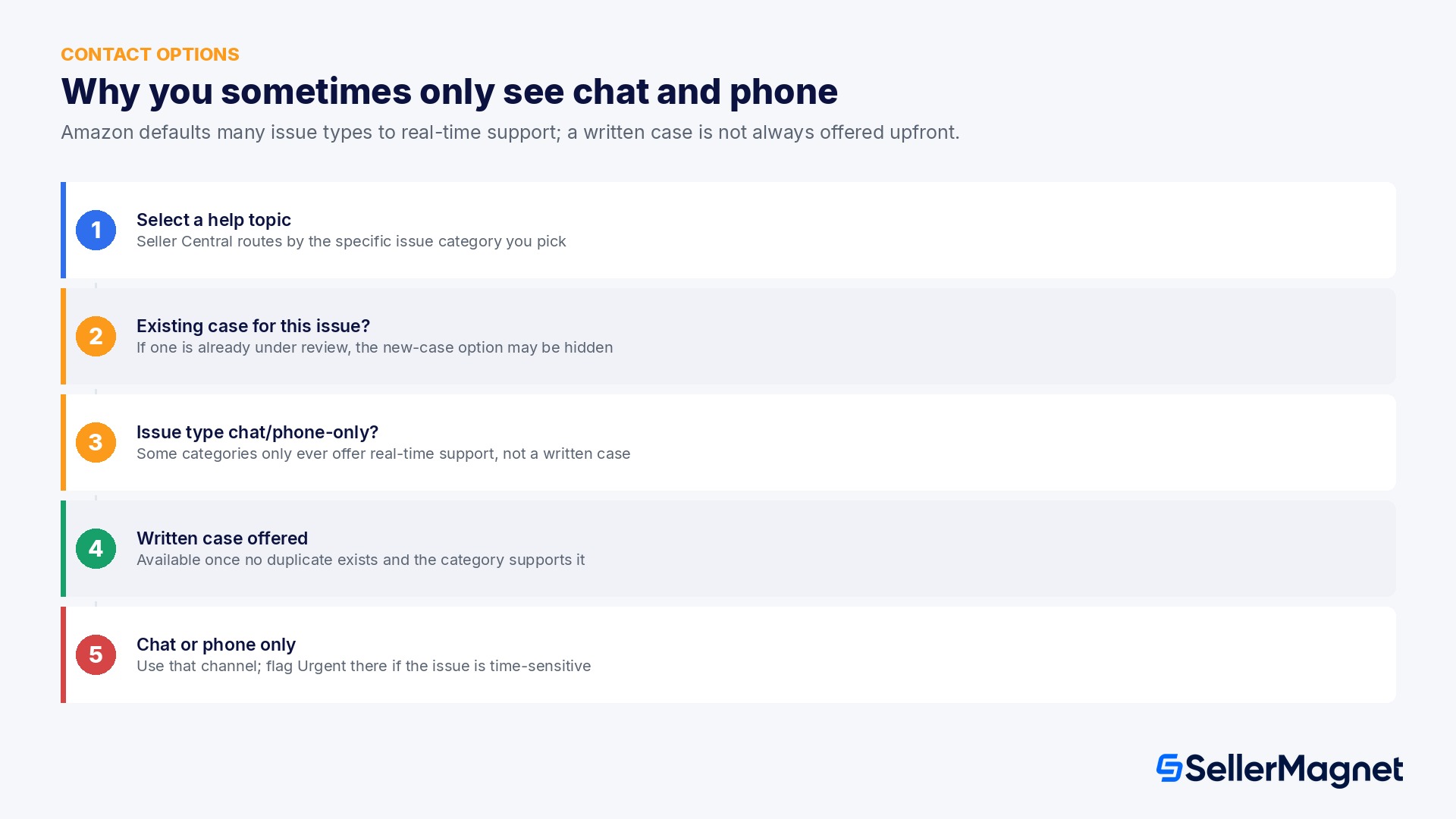
Amazon Seller Support contact channels decision flow

Flagging a case Urgent: what it is actually for

Amazon's guidelines single out urgency as the one case detail worth flagging explicitly: if your issue is time-sensitive, flag the case as Urgent. That flag is meant for issues with a real clock attached, a listing wrongly suppressed during a peak sales window, a shipment problem blocking inbound inventory, a payout that has not landed, not for every case you personally want answered faster. Marking every case Urgent does not make Support move faster across the board; it makes the flag meaningless for the cases that genuinely need it, which is exactly the outcome Amazon's guidelines are trying to avoid.

Reopening a case versus opening a new one

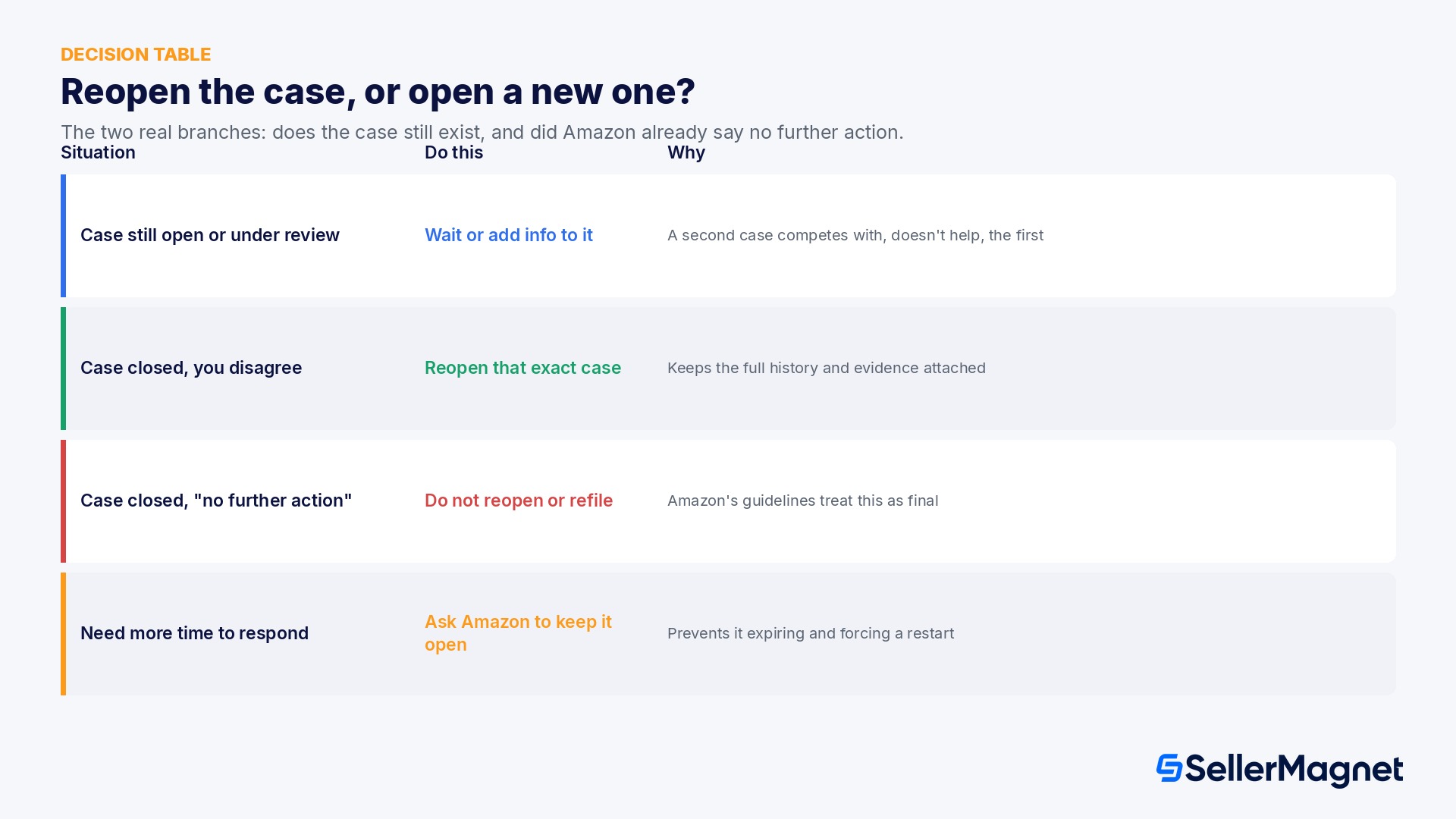
The decision Amazon's guidelines actually hinge on is simple once you separate it into its two real branches: does this case still exist in some form, and did Amazon already tell you no further action will be taken.
Situation What to do Why
A case is still open or under review for your issue Do not open a new case; wait, or add information to the existing one A second case for the same issue competes with, rather than helps, the first
A case was closed and you disagree with how it was handled Reopen that exact case Reopening keeps the full history and evidence attached; a new case starts from zero
A case was closed and Amazon said no further action will be taken Do not reopen it and do not open a new case for the same issue Amazon's guidelines treat this as a final answer unless you have genuinely new information
You need more time to gather documents Amazon asked for Ask Amazon to keep the case open Prevents the case expiring and forcing you to restart the whole thread
Amazon case log reopen versus new case decision table
A stalled case is easy to lose track of inside Seller Central alone. SellerMagnet's Notification Center can flag the account-health and listing-side symptoms that usually sit behind a support case, a suppressed listing, a stranded unit, a failed shipment, so you notice the underlying problem before it needs a case at all, and have the evidence ready the moment you do open one. For the score Amazon itself watches while a case is open, see our Amazon Account Health Rating guide, and for where the Help and Case Log menus sit in the current layout, our New Seller Central guide.

Common mistakes that get a case closed without a real answer

  • Opening a second case because the first one has not had a reply yet; per Amazon's guidelines this is treated as a duplicate and is more likely to be closed than to speed anything up.
  • Bundling two unrelated problems into one case to save time; Amazon routes by issue type, so the case usually only gets fully handled for the part that matched its assigned team.
  • Letting a case expire while still gathering documents, instead of asking Amazon to keep it open, which forces the whole case to restart from a blank thread.
  • Reopening a case, or filing a new one on the same topic, after Amazon has already said no further action will be taken, which Amazon's guidelines explicitly rule out.
  • Marking a routine case Urgent out of frustration rather than genuine time pressure, which does not speed up that case and dilutes the flag for the cases that actually need it.

A simple checklist before you open your next case

  • Check the Case Log first: is there already a case open or under review for this exact issue?
  • Write down the one issue this case is about; if you have a second, unrelated issue, that is a second case.
  • If the issue genuinely cannot wait, use whichever channel is offered, chat, phone, or a written case, and flag it Urgent there.
  • If a case is closed and you disagree, reopen that case; do not start a new one on the same topic.
  • If Amazon told you no further action will be taken, treat that as final unless you have genuinely new information to add.
  • If you need more time to respond, ask Amazon to keep the case open instead of letting the clock run out.
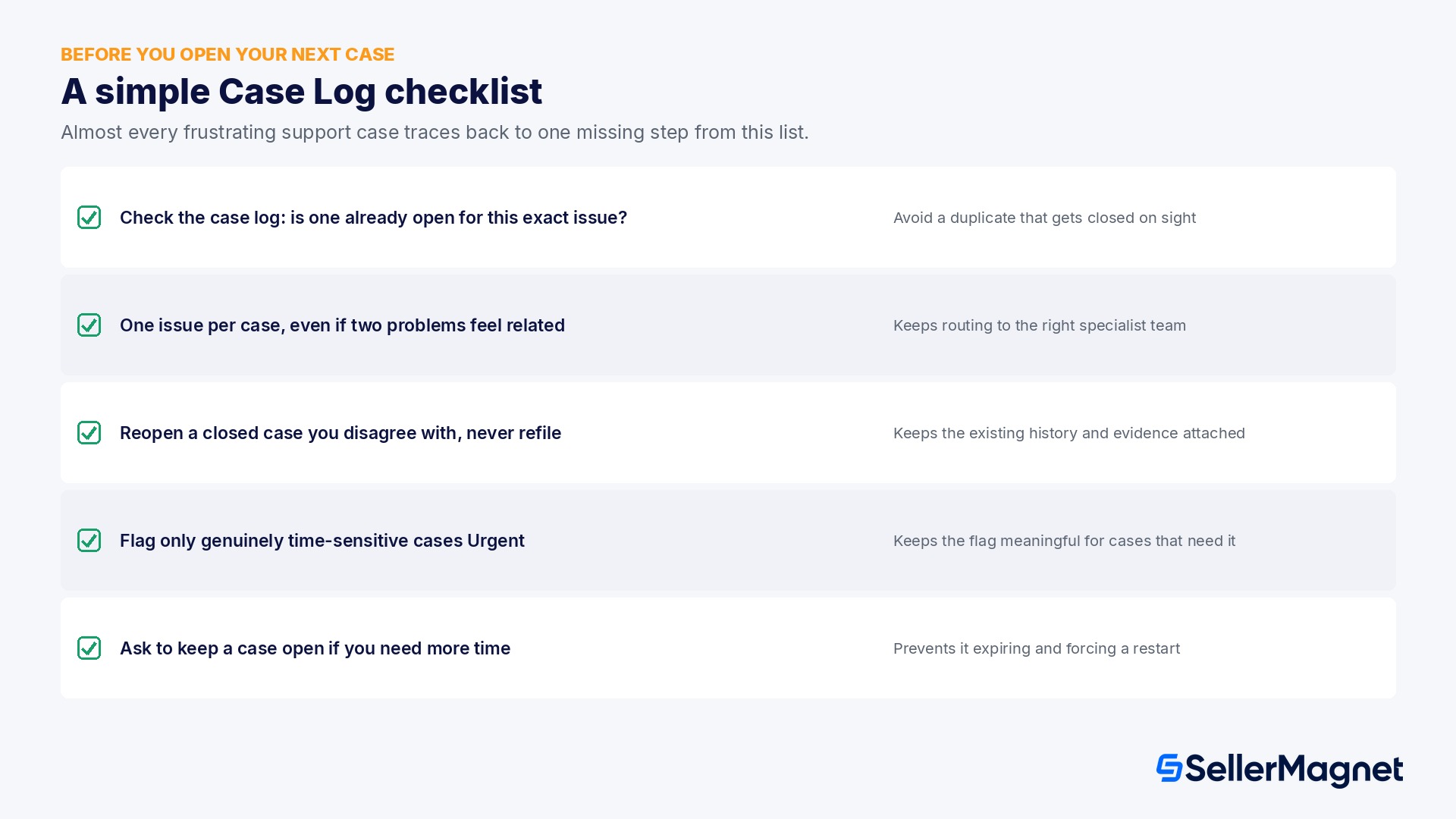
Checklist for using the Amazon Seller Central Case Log correctly
The rules are the same on every Seller Central marketplace
The help page referenced here is the US version, but Amazon runs the same Case Log mechanics and the same contact guidelines, one case per issue, reopen rather than refile, the Urgent flag, across its Seller Central marketplaces. If you manage one account across several marketplaces, the Case Log for each marketplace is still a record you are expected to check before opening a new case there too.

What is the Amazon Case Log?

The Case Log is the record in Seller Central of every support case tied to your account, reachable under Help, Get Support, then Case Log, showing each case's ID, status and message thread with Selling Partner Support.

Should I open a new case if my existing one has not had a reply?

No. Amazon's guidelines state you should review your case log and check the case status instead of opening a new case, and that it may decline or close a case that does not follow this. A second case for the same issue is treated as a duplicate, not a way to speed things up.

Can I combine two issues into one Amazon support case?

Amazon's guidelines ask for one case per issue, stating that multiple teams resolve issues more efficiently when each receives its own contact on a specific issue. Bundling two issues risks the case only being fully handled for the part that matches the team it was routed to.

Why does Seller Central only offer me chat or phone, not a written case?

Amazon has streamlined support so that real-time chat and phone are the default for most issue types, and a written case is not always offered upfront. This often happens because a case already exists for that issue, or because the specific help topic you selected only supports chat or phone.

Should I reopen a closed case or start a new one?

Reopen the closed case. Amazon's guidelines say that if you have questions about a closed case or think it was handled incorrectly, you should reopen it instead of opening a new case, which keeps the existing history and evidence attached.

What happens if Amazon tells me no further action will be taken on a case?

Amazon's guidelines state you should not reopen that case or raise it as a new case. Treat it as a final answer unless you have genuinely new information to add.

When should I flag a case as Urgent?

Use the Urgent flag for genuinely time-sensitive issues, such as a suppressed listing or a blocked shipment during a peak period, not for every case you want answered sooner; Amazon's guidance ties the flag specifically to time-sensitive issues.

Can Amazon close my case just for not following these guidelines?

Yes. Amazon's help page states it may close a case if you do not follow its support guidelines, framing this as protecting both sellers and customers from requests that are not consistent with its policies.

Does posting my case ID in the Seller Forums speed up a stuck case?

It can help get a second look, since Amazon staff are active there, but it requires an existing case ID and does not bypass the underlying guidelines; a moderator cannot reopen a case Amazon already marked no further action on.

Should I report a shipment discrepancy and its reimbursement in the same case?

Usually not. Amazon's teams commonly treat the discrepancy and the resulting reimbursement as two separate issues, so expect to file the reimbursement case once the discrepancy itself has been resolved.

Can every user on a multi-login Seller Central account see all cases?

Not automatically. Visibility into the Case Log depends on each user's assigned Seller Central permissions, not simply on who opened the case, so confirm a teammate actually has access before assuming they can follow up on it.

Stop Juggling Tools. SellerMagnet Combines Everything You Need.

Join a smarter way to manage your Amazon store.

Recommended Articles

Amazon Case Log 2026: The Official Rules for Contacting Seller Support
Amazon Basics SellerMagnet Tools

Amazon Case Log 2026: The Official Rules for Contacting Seller Support

What Amazon's own Case Log guidelines say about opening, reopening and escalating a Seller Central support case, why you sometimes only see chat or phone, and the mistakes that get a case closed without a real answer.
Read more
Amazon Grade and Resell 2026: One Program, One Fee
FBM Inventory Management SellerMagnet Tools

Amazon Grade and Resell 2026: One Program, One Fee

Amazon merged Restore to New and Sell as Used into one Grade and Resell program, and extended the Sell as Used processing fee to Restore to New units. What it costs, with a worked example.
Read more
Amazon Two-Step Verification 2026: Setup, Backup Methods and Recovery
Amazon Basics SellerMagnet Tools

Amazon Two-Step Verification 2026: Setup, Backup Methods and Recovery

How Amazon's mandatory Two-Step Verification works on Seller Central: primary and backup method pairing rules, the setup steps, and the documented account-recovery process if you lose access to both devices.

Read more
Amazon Creator Connections 2026: How Affiliate+ Campaigns Really Work
Advertising & PPC Amazon SEO Amazon Basics

Amazon Creator Connections 2026: How Affiliate+ Campaigns Really Work

Eligibility, the 3 ways to pay a creator, campaign setup, how commission is calculated, a worked cost-per-sale example, and what sellers who ran real campaigns report about accepts versus actual posts.
Read more
Amazon Shop Direct Merchant Workspace 2026 Explained
Amazon Updates SellerMagnet Tools

Amazon Shop Direct Merchant Workspace 2026 Explained

Amazon's new free Shop Direct Merchant Workspace explained: who can join, the 3-step signup, Buy for Me checkout, and why an existing Amazon seller might use it for products they don't sell on Amazon.

Read more
Amazon Seller University 2026: The Free Training Hub
Amazon Basics Amazon Updates

Amazon Seller University 2026: The Free Training Hub

What Amazon Seller University actually covers, the course categories inside Seller Central, recent real course additions on compliance and logistics, how to access it, and a worked example of what skipping it can cost.

Read more

Ready to grow your Amazon business?

Used on nearly 800 Amazon projects to automate pricing, track profits and scale faster.

14-day free trial • Cancel anytime